

HandyNote: canvas, transcribe
Wimlog Productivity iPhoneiPadiPod touch
HandyNote: canvas, transcribe is a free Productivity app for iPhone and iPad by Wimlog. Requires iOS 17.6. Updated October 14, 2026.
- Price
- Free
- on the App Store
- Size
- 7 MB
- Age 4+
- Updated
- Oct 14
- 2026 · v1.2.1
Screenshots
About HandyNote: canvas, transcribe
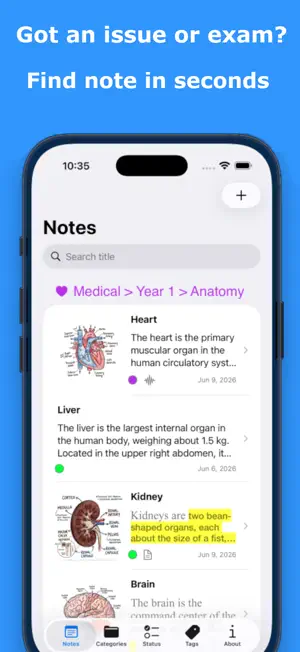
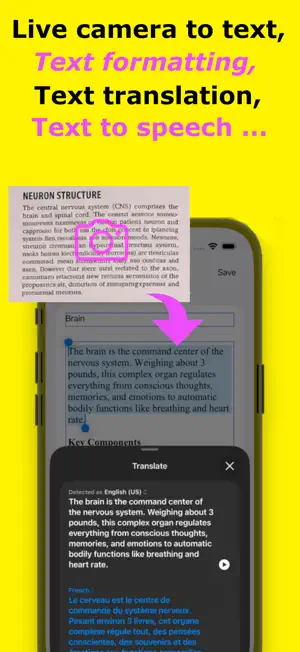
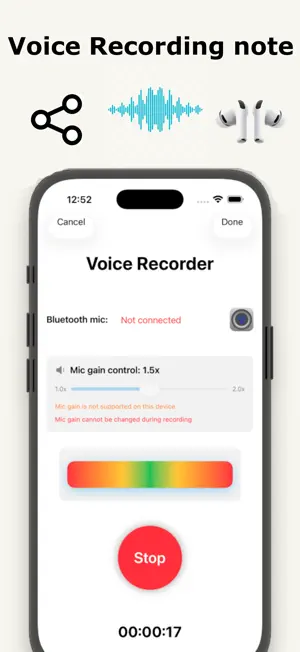
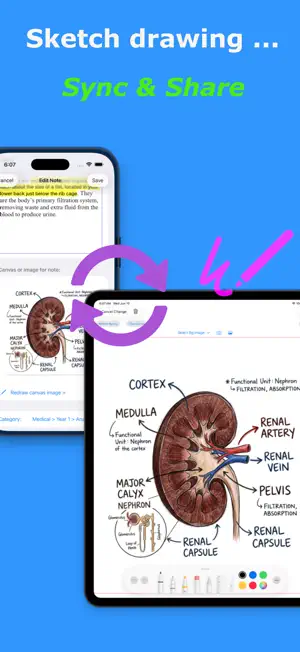
HandyNote is a powerful but easy to use note taking app. Whether you are a student taking exams, a professional managing projects, or a creator sketching out ideas, HandyNote combines powerhouse features with a beautifully simple interface. A note in HandyNote includes title, rich text content, (optional) drawing on canvas, voice recording and pdf attachment. With latest iOS and newer iPhone or iPad hardware, HandyNote supports built-in AI feature for re-write, proofread and summarize text content. Rich text content supports text translation. User can also change text styling, text font, text size and text color, etc. Content input also support live camera to text. HandyNote supports using stylus pen on ipad and finger drawing on iphone. Sketch drawing can directly share or upload. Optional audio recording supports built-in mic, bluetooth mic and bluetooth earbuds for voice recording. You can record your own voice anywhere, hand-free. For latest iOS 26, HandyNote supports voice to text (transcribe), using voice recording. User can generate PDF for each note. PDF will include title, rich text content, and optional sketch drawing. Another user of HandyNote can import the PDF through ios Files app, as an attachment. So, you can share HandyNote content to students or teammates. HandyNote support category and tags for easy search. Notes are auto sorted by category and title. Search your notes by title, or one click to show notes with tag. Each HandyNote can further add "Status" for each note, such as "Favorite", "Urgent", "Closed", etc, for easy reference. Widget is also supported by HandyNote. User can choose what notes to display in widget, such as "Favorite" status. HandyNote supports auto iCloud Sync. User can start creating a new note on iPhone with text content and voice recording, then continue with iPad sketch drawing. It is automatically, privately, sync using your own iCloud. Privacy Policy: https://wimlog.com/privacy Apple EULA: https://www.apple.com/legal/internet-services/itunes/dev/stdeula/
What’s new
Version 1.2.1 · Updated October 14, 2026
- Text content supports Apple Intelligence for re-write, proofread, summarize when using latest iOS version (18.1+) and latest hardware. - Bug fix.
App privacy
The developer, Wimlog, reported these privacy practices to Apple.
Data Used to Track You
The following data may be used to track you across apps and websites owned by other companies:
- Identifiers: Device ID
- Usage Data: Advertising Data
Data Not Linked to You
The following data, which may be collected but is not linked to your identity, may be used for the following purposes:
- Identifiers: Device ID
- Usage Data: Advertising Data
Used for: Third-Party Advertising
Alternatives to HandyNote: canvas, transcribe
Looking for apps like HandyNote: canvas, transcribe? Here are 6 similar apps on the App Store. The highest rated is ScribblePad: Notes & PDF (5.0/5), and all 6 are free to download.
-
 NoteApp, Mindmap, PDF: InkNode
4.3
NoteApp, Mindmap, PDF: InkNode
4.3
-
 NoteCove
-
 ScribblePad: Notes & PDF
5.0
ScribblePad: Notes & PDF
5.0
-
 Notepad - Daily Notes Reminder
-
 OpenNotes: Notes & PDF Markup
4.5
OpenNotes: Notes & PDF Markup
4.5
-
 NoryaNotes
| App | Rating | Price | Last updated | Compare |
|---|---|---|---|---|
| HandyNote: canvas, transcribe | – | Free | October 14, 2026 | |
| NoteApp, Mindmap, PDF: InkNode | 4.3 / 5 (7) | Free | Aug 10, 2026 | Compare |
| NoteCove | – | Free | Sep 7, 2026 | Compare |
| ScribblePad: Notes & PDF | 5.0 / 5 (3) | Free | Sep 7, 2026 | Compare |
| Notepad - Daily Notes Reminder | – | Free | Aug 13, 2026 | Compare |
| OpenNotes: Notes & PDF Markup | 4.5 / 5 (30) | Free | Oct 15, 2026 | Compare |
| NoryaNotes | – | Free | Jul 26, 2026 | Compare |