

Sign PDF by Certificate
JIRI CHOMAT Business iPhoneiPadiPod touchMac
Sign PDF by Certificate is a free Business app for iPhone and iPad by JIRI CHOMAT. Rated 5.0/5 from 2 ratings. Requires iOS 17. Updated October 19, 2026.
- Rating
- 5.0
- 2 ratings
- Price
- Free
- on the App Store
- Size
- 7 MB
- Age 4+
- Updated
- Oct 19
- 2026 · v1.19
Screenshots


About Sign PDF by Certificate
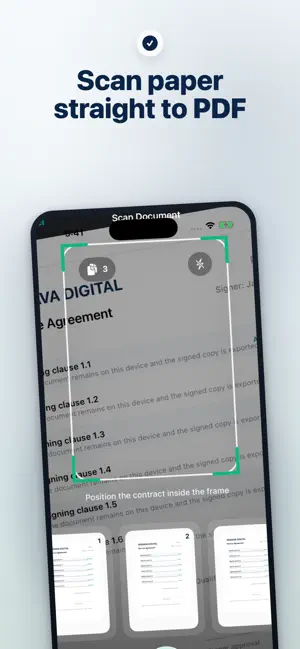
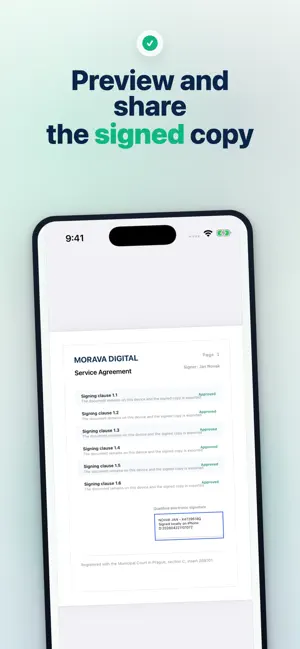
Sign PDFs on iPhone with a .p12 or .pfx certificate, or draw a handwritten signature when needed. Scan paper into PDF, place the visible signature exactly on the page, unlock saved passwords with Face ID, and export a signed copy without changing the original file. Terms of Use: https://www.apple.com/legal/internet-services/itunes/dev/stdeula/
What’s new
Version 1.19 · Updated October 19, 2026
Fixed (Mac): signing could fail with “CSSMERR_CSP_OPERATION_AUTH_DENIED” when the same certificate was also installed in the macOS Keychain. Improved: completed translations for certificate and Keychain screens in all languages.
App privacy
The developer, JIRI CHOMAT, reported these privacy practices to Apple.
Data Not Collected
The developer does not collect any data from this app.
Alternatives to Sign PDF by Certificate
Looking for apps like Sign PDF by Certificate? Here are 6 similar apps on the App Store. The highest rated is Sign Documents - DocInk (5.0/5), and all 6 are free to download.
-
 Firm@: Firma PDF con DNIe
4.9
-
 Foxit eSign
3.3
-
 Signature: Fill and Sign PDF
4.8
-
 Sign Documents - DocInk
5.0
-
 ZipSign: Signature Maker
4.6
-
 Adobe Acrobat Sign
2.2
| App | Rating | Price | Last updated | Compare |
|---|---|---|---|---|
| Sign PDF by Certificate | 5.0 / 5 (2 ratings) | Free | October 19, 2026 | |
| Firm@: Firma PDF con DNIe | 4.9 / 5 (7) | Free | Oct 2, 2026 | Compare |
| Foxit eSign | 3.3 / 5 (14) | Free | Jul 10, 2026 | Compare |
| Signature: Fill and Sign PDF | 4.8 / 5 (132) | Free | Sep 5, 2026 | Compare |
| Sign Documents - DocInk | 5.0 / 5 (6) | Free | Oct 17, 2026 | Compare |
| ZipSign: Signature Maker | 4.6 / 5 (57) | Free | Oct 21, 2026 | Compare |
| Adobe Acrobat Sign | 2.2 / 5 (645) | Free | Sep 22, 2026 | Compare |