

FantasyRat Novel Studio
FantasyRat Labs LLC Productivity iPhoneiPadiPod touchMac
FantasyRat Novel Studio is a free Productivity app for iPhone and iPad by FantasyRat Labs LLC. Requires iOS 17.0. Updated November 17, 2026.
- Price
- Free
- on the App Store
- Size
- 51 MB
- Age 4+
- Updated
- Nov 17
- 2026 · v2.0
Screenshots
Save to Pinterest


About FantasyRat Novel Studio
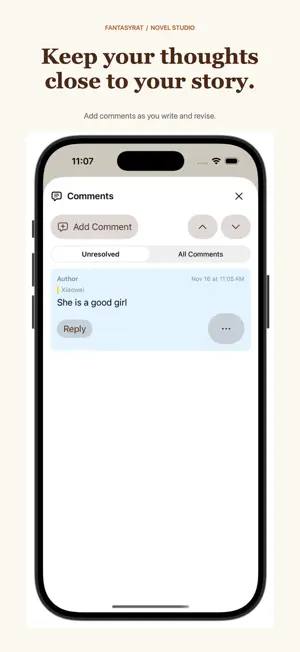
FantasyRat Novel Studio brings your manuscript, characters, worldbuilding, timelines, maps, and story wiki together on iPhone and iPad. Jot down an idea on your phone, plan a chapter on your iPad, or pick up a draft you started on your Mac. SAVE AND SHARE YOUR NOVEL AS A DOCUMENT Save your entire novel as a FantasyRat Document (.frdoc). Your manuscript, worldbuilding, images, comments, and tracked changes stay together in one file. Open it from Files, save it to iCloud Drive, or share a copy with someone reviewing your draft. You can open the same document in FantasyRat Novel Studio on iPhone, iPad, and Mac. REVISE WITH TRACK CHANGES AND COMMENTS Track text insertions, deletions, and replacements as you revise. Accept or reject individual changes and preview a clean draft. Attach comments to passages to leave yourself a reminder or give a reviewer something specific to respond to. WRITE AND ORGANIZE YOUR MANUSCRIPT Draft and format chapters and scenes in an editor built for long-form fiction. Switch between continuous writing and page view, and adjust page size, margins, and zoom to suit your screen and how you write. BUILD YOUR WORLD AND KEEP IT CONSISTENT Create characters, places, cultures, magic systems, and lore. Keep character profiles and visual references handy, and use the hierarchy editor to define ranks, levels, and progression systems. Link related entries in your story wiki so you can look up details while you write. PLAN YOUR TIMELINE AND MAP YOUR WORLD Organize key events with story calendars, summaries, and visual references. Sketch geography, work with map layers, and connect places to the routes and landmarks that shape your characters’ journeys. REVIEW YOUR DRAFT WITH STORY AI Use Story AI to proofread a passage, tighten prose, or summarize a chapter. Review the suggestions and decide which changes to make. Terms of Use: https://www.apple.com/legal/internet-services/itunes/dev/stdeula/ Privacy Policy: https://www.fantasyrat.com/FantasyratCreator/privacy
What’s new
Version 2.0 · Updated November 17, 2026
FantasyRat Novel Studio 2.0 brings more of your writing workflow to iPhone and iPad. • FantasyRat Document (.frdoc): Carry your novel and its story materials in one portable file. Open a document created on your Mac, continue writing on iPhone or iPad, and save it for your next session. • Track Changes: Review edits and accept or reject changes while working on your manuscript. • Manuscript Comments: Add comments, reply to notes, and keep track of resolved discussions. • Improved Sample Book: Explore a sample story and get familiar with your writing workspace. One story, across Mac, iPhone, and iPad.
App privacy
The developer, FantasyRat Labs LLC, reported these privacy practices to Apple.
Data Linked to You
The following data, which may be collected and linked to your identity, may be used for the following purposes:
- Purchases: Purchase History
- Contact Info: Email Address
- User Content: Other User Content
- Identifiers: User ID
Used for: App Functionality
Alternatives to FantasyRat Novel Studio
Looking for apps like FantasyRat Novel Studio? Here are 6 similar apps on the App Store. The highest rated is Scripter360 (5.0/5), and all 6 are free to download.
-
 Zhibi: Novel Writing Studio
-
 OneWriter: Inspiration Place
-
 Ink & Page: Book Writer
-
 FuaFlow CRM
-
 Almost Fiction
-
 Scripter360
5.0
| App | Rating | Price | Last updated | Compare |
|---|---|---|---|---|
| FantasyRat Novel Studio | – | Free | November 17, 2026 | |
| Zhibi: Novel Writing Studio | – | Free | Nov 17, 2026 | Compare |
| OneWriter: Inspiration Place | – | Free | Oct 15, 2026 | Compare |
| Ink & Page: Book Writer | – | Free | Nov 14, 2026 | Compare |
| FuaFlow CRM | – | Free | Nov 19, 2026 | Compare |
| Almost Fiction | – | Free | Nov 9, 2026 | Compare |
| Scripter360 | 5.0 / 5 (1) | Free | Nov 23, 2026 | Compare |