

Splenty: Split Group Expenses
EXOGROUPE Finance iPhoneiPadiPod touch
Splenty: Split Group Expenses is a free Finance app for iPhone and iPad by EXOGROUPE. Requires iOS 15.1. Updated April 28, 2026.
- Price
- Free
- on the App Store
- Size
- 36 MB
- Age 4+
- Updated
- Apr 28
- 2026 · v1.0
Screenshots


About Splenty: Split Group Expenses
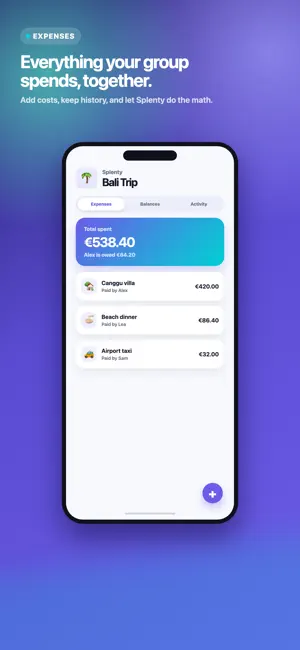
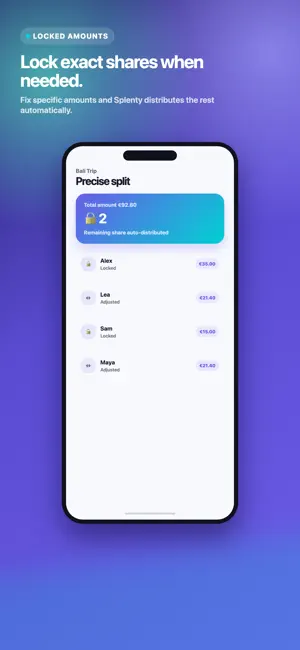
Splenty makes shared expenses clear for trips, flatshares, weekends and group plans. Create a Splenty, add your group members, enter expenses and let the app calculate who owes what to whom. Key features: - Expense groups for trips, roommates, events and shared projects - Multiple payers on the same expense - Flexible splits with exact amounts you can lock - Clear balances and suggested repayments - Group activity history - Group data export - Self-service account deletion with anonymized shared history Splenty does not process payments. It helps your group keep accurate accounts; repayments happen outside the app. Privacy: no ads, no third-party tracking, data protected by Supabase and strict access rules.
App privacy
The developer, EXOGROUPE, reported these privacy practices to Apple.
Data Linked to You
The following data, which may be collected and linked to your identity, may be used for the following purposes:
- Purchases: Purchase History
- Contact Info: Email Address, Name
Used for: App Functionality
Data Not Linked to You
The following data, which may be collected but is not linked to your identity, may be used for the following purposes:
- User Content: Photos or Videos
Used for: App Functionality
Alternatives to Splenty: Split Group Expenses
Looking for apps like Splenty: Split Group Expenses? Here are 6 similar apps on the App Store.






| App | Rating | Price | Last updated | Compare |
|---|---|---|---|---|
| Splenty: Split Group Expenses | – | Free | April 28, 2026 | |
| WeSlash | – | Free | Jul 22, 2026 | Compare |
| Bons Comptes + | – | Free | Apr 9, 2026 | Compare |
| IzyLife Split | – | Free | May 28, 2026 | Compare |
| Splity | – | Free | Nov 28, 2025 | Compare |
| MonDjai | – | Free | Apr 28, 2026 | Compare |
| Split Group Expenses - Squara | – | Free | Jul 11, 2026 | Compare |