
MD Flow - Markdown Reader
Amilcar Zambrano Guevara Productivity iPhoneiPadiPod touchMac
MD Flow - Markdown Reader is a free Productivity app for iPhone and iPad by Amilcar Zambrano Guevara. Rated 5.0/5 from 1 ratings. Requires iOS 17.0.
- Rating
- 5.0
- 1 ratings
- Price
- Free
- on the App Store
- Size
- 7 MB
- Age 4+
- Updated
- Oct 1
- 2026 · v1.15
Screenshots
About MD Flow - Markdown Reader
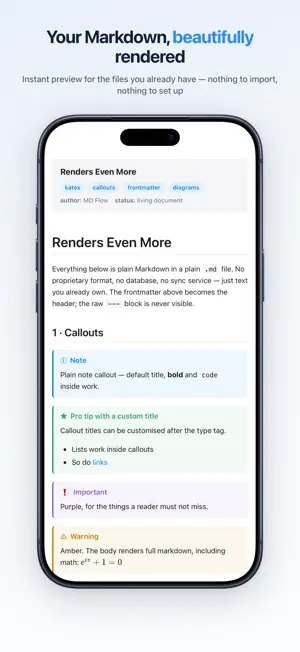
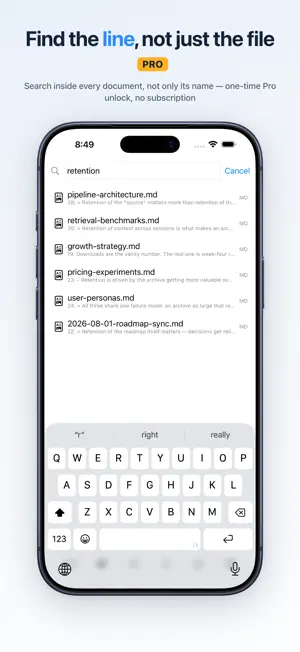
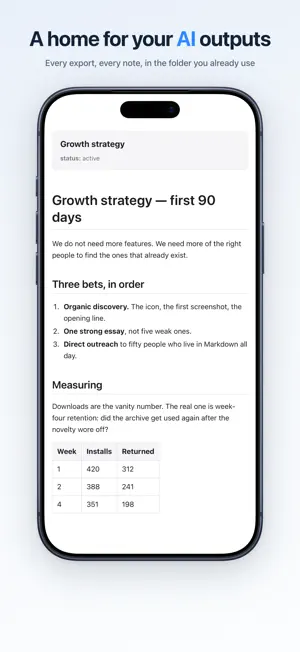
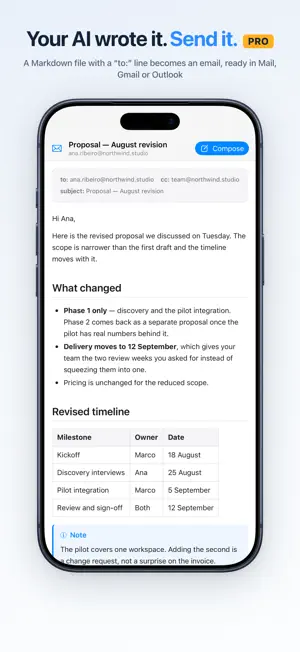
MD Flow is a native app for browsing folders and instantly previewing Markdown — beautifully rendered, with syntax-highlighted code, tables, and Mermaid diagrams. No indexing, no workspace, no setup. Just open a folder and start reading. What you can do * Browse folders with a fast, intuitive interface * Instantly preview Markdown, with syntax-highlighted code blocks * See Mermaid diagrams rendered inline — flowcharts, sequence, Gantt, and more * Export any document as a polished PDF, then share or save it — MD Flow Pro * Search within the current folder * Reopen recent files quickly * Navigate long documents with a table of contents * Preview HTML, text, CSV, and RTF files * Works directly with your existing folder structure Built for real workflows MD Flow works with the files you already have: * Documentation folders and README-heavy projects * Technical docs with diagrams and code samples * Exported notes and personal archives * AI-generated summaries, research, and drafts * Writing libraries and file-based knowledge systems A simple, focused experience MD Flow is not a note-taking app, a PKM system, or a Markdown editor. It is a file-first app designed to help you browse and read your files faster, without friction. No import. No duplication. No lock-in. Privacy-first by design * No account required * No tracking * Works locally with your files * You stay in control of your data Pricing MD Flow includes a free core experience. MD Flow Pro is a one-time unlock — including PDF export — that works across Mac, iPhone, and iPad. Optional tips are available if you want to support ongoing development.
What’s new
Version 1.15 · Updated October 1, 2026
Links between your files now behave like links. A link to another .md file opens it right here instead of handing it to another app, and heading anchors land where they point — including an anchor that reaches into a different document. New in Pro: export a whole folder as one PDF, in the order you see it. Also fixed: a wikilink at the start of a line no longer breaks the paragraph around it.
App privacy
The developer, Amilcar Zambrano Guevara, reported these privacy practices to Apple.
Data Linked to You
The following data, which may be collected and linked to your identity, may be used for the following purposes:
- Contact Info: Email Address
Used for: App Functionality
Data Not Linked to You
The following data, which may be collected but is not linked to your identity, may be used for the following purposes:
- Usage Data: Product Interaction
Used for: Analytics, App Functionality
Alternatives to MD Flow - Markdown Reader
Looking for apps like MD Flow - Markdown Reader? Here are 6 similar apps on the App Store. The highest rated is Markdown Editor & Reader (5.0/5), and all 6 are free to download.
-
 Markdown Editor & Reader
5.0
Markdown Editor & Reader
5.0
-
 .md Viewer
4.3
.md Viewer
4.3
-
 Markdown Viewer Mobile
5.0
Markdown Viewer Mobile
5.0
-
 One Markdown
4.6
One Markdown
4.6
-
 Markdown゜
4.6
Markdown゜
4.6
-
 Browser - Fast, Safe, Private
4.1
Browser - Fast, Safe, Private
4.1
| App | Rating | Price | Last updated | Compare |
|---|---|---|---|---|
| MD Flow - Markdown Reader | 5.0 / 5 (1 rating) | Free | October 1, 2026 | |
| Markdown Editor & Reader | 5.0 / 5 (1) | Free | Oct 28, 2026 | Compare |
| .md Viewer | 4.3 / 5 (7) | Free | Jun 1, 2026 | Compare |
| Markdown Viewer Mobile | 5.0 / 5 (2) | Free | Apr 29, 2026 | Compare |
| One Markdown | 4.6 / 5 (149) | Free | Oct 27, 2026 | Compare |
| Markdown゜ | 4.6 / 5 (504) | Free | Sep 30, 2026 | Compare |
| Browser - Fast, Safe, Private | 4.1 / 5 (16) | Free | Aug 14, 2025 | Compare |