

SoloMD
向东 李 Productivity iPhoneiPadiPod touchMac
SoloMD is a free Productivity app for iPhone and iPad by 向东 李. Rated 1.0/5 from 1 ratings. Requires iOS 15.0. Updated September 26, 2026.
- Rating
- 1.0
- 1 ratings
- Price
- Free
- on the App Store
- Size
- 20 MB
- Age 4+
- Updated
- Sep 26
- 2026 · v4.14.4
Screenshots

About SoloMD
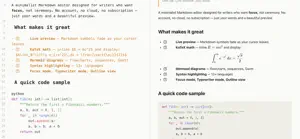
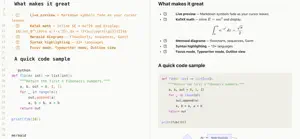
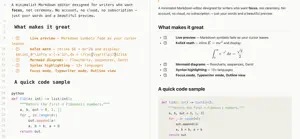
SoloMD is a lightweight, distraction-free Markdown editor for iPad. One file. One window. Just write. Built from the ground up as a focused writing tool - no account, no cloud, no telemetry, no subscription. Your notes stay in plain .md and .txt files on your iPad, readable by any editor on any platform, today and in ten years. CORE EDITING - Live preview - Markdown symbols fade out after the cursor leaves the line. - Rich syntax styling - real big headings, real bold, real monospace for code. - Light and Dark themes that follow iPad system appearance. - Multi-encoding - auto-detects UTF-8, UTF-16, GBK, Big5. - Tabs with dirty indicators. - File tree sidebar, outline view, and global search. MARKDOWN POWER - KaTeX math - inline and block math render instantly. - Mermaid diagrams - flowcharts, sequence diagrams, Gantt charts. - Task lists with clickable checkboxes. - Footnotes, YAML front-matter, text highlighting. - Syntax highlighting for 13 plus languages. - Synced split-pane scroll. - Tap an image or Mermaid diagram to open a pinch-zoomable overlay. BUILT FOR IPAD - 44 pt touch targets across toolbar, outline, and file tree. - Larger default font sizes tuned for iPad screen distance. - Split-view and multitasking friendly. - Works with hardware keyboards. - Portrait and landscape, every orientation. WRITER TOOLS - Focus mode - non-current paragraphs dim for deep work. - Typewriter mode. - Session restore - auto-saves so you never lose a line. - Chinese power tools - simplified/traditional conversion, pinyin, CJK word counts. - Spell check. - Custom CSS. EXPORT - HTML (newsletter quality) - PDF with KaTeX and Mermaid baked in - Word (.docx) with tables preserved - Copy as HTML, plain text, or Markdown PRIVACY FIRST SoloMD collects no personal data. No account. No analytics. No ads. No tracking. All your notes live locally in files you own. SoloMD is open source (MIT). Source: github.com/zhitongblog/solomd
What’s new
Version 4.14.4 · Updated September 26, 2026
Sort the file tree by name, creation date or modification date, or drag files into your own order. New files go at the end. Search in Settings: filter every settings page by name or description. Steadier editing: optionally keep Markdown markers visible so lines never jump as you move the cursor, and tint the current line. In preview, outline jumps land exactly on the heading, and the outline follows what you are reading. Russian is now an interface language, and the status bar is translated. Exports: the PDF table of contents gets a title and page numbers, and all exports use neutral colours. A new shortcut, ⌘⌥/, flips between live edit and edit only.
App privacy
The developer, 向东 李, reported these privacy practices to Apple.
Data Not Collected
The developer does not collect any data from this app.
Alternatives to SoloMD
Looking for apps like SoloMD? Here are 6 similar apps on the App Store. The highest rated is Quick Markdown Viewer (5.0/5), and all 6 are free to download.
-
 Quick Markdown Viewer
5.0
Quick Markdown Viewer
5.0
-
 Marked — Markdown Editor
5.0
Marked — Markdown Editor
5.0
-
 PureMarkdown
-
 md.too
-
 Markdown Editor and MD Viewer
-
 Notelane - Markdown Editor
5.0
Notelane - Markdown Editor
5.0
| App | Rating | Price | Last updated | Compare |
|---|---|---|---|---|
| SoloMD | 1.0 / 5 (1 rating) | Free | September 26, 2026 | |
| Quick Markdown Viewer | 5.0 / 5 (1) | Free | Jun 15, 2026 | Compare |
| Marked — Markdown Editor | 5.0 / 5 (3) | Free | May 14, 2026 | Compare |
| PureMarkdown | – | Free | May 28, 2026 | Compare |
| md.too | – | Free | Aug 12, 2026 | Compare |
| Markdown Editor and MD Viewer | – | Free | Jun 27, 2026 | Compare |
| Notelane - Markdown Editor | 5.0 / 5 (4) | Free | Jul 1, 2026 | Compare |
Compare SoloMD with the top alternatives: ratings, updates, ASO score and keyword gaps →