

Swipe Delete Photos - SwipeBox
Timur Sarbassov Photo & Video iPhoneiPadiPod touch
Swipe Delete Photos - SwipeBox is a free Photo & Video app for iPhone and iPad by Timur Sarbassov. Rated 2.5/5 from 2 ratings. Requires iOS 18.6.
- Rating
- 2.5
- 2 ratings
- Price
- Free
- on the App Store
- Size
- 14 MB
- Age 4+
- Updated
- Jun 24
- 2026 · v1.0.1
Screenshots



About Swipe Delete Photos - SwipeBox
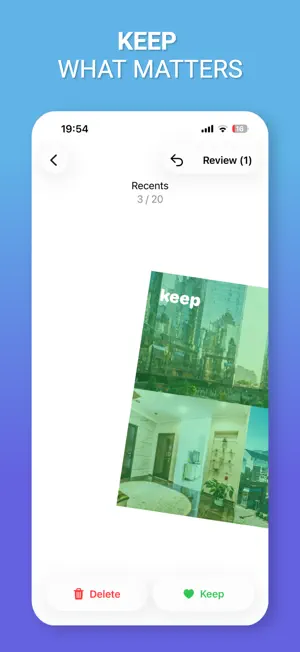
SwipeBox helps you clean up your photo library fast with simple swipe-based decisions. Sort through recent photos, random picks, videos, screenshots, and similar photos in a focused, distraction-free flow. Swipe right to keep, swipe left to mark for deletion, then review everything before removing it from your library. Whether your iPhone is running out of storage or your camera roll is full of screenshots, duplicate photos, and videos you no longer need, SwipeBox makes cleanup feel quick and manageable. Why SwipeBox: Clean your photo library with fast swipe controls Find similar and duplicate photos for easier review Review screenshots separately Go through videos and old items faster Check all selected items before deleting anything Keep your cleanup private — your photos stay on your device How it works: Open a category like Recents, Random, Videos, Screenshots, or Duplicates Swipe through your items one by one Mark unwanted photos and videos for deletion Review your selection Delete in one go SwipeBox is built for people who want a faster way to organize photos, remove clutter, and free up storage without digging through the Photos app for hours. Perfect for: Cleaning duplicate photos Removing old screenshots Reviewing unwanted videos Decluttering your camera roll Freeing up iPhone storage Keeping only the photos that matter Download SwipeBox and take control of your photo library in minutes. Terms of Use (EULA): https://www.apple.com/legal/internet-services/itunes/dev/stdeula/ Privacy Policy: https://webexts.notion.site/Privacy-Policy-2683e8935898809387cfe98d62600ed5
What’s new
Version 1.0.1 · Updated June 24, 2026
Added all photos view feature and bug fixes
App privacy
The developer, Timur Sarbassov, reported these privacy practices to Apple.
Data Not Linked to You
The following data, which may be collected but is not linked to your identity, may be used for the following purposes:
- Purchases: Purchase History
- Identifiers: User ID, Device ID
- Usage Data: Product Interaction
- Diagnostics: Crash Data, Performance Data
Used for: Analytics, App Functionality
Alternatives to Swipe Delete Photos - SwipeBox
Looking for apps like Swipe Delete Photos - SwipeBox? Here are 6 similar apps on the App Store. The highest rated is Swipe Photos Clean (5.0/5), and all 6 are free to download.
-
 Sort My Photos: Photo Cleaner
-
 Swipeek: Photo Cleaner
-
 Swipe Photo Cleaner - Swylio
-
 MonoArt
-
 Swipe Photos Clean
5.0
Swipe Photos Clean
5.0
-
 Image Stack
| App | Rating | Price | Last updated | Compare |
|---|---|---|---|---|
| Swipe Delete Photos - SwipeBox | 2.5 / 5 (2 ratings) | Free | June 24, 2026 | |
| Sort My Photos: Photo Cleaner | – | Free | Jul 24, 2026 | Compare |
| Swipeek: Photo Cleaner | – | Free | Sep 24, 2026 | Compare |
| Swipe Photo Cleaner - Swylio | – | Free | May 12, 2026 | Compare |
| MonoArt | – | Free | Jan 22, 2026 | Compare |
| Swipe Photos Clean | 5.0 / 5 (1) | Free | Apr 20, 2026 | Compare |
| Image Stack | – | Free | Sep 1, 2026 | Compare |