

Screen Mirroring · Cast to TV.
Govind Kambo Utilities iPhoneiPadiPod touch
Screen Mirroring · Cast to TV. is a free Utilities app for iPhone and iPad by Govind Kambo. Rated 4.7/5 from 54 ratings. Requires iOS 16.0.
- Rating
- 4.7
- 54 ratings
- Price
- Free
- on the App Store
- Size
- 74 MB
- Age 4+
- Updated
- Aug 24
- 2026 · v1.2.3
Screenshots

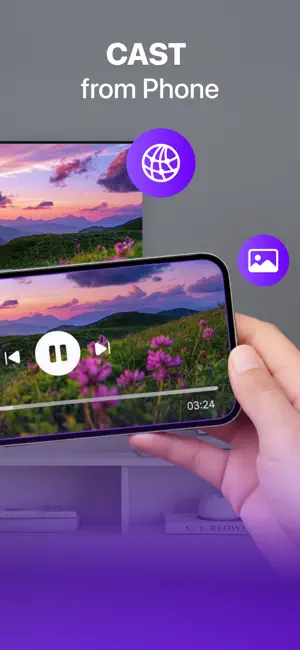
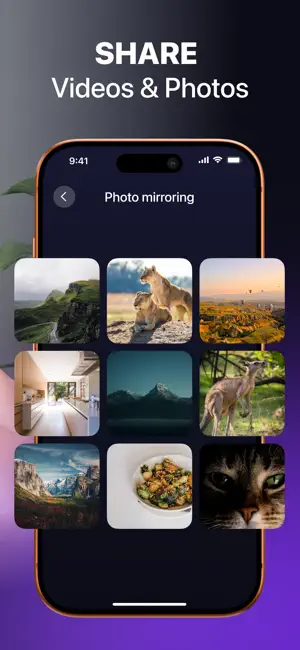

About Screen Mirroring · Cast to TV.
Experience the ultimate wireless freedom with Screen Mirroring - Cast to TV. Whether you want to stream your favorite movies, share vacation photos with family, or present a work document on the big screen, this app provides a seamless, high-speed connection between your device and your television. Say goodbye to tangled cables and complicated setups. With just one tap, you can mirror your entire screen to any smart TV, including AirPlay-compatible devices, Roku, Amazon Fire Stick, and Chromecast. Seamless Wireless Connectivity Our app utilizes advanced casting technology to ensure ultra-low latency and stable streaming. Enjoy real-time mirroring for gaming, video calls, or watching live sports without frustrating lag. The connection is instant, allowing you to switch from your phone screen to the wide-screen experience in seconds. Universal Compatibility Designed to work with a vast array of devices, this screen mirroring tool supports the most popular streaming devices on the market. Whether you own a Samsung Smart TV, LG, Sony, or use a streaming stick, our app bridges the gap between your mobile device and your television. Key Features: - One-Tap Casting: Instantly discover nearby devices and connect with a single tap. No complex menus or technical knowledge required. - High-Definition Quality: Stream videos and display photos in stunning HD and 4K clarity. Watch your content the way it was meant to be seen. - Web Browsing on TV: Need to present a website or read an article? Cast any webpage from your browser directly to the television screen. - Photo & Video Sharing: Display your camera roll on the big screen during gatherings. Share memories instantly without uploading them to the cloud. How It Works: 1. Ensure your mobile device and TV are connected to the same Wi-Fi network. 2. Open the app and tap "Start Mirroring." 3. Select your TV or streaming device from the list. 4. Enjoy your content on the big screen. Versatile Use Cases: - Entertainment: Stream Netflix, YouTube, Hulu, and Disney+ directly to your TV. - Education: Cast online courses or educational videos for the whole family to see. - Gaming: Play real-time multiplayer games with a larger field of view. - Business: Display important data and graphs on a large display without passing a phone around the room. Note: Please ensure your TV supports wireless display (Miracast, AirPlay, or DLNA) or has a connected streaming device (Chromecast, Fire Stick, Roku) to utilize the casting features. Performance may vary based on network conditions. Disclaimer: Screen Mirroring - Cast to TV is an independent application and is not affiliated with, endorsed by, or sponsored by any third-party brands, including but not limited to Apple, AirPlay, Roku, Amazon Fire Stick, Chromecast, Samsung, LG, Sony, Netflix, YouTube, Hulu, Disney+, or any other trademarked entities mentioned. All brand names and trademarks are the property of their respective owners and are used solely to describe device compatibility and functionality. Our app does not claim any association with these brands, and any references are made for informational purposes only to inform users about the accessibility and compatibility of the app with various devices and services. PP: https://sites.google.com/view/screen-mirroring-cast-to-t-v/privacy-policy ToU: https://sites.google.com/view/screen-mirroring-cast-to-t-v/termsconditions Contact Us: https://sites.google.com/view/screen-mirroring-cast-to-t-v/contact-us
Ratings & reviews
4.7
54 ratings
What’s new
Version 1.2.3 · Updated August 24, 2026
We improved internal logic and stability of our application
App privacy
The developer, Govind Kambo, reported these privacy practices to Apple.
Data Used to Track You
The following data may be used to track you across apps and websites owned by other companies:
- Identifiers: User ID, Device ID
Data Not Linked to You
The following data, which may be collected but is not linked to your identity, may be used for the following purposes:
- Identifiers: User ID, Device ID
- Usage Data: Product Interaction
Used for: Third-Party Advertising, Developer’s Advertising or Marketing, Analytics
Alternatives to Screen Mirroring · Cast to TV.
Looking for apps like Screen Mirroring · Cast to TV.? Here are 6 similar apps on the App Store. The highest rated is Screen Mirroring: Cast to TV | (5.0/5), and all 6 are free to download.
-
 Cast to TV + Screen Mirroring
3.3
Cast to TV + Screen Mirroring
3.3
-
 Remote for Samsung, Control TV
3.7
Remote for Samsung, Control TV
3.7
-
 Screen Mirroring: Cast to TV |
5.0
Screen Mirroring: Cast to TV |
5.0
-
 Hidden Spy: Camera Detector
4.4
Hidden Spy: Camera Detector
4.4
-
 Screen Mirroring: TV Cast ·
3.8
Screen Mirroring: TV Cast ·
3.8
-
 AI Obvio - Cleaner App
3.7
AI Obvio - Cleaner App
3.7
| App | Rating | Price | Last updated | Compare |
|---|---|---|---|---|
| Screen Mirroring · Cast to TV. | 4.7 / 5 (54 ratings) | Free | August 24, 2026 | |
| Cast to TV + Screen Mirroring | 3.3 / 5 (3) | Free | Jun 22, 2026 | Compare |
| Remote for Samsung, Control TV | 3.7 / 5 (3) | Free | Aug 17, 2026 | Compare |
| Screen Mirroring: Cast to TV | | 5.0 / 5 (6) | Free | Sep 24, 2026 | Compare |
| Hidden Spy: Camera Detector | 4.4 / 5 (60) | Free | Sep 22, 2026 | Compare |
| Screen Mirroring: TV Cast · | 3.8 / 5 (35) | Free | Sep 18, 2026 | Compare |
| AI Obvio - Cleaner App | 3.7 / 5 (3) | Free | Sep 4, 2026 | Compare |