

Optimo: Phone Cleaner & AI
cenk yilmaz Utilities iPhoneiPadiPod touch
Optimo: Phone Cleaner & AI is a free Utilities app for iPhone and iPad by cenk yilmaz. Requires iOS 17.6. Updated September 17, 2026.
- Price
- Free
- on the App Store
- Size
- 26 MB
- Age 4+
- Updated
- Sep 17
- 2026 · v1.1.7
Screenshots


About Optimo: Phone Cleaner & AI
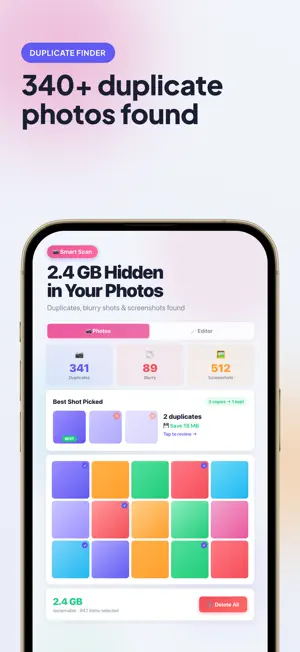
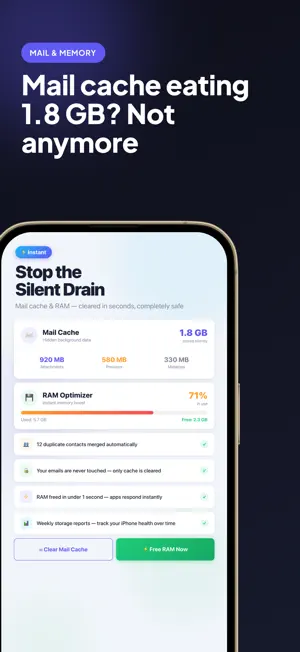
Optimo cleans what iOS actually lets an app clean — and tells you exactly how much it removed. === WHAT OPTIMO DOES === Duplicate Photo Finder Optimo compares your photos with Apple's Vision framework, on device. It finds genuinely similar shots instead of matching file size and timestamp, so burst sequences stay intact — and the highest-resolution copy in each group is always kept for you. Blurry Photo Detection Real sharpness measurement, so out-of-focus shots are grouped for you to review before anything is deleted. Large Photos and Videos Your biggest files, sorted by size. Videos are included in the scan. App Cache Cleaner Clears cached and temporary files inside Optimo's own container — the only place iOS permits an app to clean — and reports the bytes actually removed. Measured, never estimated. Duplicate Contacts Finds duplicate entries and merges them for real, keeping every phone number, email address and postal address from the copies. Memory Status See how much memory your device is using right now. iOS does not let any app free another app's memory, and Optimo does not pretend otherwise. Storage Advice On devices with Apple Intelligence, a model runs on-device on your real measurements — nothing leaves your iPhone. Where Apple Intelligence isn't available you get the same numbers as a plain summary, clearly labeled so you always know which one you are reading. Built-in Photo Editor Filters, adjustments and export, without needing a second app. Free to download. Pro features available via subscription. Subscription Optimo Premium is an auto-renewable subscription, offered as a weekly, monthly or yearly plan with a 3-day free trial. The price is shown in the app before purchase. Payment is charged to your Apple Account at confirmation of purchase. The subscription renews automatically unless auto-renew is turned off at least 24 hours before the end of the current period. You can manage or cancel it in your Apple Account settings. Terms of Use (EULA): https://sites.google.com/view/optimocleaner/terms-of-use Privacy Policy: https://sites.google.com/view/optimocleaner/privacy-policy
What’s new
Version 1.1.7 · Updated September 17, 2026
• Subscribers now see a clear notice if a payment couldn't be processed or auto-renew is turned off, with a shortcut to manage the subscription • Stability improvements
App privacy
The developer, cenk yilmaz, reported these privacy practices to Apple.
Data Not Collected
The developer does not collect any data from this app.
Alternatives to Optimo: Phone Cleaner & AI
Looking for apps like Optimo: Phone Cleaner & AI? Here are 6 similar apps on the App Store.
-
 Sifto: Photo & Storage Cleaner
-
 SystemZen: Cleaner & Storage
-
 AI-Photo Cleaner
-
 Clean Up: Storage & Photos
-
 Smart Photo Sweeper
-
 ClearOut: Photo Cleaner
| App | Rating | Price | Last updated | Compare |
|---|---|---|---|---|
| Optimo: Phone Cleaner & AI | – | Free | September 17, 2026 | |
| Sifto: Photo & Storage Cleaner | – | Free | Oct 21, 2026 | Compare |
| SystemZen: Cleaner & Storage | – | Free | Oct 22, 2026 | Compare |
| AI-Photo Cleaner | – | Free | Jan 8, 2026 | Compare |
| Clean Up: Storage & Photos | – | Free | Jul 29, 2026 | Compare |
| Smart Photo Sweeper | – | Free | Sep 26, 2026 | Compare |
| ClearOut: Photo Cleaner | – | Free | Apr 15, 2026 | Compare |