
HP16C
Michael Doornbos Utilities iPhoneiPadiPod touch
HP16C is a free Utilities app for iPhone and iPad by Michael Doornbos. Rated 4.3/5 from 4 ratings. Requires iOS 17.0. Updated September 25, 2026.
- Rating
- 4.3
- 4 ratings
- Price
- Free
- on the App Store
- Size
- 1 MB
- Age 4+
- Updated
- Sep 25
- 2026 · v1.0.7
Screenshots

About HP16C
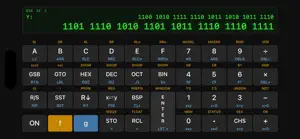
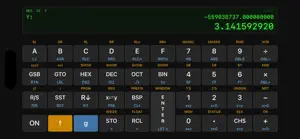
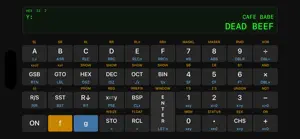
A faithful recreation of the legendary HP 16C Computer Scientist calculator for iPhone, with a few modern upgrades. If you've ever needed to perform hex arithmetic, bit manipulation, or base conversion on your phone and been frustrated by the available options, this is for you. RPN-16C gives you the full power of the original HP 16C in your pocket. WHAT IT DOES - Full RPN (Reverse Polish Notation) calculator - Integer arithmetic in HEX, DEC, OCT, and BIN - Configurable word size from 1 to 64 bits - Unsigned, one's complement, and two's complement modes - Complete bit operations: shift, rotate, rotate through carry, AND, OR, XOR, NOT, mask, bit set/clear/test, count bits, left justify - Float mode with configurable precision (FLOAT 0-9) - Keystroke programming with labels, subroutines, loops, and conditionals - Storage registers with direct and indirect addressing - Programs can be imported from text (long-press the display to paste) ENHANCEMENTS OVER THE ORIGINAL - Two-line display: see both X and Y registers at once. No more guessing what's on the stack. - Wider LCD: displays all 32 bits in binary without scrolling. The original could only show 8 at a time. - Haptic feedback on every key press - State persistence: pick up right where you left off - SHOW function to peek at values in other bases FAIR WARNING This is a quirky calculator. It uses Reverse Polish Notation, has no equals key, and expects you to know what two's complement means. If you're looking for a simple calculator, this is not it. If you've ever wished you could do a bitwise rotate through carry on your phone, welcome home. DESIGNED FOR PROGRAMMERS The key layout matches the physical HP 16C exactly, including the f (gold) and g (blue) shift labels. If you know the original, you already know this one. The original HP 16C Owner's Handbook is freely available on the Internet Archive: https://archive.org/details/hp-16c_handbook
What’s new
Version 1.0.7 · Updated September 25, 2026
Flag 3 works now. Set it with SF 3 and hex, octal, and binary values are padded with leading zeros out to the full word size, the way the original HP 16C shows them. CF 3 turns it back off. While fixing that, I found a bigger problem: SF, CF, and F? were taking the flag number from the X register instead of from the next key you pressed. On the real machine, the number is part of the keystroke sequence, so SF 3 is SF followed by 3. That's how it works here now, in programs as well. Thanks to the two people who wrote in about this.
App privacy
The developer, Michael Doornbos, reported these privacy practices to Apple.
Data Not Collected
The developer does not collect any data from this app.
Alternatives to HP16C
Looking for apps like HP16C? Here are 6 similar apps on the App Store. The highest rated is RLM-10CX (5.0/5), and 4 of the 6 are free to download.


| App | Rating | Price | Last updated | Compare |
|---|---|---|---|---|
| HP16C | 4.3 / 5 (4 ratings) | Free | September 25, 2026 | |
| my16c | – | Free | Oct 22, 2026 | Compare |
| RCL-57 | – | Free | Oct 29, 2024 | Compare |
| RLM-10CX | 5.0 / 5 (1) | Free | Apr 26, 2024 | Compare |
| HP 15c Calculator | 4.8 / 5 (218) | 14.99 USD | Feb 3, 2026 | Compare |
| HP-35 | 4.6 / 5 (58) | Free | Mar 22, 2026 | Compare |
| Plus42 | 4.9 / 5 (79) | 9.99 USD | Oct 22, 2026 | Compare |
Compare HP16C with the top alternatives: ratings, updates, ASO score and keyword gaps →