

MidiFlow Piano
Timothy Krechel Music iPhoneiPadiPod touch
MidiFlow Piano is a free Music app for iPhone and iPad by Timothy Krechel. Requires iOS 26.2. Updated October 19, 2026.
- Price
- Free
- on the App Store
- Size
- 9 MB
- Age 4+
- Updated
- Oct 19
- 2026 · v1.4.0
Screenshots


About MidiFlow Piano
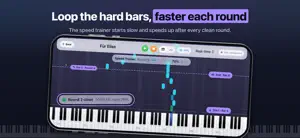
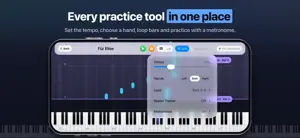
Practice your MIDI pieces with MidiFlow Piano on iPhone. Import a MIDI file, connect a Bluetooth MIDI keyboard, and follow the music as sheet notation or falling notes. Free to download: • Practice at your own pace in Triggered mode, which waits for the highlighted notes. • Use Real-time mode with a three-second count-in and pause or resume where you left off. • Switch between sheet music and piano roll while keeping your place. • Start with the included classical pieces and see feedback on the notes you play. • Add freely licensed pieces from the Free Classical Pieces catalog. • Set the tempo from 40% to 150%. • Import one MIDI file of your own. MidiFlow Unlimited, a one-time in-app purchase: • Import as many MIDI files of your own as you like and keep them with titles, artists and difficulty levels. • Loop any bars: drag two handles that snap to the barlines, in the piano roll or in the sheet music. • Let the speed trainer start a loop slowly and speed up after every clean round, up to your target tempo. • Practice one hand at a time; the other hand stays visible but dimmed. • Add a metronome click that follows the time signature. Bought MidiFlow before it became free to download? Every feature stays unlocked for you. Designed for players who are already familiar with piano and MIDI. Imported files stay on your device. The app interface is currently in English. Playing along requires a keyboard or digital piano with Bluetooth MIDI (BLE-MIDI). Requires iPhone with iOS 26.2 or later.
What’s new
Version 1.4.0 · Updated October 19, 2026
Loops (MidiFlow Unlimited) are much easier to set. In the sheet music, drag the labeled handles above the staff, or hold a bar and drag across the bars you want. A bar strip below the music shows the whole piece; tap or drag there to move the loop. In the piano roll, the handles follow your finger and scroll along, and the Practice panel sets start and end bar by bar. MIDI files from Files, Mail and other apps now open directly in MidiFlow.
App privacy
The developer, Timothy Krechel, reported these privacy practices to Apple.
Data Not Collected
The developer does not collect any data from this app.
Alternatives to MidiFlow Piano
Looking for apps like MidiFlow Piano? Here are 6 similar apps on the App Store. The highest rated is Piony: Learn & Play Piano (5.0/5), and 3 of the 6 are free to download.
-
 GuitarPT
-
 Note Spark
-
 SheetCue: PDF Score Practice
-
 VoicingWorkout
-
 Piony: Learn & Play Piano
5.0
-
 Piano MIDI
| App | Rating | Price | Last updated | Compare |
|---|---|---|---|---|
| MidiFlow Piano | – | Free | October 19, 2026 | |
| GuitarPT | – | 3.99 USD | Jul 1, 2026 | Compare |
| Note Spark | – | 1.99 USD | Feb 13, 2026 | Compare |
| SheetCue: PDF Score Practice | – | Free | Oct 21, 2026 | Compare |
| VoicingWorkout | – | Free | Dec 30, 2025 | Compare |
| Piony: Learn & Play Piano | 5.0 / 5 (1) | Free | Jul 2, 2026 | Compare |
| Piano MIDI | – | 3.99 USD | Oct 10, 2026 | Compare |
Compare MidiFlow Piano with the top alternatives: ratings, updates, ASO score and keyword gaps →