

PDF Scanner: PDF Reader
Komal Nadeem Business iPhoneiPadiPod touch
PDF Scanner: PDF Reader is a free Business app for iPhone and iPad by Komal Nadeem. Requires iOS 15.0. Updated August 26, 2026.
- Price
- Free
- on the App Store
- Size
- 12 MB
- Age 4+
- Updated
- Aug 26
- 2026 · v1.3
Screenshots


About PDF Scanner: PDF Reader
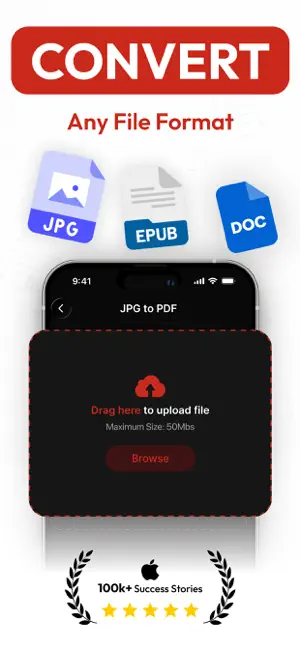
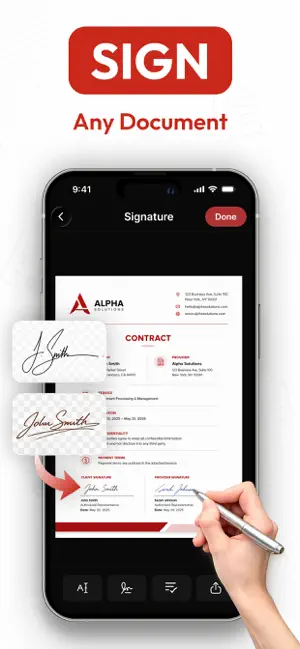
Scanner – Scan PDF & Documents Turn your iPhone into a powerful all-in-one scanner, OCR reader, PDF converter, PDF editor, document manager, and eSign tool. Easily scan documents, receipts, invoices, notes, books, ID cards, and passports with professional-quality results. Convert, edit, organize, sign, protect, and manage your PDF files anytime, anywhere. Whether for work, study, business, or everyday tasks, Scanner - Scan PDF & Docs makes document management easy and efficient. Scan documents, extract text with OCR, edit PDFs, add signatures, and securely share files. WHY CHOOSE OUR SCANNER App? Scan PDF & Documents combines advanced scanning technology with powerful PDF tools to help you stay productive wherever you are. From capturing high-quality scans and extracting text with OCR to editing PDFs, adding signatures, protecting sensitive files, and organizing documents, everything you need is available in one place. KEY FEATURES AI DOCUMENT SCANNER Turn your iPhone into a portable document scanner. Intelligent scanning technology automatically detects document edges, accurately crops pages, and optimizes image quality to produce clear, professional-looking scans. SCAN ANYTHING • Receipts and invoices • Contracts and forms • Business and office documents • Notes and study materials • Books and printed pages • Certificates and records • ID cards and passports • Personal and professional documents ID CARD & PASSPORT SCANNER Quickly scan and store important ID documents with the best scanning for cards and passports OCR TEXT RECOGNITION Convert scanned images into editable text using advanced OCR technology. PDF CONVERTER Create high-quality PDF files from photos and documents with just a few taps. PDF EDITOR & ANNOTATION TOOLS Edit and review documents directly inside the app. • Add annotations and notes. • Mark up PDF files. • Review documents efficiently. • Organize content with ease. eSIGN DOCUMENTS Sign documents digitally without printing paperwork. MERGE & REORDER PAGES Manage multi-page documents effortlessly. • Merge multiple pages into one PDF. • Quickly rearrange page order. • Organize documents efficiently. • Create organized PDF files ADD CUSTOM WATERMARKS Protect and personalize your documents with custom watermarks. PASSWORD PROTECTION & PDF SECURITY Keep sensitive documents secure with built-in PDF protection tools. LOCK & UNLOCK PDF FILES Manage PDF security with flexible locking and unlocking options. • Lock PDFs with passwords. • Unlock authorized PDF files. • Secure important documents. • Simplify PDF access management PDF READER & FILE MANAGER Access and manage all your documents from one convenient location. • Open PDF files instantly. • Read documents easily • Organize files efficiently. • Manage documents easily. • Keep everything accessible whenever you need it FAST SHARING Share your scanned documents and PDFs in seconds. • Export files quickly. • Share documents with colleagues, clients, friends, and family. • Send PDFs whenever you need them. • Simplify collaboration and document delivery PERFECT FOR Students Professionals Business Owners Personal Use WHY USERS LOVE SCANNER – SCAN PDF & DOCUMENTS • Fast and reliable scanning • Professional-quality results • Powerful OCR text recognition • Built-in PDF editing tools • Easy digital signatures • Password-protected PDF security • Custom watermark support • ID card and passport scanning • Simple document organization • Perfect for work, study, and everyday use Make document management smarter, faster, and completely paperless with Scanner – Scan PDF & Documents. Download today and experience a better way to scan, convert, edit, sign, secure, and manage your documents. Privacy Policy: https://sites.google.com/view/komal-nadeem/privacy-policy Terms and Conditions: https://sites.google.com/view/komal-nadeem/terms-of-use End-User License Agreement (EULA): https://sites.google.com/view/komal-nadeem/eula
What’s new
Version 1.3 · Updated August 26, 2026
Your favorite PDF Scanner just got even better! NEW FEATURES • Add custom watermarks to protect and personalize your PDFs. • Lock PDF files with passwords for enhanced document security. • Unlock PDF documents quickly when authorized access is needed. IMPROVEMENTS • Faster scanning and PDF generation. • Smoother editing and document management experience. • Better scan quality for receipts, contracts, IDs, and forms. • Workflow enhancements designed to help you get more done with fewer taps. Update today and discover a faster, smarter, and more secure PDF Scanner experience.
App privacy
The developer, Komal Nadeem, reported these privacy practices to Apple.
Data Not Collected
The developer does not collect any data from this app.
Alternatives to PDF Scanner: PDF Reader
Looking for apps like PDF Scanner: PDF Reader? Here are 6 similar apps on the App Store. The highest rated is Ruby: Private Voice Journal (5.0/5), and 5 of the 6 are free to download.
-
 Invoice Maker・Easy Invoice
-
 SPE GROUP
-
 Net Pay: Salary Calculator
-
 Invoice Generator - Simple
-
 AI Scanner Plus
-
 Ruby: Private Voice Journal
5.0
Ruby: Private Voice Journal
5.0
| App | Rating | Price | Last updated | Compare |
|---|---|---|---|---|
| PDF Scanner: PDF Reader | – | Free | August 26, 2026 | |
| Invoice Maker・Easy Invoice | – | Free | Jan 7, 2026 | Compare |
| SPE GROUP | – | Free | May 7, 2026 | Compare |
| Net Pay: Salary Calculator | – | Free | Jun 20, 2026 | Compare |
| Invoice Generator - Simple | – | 7.99 USD | Jan 25, 2026 | Compare |
| AI Scanner Plus | – | Free | Jul 4, 2026 | Compare |
| Ruby: Private Voice Journal | 5.0 / 5 (1) | Free | Aug 25, 2026 | Compare |