

Hidden Cam Detector: WiFi Scan
Igor Lenderman Utilities iPhoneiPadiPod touch
Hidden Cam Detector: WiFi Scan is a free Utilities app for iPhone and iPad by Igor Lenderman. Requires iOS 15.0. Updated September 29, 2026.
- Price
- Free
- on the App Store
- Size
- 8 MB
- Age 4+
- Updated
- Sep 29
- 2026 · v2.2
Screenshots

About Hidden Cam Detector: WiFi Scan
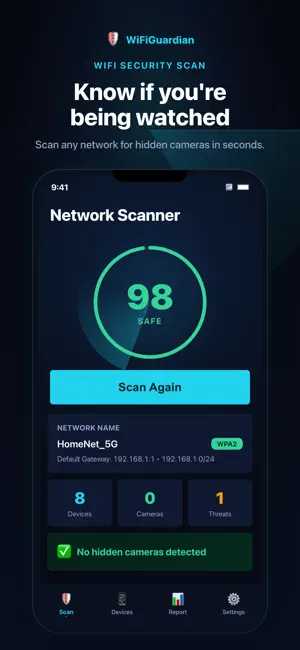
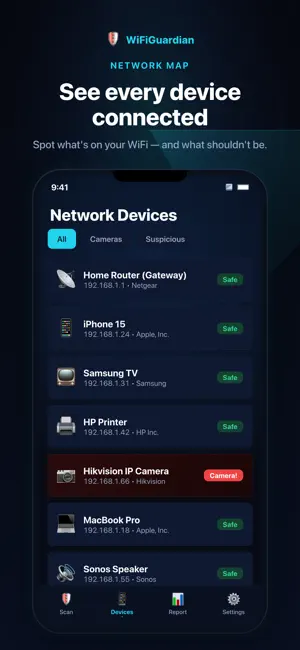
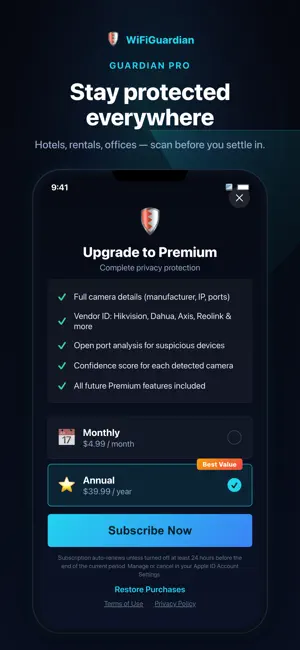
Hidden Cam Detector scans the WiFi network you are connected to and flags devices that look like IP cameras. Use it in a hotel room, a rental or a shared office before you settle in. HOW IT WORKS - Connect to the WiFi and tap Scan. - Every device on the network is discovered and listed. - Devices that match known camera manufacturers or camera ports are flagged in red. - Open a flagged device to see its manufacturer, IP address, open ports and a confidence score. - Get a security score and a threat report for the whole network. WHAT IT CAN AND CANNOT DETECT The scan finds cameras that are connected to the same WiFi network as your phone. Analog cameras, wired cameras and cameras that are switched off or on a different network cannot be detected. No app can guarantee that a room is camera-free. PRIVACY All scanning runs on your device. Device lists, IP addresses and scan results never leave your phone. No account, no tracking, no ads. SUBSCRIPTION Hidden Cam Detector requires a subscription. Choose a monthly or an annual plan; the price for your country is shown in the app before you subscribe. Payment is charged to your Apple ID account at confirmation of purchase. The subscription renews automatically unless auto-renew is turned off at least 24 hours before the end of the current period. Your account is charged for renewal within 24 hours before the end of the current period. You can manage or cancel your subscription in your Apple ID account settings after purchase. Terms of Use (EULA): https://www.apple.com/legal/internet-services/itunes/dev/stdeula/ Privacy Policy: https://legal-site-delta.vercel.app/privacy
What’s new
Version 2.2 · Updated September 29, 2026
A second check: the lens glint sweep. With the flashlight and camera, sweep the room slowly. A lens returns a small point of light that stays put as you move; an ordinary reflection slides away. This check also sees cameras that are not on your WiFi. • A more accurate network scan: every device is judged on its ports, manufacturer and behaviour. TVs, printers and speakers are no longer flagged as cameras. • "Why it was flagged" for every device, and what to do now. • An honest report: when a check is inconclusive it says so, and shows what it cannot see. • History: each network is remembered, so you see what is new since the last scan. • A cleaner, consistent design, and Restore Purchases as a clear button.
App privacy
The developer, Igor Lenderman, reported these privacy practices to Apple.
Data Not Collected
The developer does not collect any data from this app.
Alternatives to Hidden Cam Detector: WiFi Scan
Looking for apps like Hidden Cam Detector: WiFi Scan? Here are 6 similar apps on the App Store. The highest rated is Defenzy: Hidden Camera Finder (1.0/5), and all 6 are free to download.
-
 Camera Detector KO
-
 Peeping-Tom
-
 LogicCenter - Mobile
-
 Defenzy: Hidden Camera Finder
1.0
Defenzy: Hidden Camera Finder
1.0
-
 Text SMS Forwarder
-
 EasyTracking Tracker
| App | Rating | Price | Last updated | Compare |
|---|---|---|---|---|
| Hidden Cam Detector: WiFi Scan | – | Free | September 29, 2026 | |
| Camera Detector KO | – | Free | Feb 6, 2026 | Compare |
| Peeping-Tom | – | Free | Aug 30, 2026 | Compare |
| LogicCenter - Mobile | – | Free | Sep 17, 2024 | Compare |
| Defenzy: Hidden Camera Finder | 1.0 / 5 (1) | Free | Oct 6, 2026 | Compare |
| Text SMS Forwarder | – | Free | Aug 17, 2026 | Compare |
| EasyTracking Tracker | – | Free | Apr 4, 2026 | Compare |