

St. Christopher - West Covina
Divine Software Systems LLC Lifestyle iPhoneiPadiPod touch
St. Christopher - West Covina is a free Lifestyle app for iPhone and iPad by Divine Software Systems LLC. Requires iOS 15.1. Updated October 12, 2026.
- Price
- Free
- on the App Store
- Size
- 51 MB
- Age 4+
- Updated
- Oct 12
- 2026 · v2.1.0
Screenshots



About St. Christopher - West Covina
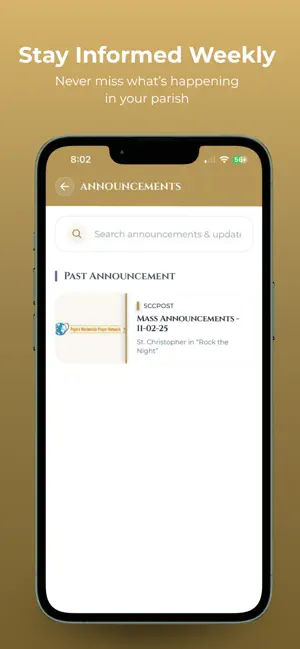
St. Christopher - West Covina is your all-in-one companion for staying connected with our parish community. Whether you’re checking Mass times, catching up on the latest announcements, or reflecting on daily prayers, this app brings the life and spirit of St. Christopher - West Covina right to your phone. Designed for parishioners who want a simple and modern way to stay involved, the app keeps parish information organized, accessible, and always up to date — helping you live out your faith wherever you are. Features: View Mass, confession, and parish event schedules Access parish announcements and weekly bulletins Read daily prayers and spiritual reflections Find contact details and parish office hours Navigate to the church with integrated maps Access links for online donations or volunteering opportunities The St. Christopher - West Covina is developed in partnership with Divine Software Systems LLC to help strengthen our faith community through modern digital tools. Stay connected. Stay informed. Stay inspired — with St. Christopher - West Covina
What’s new
Version 2.1.0 · Updated October 12, 2026
Gallery now supports nested albums and video content Removed an unused background data fetch (internal cleanup, no visible change) Fixed a missing checkmark icon on success toast notifications, and added a shared "empty state" UI for screens/lists with no data Made the Home screen and game cards responsive across different device sizes Migrated hardcoded parish branding/colors into centralized theme constants for easier per-parish customization; fixed a routing bug on the Sacraments screen Services can now be reordered via drag-and-drop from the admin panel, and the app displays them in that custom order Replaced the logo-based menu button with an animated burger/hamburger menu Fixed bulletin image scaling, fixed same-day date ranges displaying incorrectly, added legacy image compatibility, fixed an event-date badge Social media preview cards are now configurable from the admin panel; added more parish settings with drag-and-drop ordering Fixed a bug where some uploaded images weren't showing due to an overly strict folder filter — restored full image visibility Added support for multi-role user accounts — an existing admin login can now also be used for mobile app access Sidebar menu items are now fetched live from the admin panel/database instead of being hardcoded Fixed password-reset deep links so they open correctly in the app, with proper loading and "link expired" states Added pinch-to-zoom, pan, and double-tap zoom to fullscreen ad and community images (previously static)
App privacy
The developer, Divine Software Systems LLC, reported these privacy practices to Apple.
Data Used to Track You
The following data may be used to track you across apps and websites owned by other companies:
- Contact Info: Email Address, Name
Data Linked to You
The following data, which may be collected and linked to your identity, may be used for the following purposes:
- Contact Info: Email Address, Name
Used for: Third-Party Advertising, Developer’s Advertising or Marketing, Analytics, Product Personalization, App Functionality, Other Purposes