

FlowShow
The Clairos Group,LLC Productivity iPad
FlowShow is a free Productivity app for iPad by The Clairos Group,LLC. Requires iOS 18.0. Updated April 28, 2026.
- Price
- Free
- on the App Store
- Size
- 3 MB
- Age 17+
- Updated
- Apr 28
- 2026 · v6
Screenshots


About FlowShow
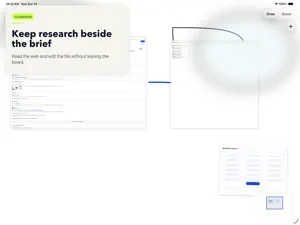
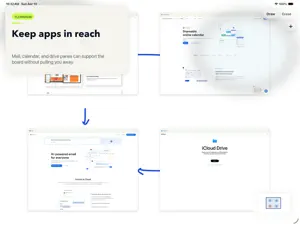
FlowShow gives you a clean, low-friction workspace for visual thinking on iPad. Write with Apple Pencil on a paper-like board, erase precisely, move smoothly across large canvases, and keep the surrounding app chrome comfortable in Light, Dark, or System appearance. Bring your working context onto the board instead of bouncing between apps. Insert images, documents, editable text files, secure browser panes, calculator panes, and calendar views right beside your sketches so research, notes, references, and planning tools stay in the same space as your thinking. FlowShow is built for local-first reliability. Your current board stays autosaved, projects stay organized on-device, and you can export a polished PNG or an editable sketch package whenever you want to share or move work.
App privacy
The developer, The Clairos Group,LLC, reported these privacy practices to Apple.
Data Not Collected
The developer does not collect any data from this app.
Alternatives to FlowShow
Looking for apps like FlowShow? Here are 6 similar apps on the App Store. The highest rated is Serious Notebook (5.0/5), and 5 of the 6 are free to download.
-
 Penlog: Handwriting Journal
4.8
-
 Serious Notebook
5.0
-
 OneLLM: Offline AI & LLM Chat
4.6
-
 PureFlow
4.7
-
 Lekh: Diagram & Flowchart App
4.2
-
 Tony Robbins Arena
4.8
| App | Rating | Price | Last updated | Compare |
|---|---|---|---|---|
| FlowShow | – | Free | April 28, 2026 | |
| Penlog: Handwriting Journal | 4.8 / 5 (5) | Free | Oct 23, 2026 | Compare |
| Serious Notebook | 5.0 / 5 (1) | Free | Oct 12, 2026 | Compare |
| OneLLM: Offline AI & LLM Chat | 4.6 / 5 (26) | 4.99 USD | Oct 26, 2026 | Compare |
| PureFlow | 4.7 / 5 (162) | Free | Jan 8, 2024 | Compare |
| Lekh: Diagram & Flowchart App | 4.2 / 5 (15) | Free | Oct 13, 2026 | Compare |
| Tony Robbins Arena | 4.8 / 5 (324) | Free | Oct 21, 2026 | Compare |
Compare FlowShow with the top alternatives: ratings, updates, ASO score and keyword gaps →