

Piton AI
VALERY PITON Utilities iPhoneiPadiPod touch
Piton AI is a free Utilities app for iPhone and iPad by VALERY PITON. Rated 5.0/5 from 2 ratings. Requires iOS 15.1. Updated July 18, 2026.
- Rating
- 5.0
- 2 ratings
- Price
- Free
- on the App Store
- Size
- 38 MB
- Age 17+
- Updated
- Jul 18
- 2026 · v1.0.4
Screenshots


About Piton AI
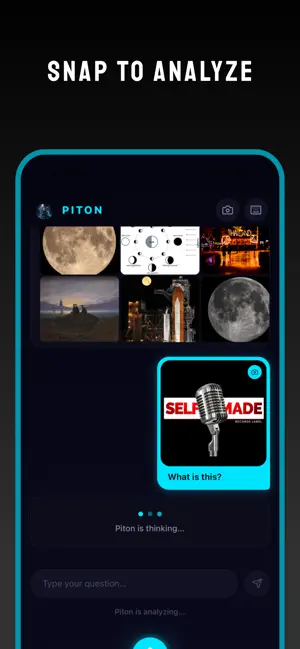
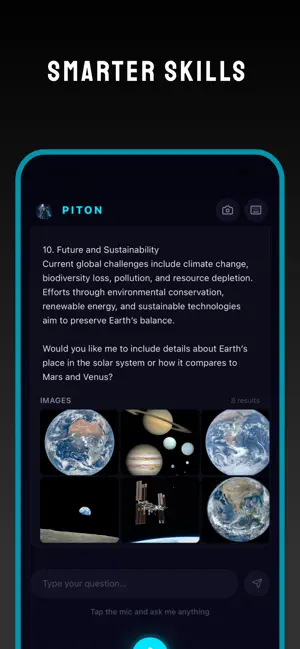
Piton AI is an AI-powered search engine and knowledge assistant app. It provides a conversational, voice-first interface where users can ask any question and get comprehensive, spoken answers — similar to a personal AI assistant like the others, but with richer, more detailed responses. Key Features : Voice Search — Tap the mic to ask questions by voice. The app records, transcribes, and sends your query to the AI, then reads the answer back aloud using text-to-speech. Text Search — Toggle a keyboard input to type questions directly. Camera / Image Analysis — Take a photo or pick one from your gallery, and Piton will analyze it — identifying objects, food, places, text, math problems, plants, animals, products, and more. A fast copy and paste AI-Powered Answers — Powered by an AI backend, Piton handles a wide range of topics: math, translations, recipes, health, coding, travel, finance, history, science, pop culture, and more. Answers are conversational with full context. Conversation Memory — Follow-up questions use the full conversation history, so the AI understands context across multiple queries. Web Image Search — For each answer, Piton fetches relevant real-world images from the web and displays them alongside the response. Text-to-Speech — Answers are automatically spoken aloud, with the ability to toggle speech on/off per response. Smart Suggestions — The home screen shows randomized suggestion chips (e.g. "Capital of Japan", "Solve 245 × 38", "Recipe for pasta") to help users get started quickly. Story View — The Piton avatar in the top-left corner is tappable, opening an Instagram-style story viewer with a progress bar and auto-close. Offline Detection — The app detects network status and shows an offline indicator when there's no internet connection. Haptic Feedback — Micro-interactions with haptic feedback on button presses for a polished native feel.
What’s new
Version 1.0.4 · Updated July 18, 2026
Better Performance
App privacy
The developer, VALERY PITON, reported these privacy practices to Apple.
Data Linked to You
The following data, which may be collected and linked to your identity, may be used for the following purposes:
- Health & Fitness: Health, Fitness
- Browsing History: Browsing History
- Usage Data: Product Interaction, Advertising Data
- Sensitive Info: Sensitive Info
- Search History: Search History
Used for: Third-Party Advertising, Developer’s Advertising or Marketing, Analytics, App Functionality
Data Not Linked to You
The following data, which may be collected but is not linked to your identity, may be used for the following purposes:
- User Content: Photos or Videos, Audio Data
- Search History: Search History
- Body: Hands
- Usage Data: Product Interaction
- Diagnostics: Crash Data, Performance Data, Other Diagnostic Data
Used for: Third-Party Advertising, Developer’s Advertising or Marketing, Analytics, Product Personalization, App Functionality
Alternatives to Piton AI
Looking for apps like Piton AI? Here are 6 similar apps on the App Store.


| App | Rating | Price | Last updated | Compare |
|---|---|---|---|---|
| Piton AI | 5.0 / 5 (2 ratings) | Free | July 18, 2026 | |
| Olana Browser | – | Free | Nov 1, 2026 | Compare |
| HootArk Browser | – | Free | Sep 4, 2026 | Compare |
| CoreScope: System Monitor | – | Free | Jul 23, 2026 | Compare |
| Morphic Scan | – | Free | Jun 1, 2026 | Compare |
| Ambitious Search | – | Free | Aug 7, 2026 | Compare |
| SmartHub AI | – | Free | Nov 7, 2025 | Compare |
Compare Piton AI with the top alternatives: ratings, updates, ASO score and keyword gaps →