

SD Import
海龙 李 Utilities iPhoneiPadiPod touch
SD Import is a free Utilities app for iPhone and iPad by 海龙 李. Rated 3.7/5 from 3 ratings. Requires iOS 16.0. Updated August 30, 2026.
- Rating
- 3.7
- 3 ratings
- Price
- Free
- on the App Store
- Size
- 6 MB
- Age 4+
- Updated
- Aug 30
- 2026 · v1.3.4
Screenshots


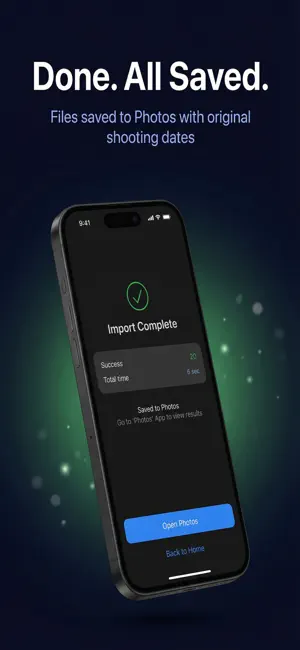
About SD Import
SD Import is the fastest and simplest tool to import photos and videos from your camera SD card directly to iPhone Photos. Why SD Import? • Real-time import progress — see exactly how fast files are transferring, byte by byte • One-tap card cleanup — delete successfully imported files from your SD card right after importing, freeing space while you're still shooting (Pro) • Deletion with two safeguards — only files verified as fully read and confirmed saved to Photos are removed; failed imports are never deleted, and every deletion needs your confirmation • RAW format support — ARW, CR2, CR3, RAF, NEF and more • Smart scanning — automatically finds photos and videos, hides junk files • Date grouping — browse media organized by shooting date • EXIF preserved — original shooting dates kept intact in your Photos library • Storage check — warns you before import if space is running low How it works: 1. Connect your SD card reader to iPhone 2. Select the SD card directory 3. Pick your photos and videos 4. Tap Import — done! 5. Need space? Clear the imported files off the card in one tap About the delete feature Every file is verified as fully read and successfully saved to your Photos library before it is deleted. Files that failed to import, or that you didn't select, are never touched. Deletion always requires an explicit tap plus a confirmation — nothing is ever deleted automatically. Pro upgrade unlocks unlimited imports and SD card cleanup with a one-time purchase. No subscription, yours forever. Supports Sony, Canon, Fujifilm, Nikon, DJI and other major camera brands.
What’s new
Version 1.3.4 · Updated August 30, 2026
• Fixes product information occasionally failing to load, which could leave the purchase button unavailable until the app was restarted. • Restoring a purchase no longer always asks for your Apple ID password — in most cases it now completes silently.
App privacy
The developer, 海龙 李, reported these privacy practices to Apple.
Data Not Collected
The developer does not collect any data from this app.
Alternatives to SD Import
Looking for apps like SD Import? Here are 6 similar apps on the App Store. The highest rated is Better Camera Import (5.0/5), and all 6 are free to download.
-
 Smartcard Reader
-
 Better Camera Import
5.0
Better Camera Import
5.0
-
 Usb Transfer
-
 SD Photo Exp
-
 FindMy Disk
-
 PhotoBackup External
4.8
PhotoBackup External
4.8
| App | Rating | Price | Last updated | Compare |
|---|---|---|---|---|
| SD Import | 3.7 / 5 (3 ratings) | Free | August 30, 2026 | |
| Smartcard Reader | – | Free | Sep 17, 2025 | Compare |
| Better Camera Import | 5.0 / 5 (3) | Free | Aug 24, 2026 | Compare |
| Usb Transfer | – | Free | Oct 10, 2026 | Compare |
| SD Photo Exp | – | Free | Jun 22, 2026 | Compare |
| FindMy Disk | – | Free | Dec 31, 2024 | Compare |
| PhotoBackup External | 4.8 / 5 (80) | Free | Mar 2, 2026 | Compare |
Compare SD Import with the top alternatives: ratings, updates, ASO score and keyword gaps →