

Classic TV Remote Control
Andrii Chernykh Utilities iPhoneiPadiPod touchApple Watch
Classic TV Remote Control is a free Utilities app for iPhone and iPad by Andrii Chernykh. Requires iOS 15.0. Updated April 7, 2026.
- Price
- Free
- on the App Store
- Size
- 6 MB
- Age 4+
- Updated
- Apr 7
- 2026 · v1.0.1
Screenshots
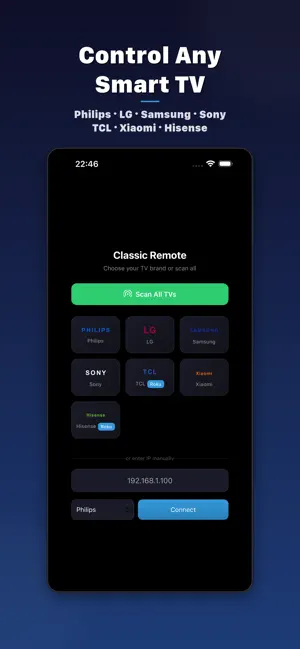
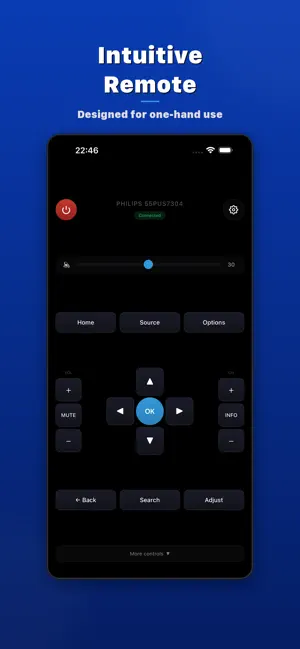

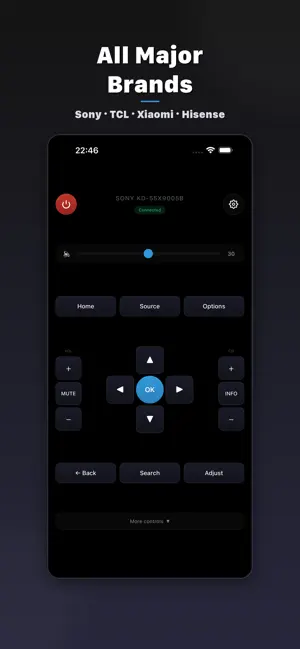
About Classic TV Remote Control
Control your Smart TV from your iPhone. Classic TV Remote Control supports 7 major TV brands: Philips, LG, Samsung, Sony, TCL, Xiaomi, and Hisense. Features: • Universal remote with D-pad, volume, channels, playback controls • Auto-discovery — finds your TV on the network automatically • Brand-specific extra buttons (Ambilight, Smart Hub, etc.) • Home Screen widget for quick volume and power control • Works over Wi-Fi — no IR blaster or additional hardware needed • Dark and Light themes Supported protocols: • Philips — JointSpace API (v1/v5/v6 with Digest Auth) • LG — WebOS SSAP (WebSocket) • Samsung — Tizen (WebSocket) • Sony — Bravia REST API + IRCC • TCL / Hisense — Roku ECP • Xiaomi — MIUI Remote API
What’s new
Version 1.0.1 · Updated April 7, 2026
What's New in 1.0.1: • Sleep Timer — set your TV to turn off automatically (15/30/45/60/90 min or 2 hours) • App Launcher — quick launch Netflix, YouTube, Disney+, and Prime Video directly on your TV • Power Confirmation — confirmation dialog before turning off the TV to prevent accidental presses • Multiple TV Profiles — save up to 5 TVs and switch between them instantly in Settings • LG Touchpad Mode — swipe to control the cursor on LG webOS TVs (Magic Remote style) • Lock Screen Widgets — control volume and power right from your Lock Screen • Control Center Controls (iOS 18+) — volume, mute, and power buttons in Control Center • Siri Shortcuts — "Mute TV with Classic Remote", "Turn off TV with Classic Remote" and more • Apple Watch App — control volume, mute, and power from your wrist • Smart Haptic Feedback — different vibration intensity for different buttons • Supported TVs Guide — brand-specific connection tips and supported models list • Improved keyboard for IP address entry • 22 bug fixes and stability improvements
App privacy
The developer, Andrii Chernykh, reported these privacy practices to Apple.
Data Used to Track You
The following data may be used to track you across apps and websites owned by other companies:
- Identifiers: Device ID
Data Not Linked to You
The following data, which may be collected but is not linked to your identity, may be used for the following purposes:
- Identifiers: Device ID
Used for: Third-Party Advertising
Alternatives to Classic TV Remote Control
Looking for apps like Classic TV Remote Control? Here are 6 similar apps on the App Store. The highest rated is TV Remote Control for Roku: AI (4.8/5), and all 6 are free to download.
-
 TV Remote Control for Roku: AI
4.8
TV Remote Control for Roku: AI
4.8
-
 Universal TV Remote Watch App
-
 Universal TV Remote Wi-Fi
-
 TV Remote - Controller
-
 Smart TV Remote Felix Plus
-
 Universal TV Remote | Cast TV
| App | Rating | Price | Last updated | Compare |
|---|---|---|---|---|
| Classic TV Remote Control | – | Free | April 7, 2026 | |
| TV Remote Control for Roku: AI | 4.8 / 5 (5) | Free | Oct 20, 2026 | Compare |
| Universal TV Remote Watch App | – | Free | Apr 21, 2026 | Compare |
| Universal TV Remote Wi-Fi | – | Free | Feb 22, 2026 | Compare |
| TV Remote - Controller | – | Free | Jul 21, 2026 | Compare |
| Smart TV Remote Felix Plus | – | Free | Jun 24, 2026 | Compare |
| Universal TV Remote | Cast TV | – | Free | Jun 15, 2026 | Compare |