

Scan2List: Inventory Scanner
Laurin von Brandt Utilities iPhoneiPadiPod touch
Scan2List: Inventory Scanner is a free Utilities app for iPhone and iPad by Laurin von Brandt. Requires iOS 16.0. Updated October 24, 2026.
- Price
- Free
- on the App Store
- Size
- 6 MB
- Age 4+
- Updated
- Oct 24
- 2026 · v1.3.2
Screenshots


About Scan2List: Inventory Scanner
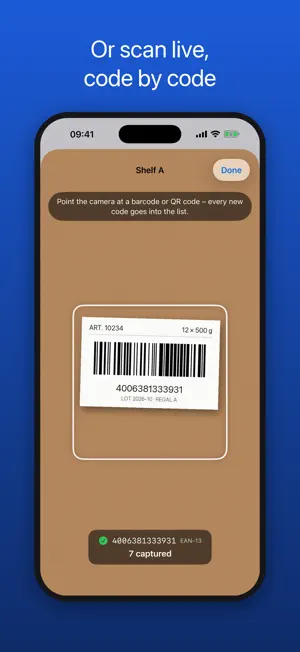
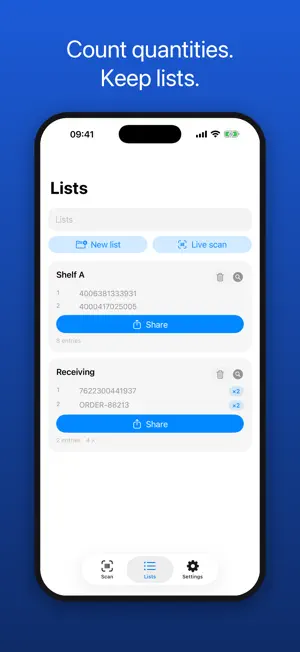
One photo of the shelf – every barcode in your spreadsheet. Scan2List reads dozens of barcodes and QR codes from a single image, counts quantities and exports an Excel-ready CSV. Built for inventory counts, stocktaking and receiving – no more scanning items one by one. FREE AND UNLIMITED Scanning, live scan and export are free with no limits. The free version shows ads – Scan2List Pro removes them (monthly or yearly subscription). HOW AN INVENTORY COUNT WORKS 1. Create one list per area – e.g. "Shelf A", "Shelf B", "Storage". 2. Take a photo of the shelf: every barcode label is detected at once. 3. Count and type in quantities, or scan the same item again to get ×2, ×3 … 4. Use live scan for boxes and single items – every code goes straight into the list. 5. Share each list as CSV and open it in Excel, Numbers or Google Sheets. NEW: INVENTORY MODE Load a list of what should be there – from your till, from Excel or from scan2list.de. Photograph shelf by shelf or box by box. The app shows right away what is missing, where the quantity is off and what is not on the list. With “New check” you check the same list again and again. For items without a barcode, create numbers and print labels. FEATURES • Batch barcode scanning: multiple barcodes per photo, sorted in reading order • Live scan: point the camera at your products, every new code is added • Barcode counter: duplicate scans become quantities instead of extra rows • Inventory lists: one per shelf, room, warehouse or stock count • Export with custom columns: no., code, type, quantity, photo, timestamp, notes • CSV that opens cleanly in Excel: regional separator, special characters preserved • Copy codes to paste into Notes, Messages or your inventory system • EAN, UPC, Code 128, Code 39, QR, Data Matrix, PDF417, Aztec and more • Works offline – your photos never leave your iPhone WHO IT IS FOR Small shops, warehouses, restaurants, clubs, event organizers, IT asset tracking, libraries and collectors – anyone who needs physical stock in a spreadsheet, fast. Terms of Use (EULA): https://www.apple.com/legal/internet-services/itunes/dev/stdeula/ Privacy Policy: https://streetbingo.net/en/apps/scan2list/privacy
What’s new
Version 1.3.2 · Updated October 24, 2026
• New: inventory mode. Load a list and see right away what is missing and where the quantity is off while you take photos. • Areas per shelf or box, create codes and print labels as PDF. • Info buttons explain each step. • Small improvements and bug fixes.
App privacy
The developer, Laurin von Brandt, reported these privacy practices to Apple.
Data Used to Track You
The following data may be used to track you across apps and websites owned by other companies:
- Identifiers: Device ID
- Usage Data: Advertising Data
Data Not Linked to You
The following data, which may be collected but is not linked to your identity, may be used for the following purposes:
- Identifiers: Device ID
- Usage Data: Advertising Data, Product Interaction
- Diagnostics: Crash Data
Used for: Third-Party Advertising, Analytics, App Functionality