

Hey Terminal: SSH Client
JONGMIN CHOI Developer Tools iPhoneiPadiPod touch
Hey Terminal: SSH Client is a free Developer Tools app for iPhone and iPad by JONGMIN CHOI. Rated 5.0/5 from 1 ratings. Requires iOS 17.6.
- Rating
- 5.0
- 1 ratings
- Price
- Free
- on the App Store
- Size
- 14 MB
- Age 9+
- Updated
- Oct 22
- 2026 · v1.3.18
Screenshots



About Hey Terminal: SSH Client
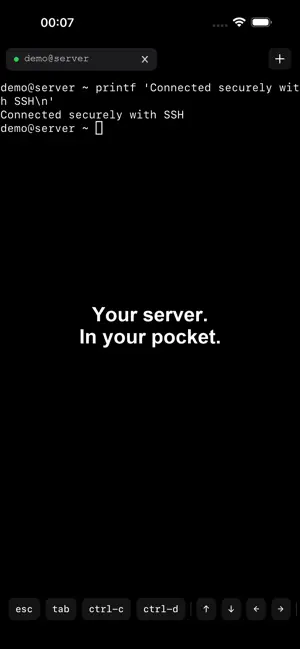
Your work machine, from your iPad. Your work computer can stay at home or in the office. Connect to it over SSH with Hey Terminal, open Codex or Claude Code there, and continue working on your project from your iPad. A keyboard-first terminal for iPad Use a physical keyboard to enter prompts and run commands. Review your project with your remote CLI, edit files with vim, or work in tmux when those tools are available on your computer. Keep different connections in separate tabs. Create a tab with Command-T, close it with Command-W, and switch with Command-1 through Command-9. Quick remote work on iPhone When your computer isn't with you, connect for a short command, check a project file, or send a follow-up request to your remote CLI. SSH and a local terminal Connect with an SSH command or a configured host alias. Authenticate with a password or SSH key. Use the local terminal for basic file commands and SSH key generation. Before you connect You need a computer or server with SSH enabled that you can reach from your device. Remote tools run on that machine, not inside Hey Terminal. Install and configure the tools you want to use there, with any required accounts. Your remote machine must be powered on and accessible. No app account or subscription required.
What’s new
Version 1.3.18 · Updated October 22, 2026
Updated for iPhone Duo, with terminal layouts that adapt between the outer and inner displays. - Improves terminal sizing when opening an SSH session with the keyboard visible in Split View. - Keeps each terminal window's viewport aligned with its available space.
App privacy
The developer, JONGMIN CHOI, reported these privacy practices to Apple.
Data Linked to You
The following data, which may be collected and linked to your identity, may be used for the following purposes:
- Usage Data: Product Interaction
- Contact Info: Name
- User Content: Gameplay Content
- Identifiers: User ID
Used for: Analytics, App Functionality
Data Not Linked to You
The following data, which may be collected but is not linked to your identity, may be used for the following purposes:
- Search History: Search History
- Identifiers: Device ID
Used for: Analytics, App Functionality
Alternatives to Hey Terminal: SSH Client
Looking for apps like Hey Terminal: SSH Client? Here are 6 similar apps on the App Store. The highest rated is TermCOW - Stable SSH Terminal (5.0/5), and all 6 are free to download.
-
 SSH Terminator
-
 TermCOW - Stable SSH Terminal
5.0
TermCOW - Stable SSH Terminal
5.0
-
 Shepherd: AI Agents & SSH
5.0
Shepherd: AI Agents & SSH
5.0
-
 Nice SSH
5.0
Nice SSH
5.0
-
 TouchQube Terminal
-
 Hermit SSH
5.0
Hermit SSH
5.0
| App | Rating | Price | Last updated | Compare |
|---|---|---|---|---|
| Hey Terminal: SSH Client | 5.0 / 5 (1 rating) | Free | October 22, 2026 | |
| SSH Terminator | – | Free | Feb 11, 2026 | Compare |
| TermCOW - Stable SSH Terminal | 5.0 / 5 (3) | Free | Apr 23, 2026 | Compare |
| Shepherd: AI Agents & SSH | 5.0 / 5 (3) | Free | Oct 27, 2026 | Compare |
| Nice SSH | 5.0 / 5 (3) | Free | Sep 14, 2026 | Compare |
| TouchQube Terminal | – | Free | Jul 10, 2026 | Compare |
| Hermit SSH | 5.0 / 5 (2) | Free | Aug 19, 2026 | Compare |