

SwipeWipe: Photo&Video Cleaner
Daria Bobriashova Utilities iPhoneiPadiPod touch
SwipeWipe: Photo&Video Cleaner is a free Utilities app for iPhone and iPad by Daria Bobriashova. Rated 4.7/5 from 19 ratings. Requires iOS 16.0.
- Rating
- 4.7
- 19 ratings
- Price
- Free
- on the App Store
- Size
- 38 MB
- Age 4+
- Updated
- Oct 21
- 2026 · v1.1.5
Screenshots



About SwipeWipe: Photo&Video Cleaner
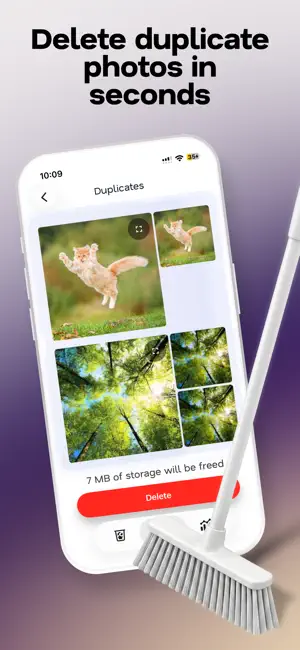
Swipe Wipe: Phone Cleaner helps you free up storage space quickly with simple swipe controls. Review your photos and videos, swipe left or right to keep or delete files, and organize your gallery in a fast and intuitive way. The app also detects duplicate and similar photos and videos, helping you keep only the files that truly matter. Why users love Swipe Wipe: 1. Fast storage cleaning — Remove unwanted photos and videos in seconds. 2. Simple swipe controls — Swipe left or right for quick and easy cleanup. 3. Duplicate detection — Find duplicate and similar photos and videos automatically. 4. Free up space — Make room for new memories, apps, and files. 5. Clean interface — Easy to use with no unnecessary complexity. 6. Full control — Decide what stays and what gets deleted. Main features: • Photo cleanup • Video cleanup • Duplicate finder • Fast storage optimization • Easy gallery management Swipe Wipe makes phone cleaning fast, simple, and satisfying. Privacy Policy: https://flstock.ru/get/ac214ae5693246a5df719a2439cc65887b29ed7d98de2816c1b589241575c4aa Terms of Use: https://flstock.ru/get/701c64e87d14e7366c30857626b4fa3b032754757f99da5d3cbdcf64b9e2717c
Ratings & reviews
4.7
19 ratings
What’s new
Version 1.1.5 · Updated October 21, 2026
We've improved app performance, fixed minor bugs, and made managing your photos even easier.
App privacy
The developer, Daria Bobriashova, reported these privacy practices to Apple.
Data Used to Track You
The following data may be used to track you across apps and websites owned by other companies:
- Usage Data: Product Interaction
Data Not Linked to You
The following data, which may be collected but is not linked to your identity, may be used for the following purposes:
- Identifiers: User ID
- Usage Data: Product Interaction
- Diagnostics: Crash Data
Used for: Analytics, App Functionality