

pdftoimages
Tamer Ali Productivity iPhoneiPadiPod touch
pdftoimages is a free Productivity app for iPhone and iPad by Tamer Ali. Requires iOS 26.2. Updated March 25, 2026.
- Price
- Free
- on the App Store
- Size
- 2 MB
- Age 4+
- Updated
- Mar 25
- 2026 · v1.0
Screenshots

About pdftoimages
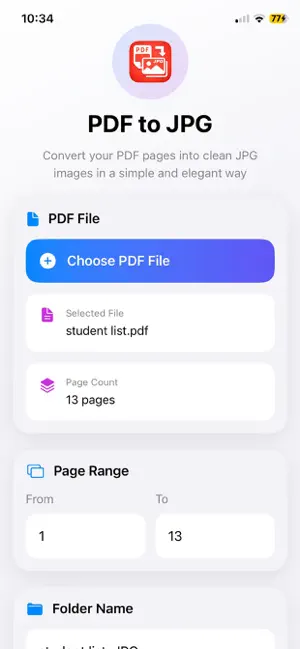
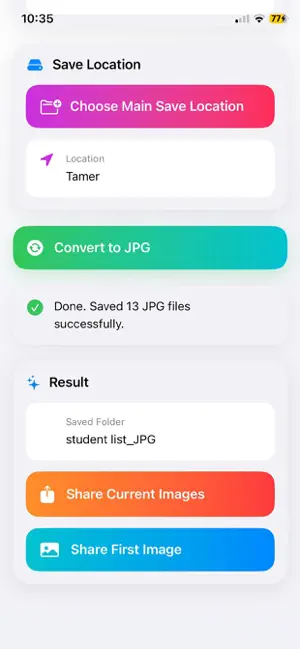
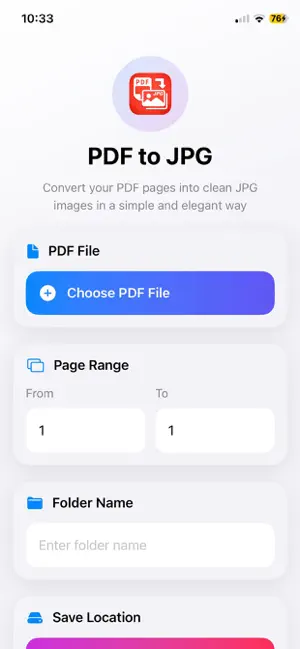
PDF to JPG Converter – Fast, Simple & Powerful Turn your PDF files into high-quality JPG images in just seconds. Designed for speed, simplicity, and full control, this app makes converting documents effortless. Key Features • Convert PDF pages to clear JPG images • Select specific page range or convert entire document • Automatically detect total page count • Customize folder name before saving • Choose your own save location • Share images instantly after conversion • Clean, modern, and easy-to-use interface • Works smoothly with large PDF files Fast & Flexible No complicated steps. Just choose your file, select pages, and convert. Your images are generated quickly and saved exactly where you want. Full Control Unlike many apps, you can: Pick where to save your files Rename folders before conversion Share images directly after processing Privacy First Your files stay on your device. No uploads. No tracking. 100% secure. Perfect For • Students • Office work • Sharing documents as images • Saving PDF pages to gallery Why Choose This App? Because it's: Simple Fast Clean Reliable No ads overload. No confusing tools. Just pure functionality.
App privacy
The developer, Tamer Ali, reported these privacy practices to Apple.
Data Not Collected
The developer does not collect any data from this app.
Alternatives to pdftoimages
Looking for apps like pdftoimages? Here are 6 similar apps on the App Store. The highest rated is SignPdf - PDF Signer (4.8/5), and all 6 are free to download.
-
 Possibility HUB
-
 SmartLess: Quiet Phone
-
 Focus Grove - Pomodoro Timer
-
 SignPdf - PDF Signer
4.8
-
 sort & find documents: DocSort
-
 PDF ToolBox
| App | Rating | Price | Last updated | Compare |
|---|---|---|---|---|
| pdftoimages | – | Free | March 25, 2026 | |
| Possibility HUB | – | Free | Mar 27, 2025 | Compare |
| SmartLess: Quiet Phone | – | Free | Sep 12, 2026 | Compare |
| Focus Grove - Pomodoro Timer | – | Free | Apr 9, 2026 | Compare |
| SignPdf - PDF Signer | 4.8 / 5 (4) | Free | May 13, 2026 | Compare |
| sort & find documents: DocSort | – | Free | Apr 15, 2026 | Compare |
| PDF ToolBox | – | Free | Oct 14, 2026 | Compare |
Compare pdftoimages with the top alternatives: ratings, updates, ASO score and keyword gaps →