

Vidz Valley: Parental Control
Muhammad Imran Utilities iPhoneiPadiPod touch
Vidz Valley: Parental Control is a free Utilities app for iPhone and iPad by Muhammad Imran. Requires iOS 15.1. Updated September 28, 2026.
- Price
- Free
- on the App Store
- Size
- 36 MB
- Age 4+
- Updated
- Sep 28
- 2026 · v1.0
Screenshots

About Vidz Valley: Parental Control
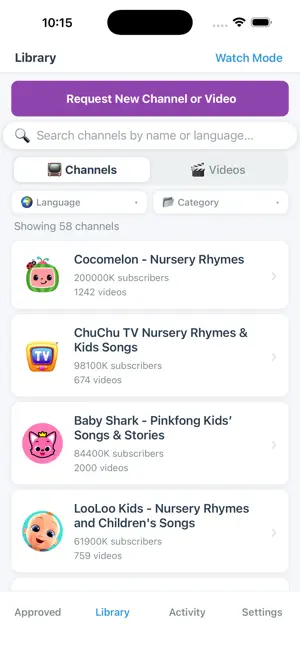
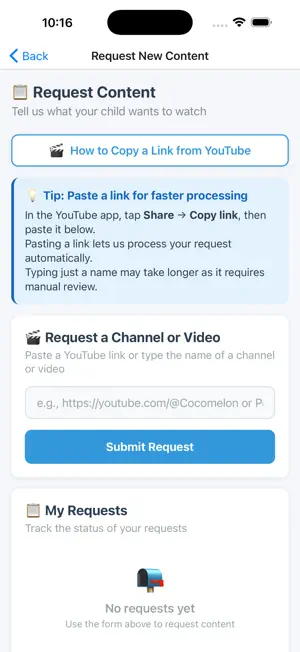
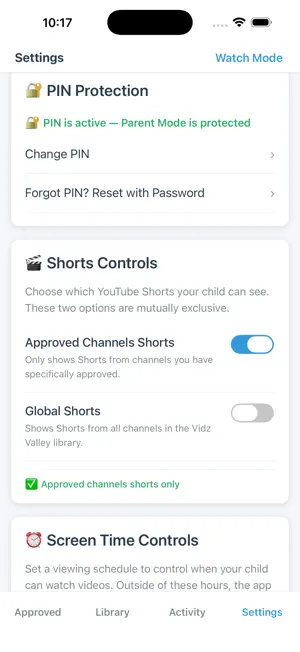
Vidz Valley: Parental Control puts you in charge of your child's YouTube. You approve every channel and video. Your child only ever sees what you've approved. As a parent, you decide exactly what your child can watch. Browse a curated library of channels, approve the ones you trust, and your child will only ever see content you have personally approved. WHAT PARENTS CAN DO: - Browse and approve YouTube channels for your child - Approve specific videos from approved channels - Set daily screen-time schedules - View your child's watch history and activity - Protect parent settings with a secure PIN - Request new channels to be added to the library WHAT YOUR CHILD SEES: - A clean, simple feed with only your approved content - A Shorts section limited to approved channels - No search, no recommendations, no rabbit holes - No access to YouTube's main app or website HOW IT WORKS: Streams approved videos through YouTube's official player — you rely on YouTube's library while deciding exactly what your child can reach. SUBSCRIPTION: App requires a subscription to use. A 7-day free trial is included so you can try everything before committing. Plans available monthly or yearly. You decide. You approve. You stay in control. Terms of Use: https://vidzvalley.com/terms-of-service
App privacy
The developer, Muhammad Imran, reported these privacy practices to Apple.
Data Linked to You
The following data, which may be collected and linked to your identity, may be used for the following purposes:
- Purchases: Purchase History
- Contact Info: Email Address
- Identifiers: User ID
- Usage Data: Product Interaction
Used for: App Functionality