

FocusLock - Smart App Lock
顺飞 邹 Utilities iPhoneiPadiPod touch
FocusLock - Smart App Lock is a paid Utilities app for iPhone and iPad by 顺飞 邹. Requires iOS 17.4. Updated October 13, 2026.
- Price
- 0.99 USD
- on the App Store
- Size
- 23 MB
- Age 4+
- Updated
- Oct 13
- 2026 · v1.1.2
Screenshots


About FocusLock - Smart App Lock
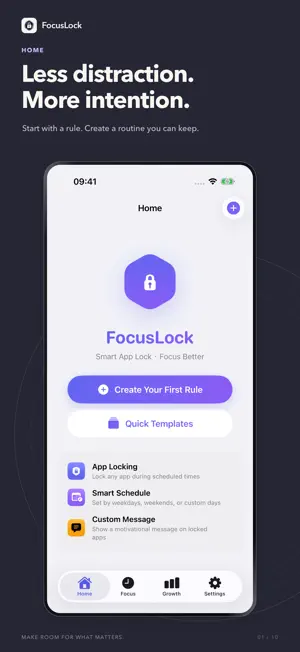
FocusLock helps you limit distracting apps and protect time for work, study and rest. APP RESTRICTIONS Choose apps, categories and websites, then set recurring lock hours by weekday. Rule cards show whether restrictions are active, waiting for a schedule, or need permission or app selection. Manage saved selections individually, including selections for uninstalled apps. DAILY UNLOCK QUOTA Quota rules keep selected apps locked while enabled. Use your daily quota to start a temporary unlock. Time counts down continuously after unlocking, even when you are not using those apps. End the unlock early to save remaining time. Optionally reduce the allowance each week. STRICT MODE Protect active rules from edits, deletion and disabling. Quota rules stay protected while enabled. The emergency process requires waiting and confirmation, then disables the rule and its strict mode. You must manually turn them on again. FOCUS TIMER Choose a focus and break duration, with optional sound and wallpaper. Link a rule to restrict its selected apps during focus. Return to the app while the countdown continues. Start focus from widgets, Control Center, Siri, Shortcuts or Spotlight. Live Activities and, on supported iOS versions, AlarmKit help you follow the countdown. PROGRESS AND PRIVACY Review focus time, completed sessions, automatic lock events, streaks and achievements. Automatic lock events are schedule executions, not attempts to open blocked apps. Apple's Screen Time report shows on-device activity data. App selections stay on each device. Rule metadata and focus history can sync through your private iCloud account. No third-party analytics, ads or tracking. Supports 50 languages, light and dark themes, and iPad layouts. App restrictions require Screen Time authorization. System features vary by iOS version and device.
What’s new
Version 1.1.2 · Updated October 13, 2026
1.1.2 • Clearer rule status and next lock or unlock time. • Easier management of selected apps, including old selections after uninstalling apps. • Unsaved-change reminders and clearer save requirements. • A fixed focus action button, optional sound and wallpaper settings, and return to app during a session. • Fixed the completed session screen appearing again after tapping Done. • Clearer explanations of quota countdowns, strict quota rules and emergency unlock consequences. • More readable controls and accurate automatic lock event labels. • Updated app text and store information in all 50 supported languages.
App privacy
The developer, 顺飞 邹, reported these privacy practices to Apple.
Data Not Collected
The developer does not collect any data from this app.
Alternatives to FocusLock - Smart App Lock
Looking for apps like FocusLock - Smart App Lock? Here are 6 similar apps on the App Store. The highest rated is Focus Lock: App Blocker Timer (5.0/5), and all 6 are free to download.


| App | Rating | Price | Last updated | Compare |
|---|---|---|---|---|
| FocusLock - Smart App Lock | – | 0.99 USD | October 13, 2026 | |
| App Blocker・Focus Lock | – | Free | Jul 31, 2026 | Compare |
| OnlyLock | – | Free | Jul 17, 2026 | Compare |
| Focus Lock: App Blocker Timer | 5.0 / 5 (2) | Free | Sep 22, 2026 | Compare |
| 先正达扫描 | – | Free | Sep 10, 2026 | Compare |
| Noloop | – | Free | Oct 19, 2026 | Compare |
| 图片压缩-压到指定大小 | – | Free | Oct 17, 2024 | Compare |