

Docket Ink
The Wise Jumbuck Productivity iPhoneiPadiPod touch
Docket Ink is a free Productivity app for iPhone and iPad by The Wise Jumbuck. Requires iOS 16.4. Updated October 17, 2026.
- Price
- Free
- on the App Store
- Size
- 66 MB
- Age 4+
- Updated
- Oct 17
- 2026 · v1.2.6
Screenshots



About Docket Ink
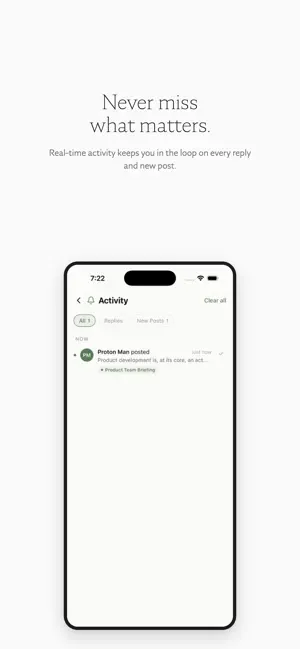
Docket is a briefing space, shared or private, for people who prefer depth over noise. Think of it as a notebook you can email into. For Pro accounts, Docket can now bridge to anyone's email. Add an external address — a client, vendor, contractor, family member, or anyone you correspond with regularly — and that person can email into your docket directly. Your replies go back to their inbox. They reply, the conversation continues. They never need to sign up, install anything, or see your docket. To them, it's a normal email exchange. To you, it's a calm, organized record your whole team can follow. Use it as a team briefing room, a family update board, or a private vault for your own thoughts. Every docket has its own email address. Post from the app, the web, or simply forward an email. Everything lands in one quiet, readable feed. Instead of chat threads that scroll into oblivion, Docket gives every thought its own card with a subject line, AI-generated summary, and threaded replies. Read and respond in your own time. No one is waiting for your reply. YOUR SPACE, YOUR RULES Create a docket just for yourself. A private journal, reading log, or idea vault that no one else can see. Or invite others. Only the people you choose can access your docket. No strangers, no spam, no noise. Every docket gets its own @docket.ink email address. Forward a thought, a link, a decision. It stays there, searchable, in context. WHAT MAKES DOCKET DIFFERENT Briefing-first design. Each item is a card, not a message. Read it, reply to it, mark it done. AI-powered intelligence. Questions, action items, and links are automatically extracted and surfaced. Quick reply pills. Respond with one tap. Preset or AI-suggested replies based on the content. Catch-up digest. Been away? Get an AI summary of what you missed. End-to-end encryption. Everything you write is encrypted with AES-256-GCM. Thoughtful reading experience. Serif typography, adjustable text sizes, and a distraction-free layout. BUILT FOR FOCUS No typing indicators. No online status. No read receipts. Docket is designed for reading, not reacting. Post when you're ready, read when you have time. The work can wait for the right thought. WORKS EVERYWHERE Your dockets sync across iPhone and the web at docket.ink. Create on one, continue on the other. PREMIUM ADDRESSES Every docket gets a free [email protected] email address. Upgrade to a short, custom address. Perfect for personal journals, family briefings, team updates, project notes, reading groups, board communications, or anyone who values substance over speed. Terms of Use: https://www.apple.com/legal/internet-services/itunes/dev/stdeula/
What’s new
Version 1.2.6 · Updated October 17, 2026
Notification settings now save reliably on iPhone. Improved compatibility with the latest iOS
App privacy
The developer, The Wise Jumbuck, reported these privacy practices to Apple.
Data Linked to You
The following data, which may be collected and linked to your identity, may be used for the following purposes:
- Purchases: Purchase History
- Contact Info: Email Address, Name
- User Content: Photos or Videos, Other User Content
- Identifiers: User ID
Used for: App Functionality
Alternatives to Docket Ink
Looking for apps like Docket Ink? Here are 6 similar apps on the App Store. The highest rated is Loreo (5.0/5), and all 6 are free to download.
-
 Loreo
5.0
Loreo
5.0
-
 GIS Cloud Track
-
 SmartBuy: Family Shoppinglist
-
 SecondBrain: AI Memory
5.0
SecondBrain: AI Memory
5.0
-
 Craft Web Clipper
3.8
Craft Web Clipper
3.8
-
 Notely Voice: AI Voice to Text
4.3
Notely Voice: AI Voice to Text
4.3
| App | Rating | Price | Last updated | Compare |
|---|---|---|---|---|
| Docket Ink | – | Free | October 17, 2026 | |
| Loreo | 5.0 / 5 (4) | Free | Sep 11, 2026 | Compare |
| GIS Cloud Track | – | Free | Sep 10, 2026 | Compare |
| SmartBuy: Family Shoppinglist | – | Free | Feb 20, 2024 | Compare |
| SecondBrain: AI Memory | 5.0 / 5 (6) | Free | Oct 14, 2026 | Compare |
| Craft Web Clipper | 3.8 / 5 (6) | Free | Jan 21, 2026 | Compare |
| Notely Voice: AI Voice to Text | 4.3 / 5 (9) | Free | Oct 20, 2026 | Compare |
Compare Docket Ink with the top alternatives: ratings, updates, ASO score and keyword gaps →