

LabelPrint: Label Maker
Adrian Gorak Utilities iPhoneiPadiPod touchMac
LabelPrint: Label Maker is a free Utilities app for iPhone and iPad by Adrian Gorak. Requires iOS 17.0. Updated October 26, 2026.
- Price
- Free
- on the App Store
- Size
- 11 MB
- Age 4+
- Updated
- Oct 26
- 2026 · v2.0.0
Screenshots



About LabelPrint: Label Maker
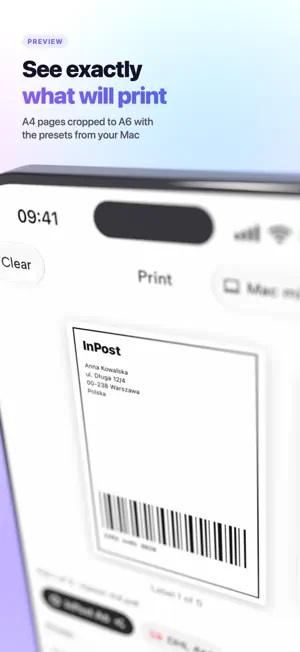
Needs LabelPrint on a Mac. LabelPrint for iPhone sends shipping labels to LabelPrint on your Mac, which prints them on its label printer. The Mac has to be switched on with LabelPrint running — even just in the menu bar — and both devices signed in to iCloud with the same Apple Account. No pairing, no passwords. Start from the label: • Share a PDF from Mail, a marketplace or a courier app to LabelPrint, or choose it in Files. • See each label exactly as your Mac will print it: cropped, split from A4 sheets and turned by your Mac's own presets, on 10 x 15 cm (4x6") or A6 paper. • LabelPrint suggests the preset that fits each PDF. Pick another, or another printer, for any file. • Tap Print and follow it: sent, taken by the Mac, printing, done — and a notification when it has printed, or why not. • Make and edit presets on the iPhone, crop included. They sync through iCloud to every Mac. New in 2.0 — design labels on your iPhone: text, barcodes and QR codes, shapes, photos, symbols, finger drawing, dates and running numbers, from a blank label or a template. Your designs sync with LabelPrint on the Mac through iCloud, and you print them on your Mac like any PDF — one, a numbered series, or one for every row of a spreadsheet. Several Macs? Choose which one prints. A Mac that is switched off keeps the label waiting until it is back. History keeps every label you sent, with a picture of each, so printing one again is a tap. LabelPrint Team: print on a colleague's Mac, and let colleagues print on yours — one office, several Apple Accounts. Create a team in Settings › Team and invite people one link at a time. Your Macs and the team's appear side by side, team presets are shared, and team labels print with no daily limit. Team is an auto-renewable subscription (monthly or yearly, with a 14-day free trial) for the person who creates it; members pay nothing. Requires iOS 18 and macOS 15. LabelPrint prints 5 labels a day for free. Unlimited removes the limit and prints the barcodes and pictures in your designs: a monthly or yearly subscription with two weeks free, or a one-time Lifetime purchase — either covers the iPhone and the Mac. Subscriptions renew automatically unless cancelled at least 24 hours before the end of the current period. Labels travel through your own iCloud. LabelPrint collects no data. Terms of Use: https://www.apple.com/legal/internet-services/itunes/dev/stdeula/ Privacy Policy: https://labelprintapp.com/privacy.html
What’s new
Version 2.0.0 · Updated October 26, 2026
LabelPrint 2.0 — design labels on your iPhone. • Make labels with your finger: text, barcodes, QR codes, shapes, photos, symbols, drawing, dates and running numbers — from a blank label or a template. • Your designs sync with the Mac through iCloud. Print one, a numbered series or a spreadsheet's rows on your Mac. • A new look, matching LabelPrint on the Mac. • Unlimited by the month or the year with two weeks free — or once, for good.
App privacy
The developer, Adrian Gorak, reported these privacy practices to Apple.
Data Not Collected
The developer does not collect any data from this app.
Alternatives to LabelPrint: Label Maker
Looking for apps like LabelPrint: Label Maker? Here are 6 similar apps on the App Store. The highest rated is HomeMate One (5.0/5), and all 6 are free to download.
-
 Smart Print Studio
-
 PractiPrint
-
 HomeMate One
5.0
HomeMate One
5.0
-
 Croplet
-
 PocketPrinter5890
-
 Smart Air Printer App: Printzy
5.0
Smart Air Printer App: Printzy
5.0
| App | Rating | Price | Last updated | Compare |
|---|---|---|---|---|
| LabelPrint: Label Maker | – | Free | October 26, 2026 | |
| Smart Print Studio | – | Free | May 4, 2026 | Compare |
| PractiPrint | – | Free | Oct 20, 2026 | Compare |
| HomeMate One | 5.0 / 5 (1) | Free | Feb 28, 2026 | Compare |
| Croplet | – | Free | Oct 19, 2026 | Compare |
| PocketPrinter5890 | – | Free | Aug 25, 2026 | Compare |
| Smart Air Printer App: Printzy | 5.0 / 5 (3) | Free | Oct 27, 2026 | Compare |