

Pixel Art Animator & Editor
Can Bi Entertainment iPhoneiPadiPod touch
Pixel Art Animator & Editor is a free Entertainment app for iPhone and iPad by Can Bi. Rated 5.0/5 from 4 ratings. Requires iOS 18.0.
- Rating
- 5.0
- 4 ratings
- Price
- Free
- on the App Store
- Size
- 17 MB
- Age 4+
- Updated
- Oct 3
- 2026 · v1.4.1
Screenshots
About Pixel Art Animator & Editor
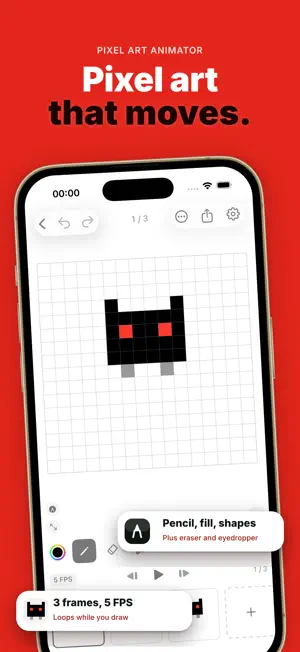
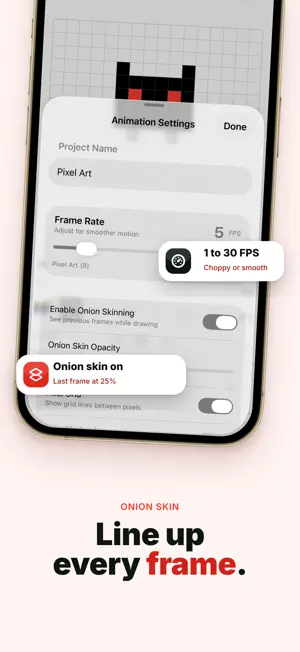
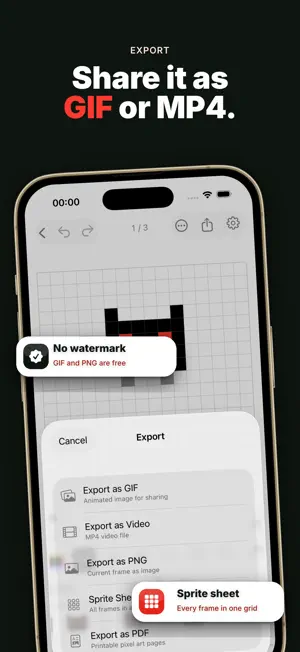
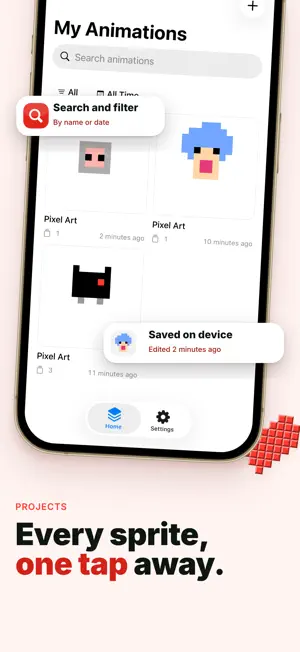
Create pixel-perfect animations on your phone. Pixel Art Animator is a frame-by-frame pixel editor with onion skinning, reference images, and exports — fully offline, no account needed. Free to download. No ads. No tracking — ever. ▸ PIXEL-PERFECT DRAWING Draw on a pixel grid with Pencil, Eraser, Fill, and Eyedropper (Free). Pro adds Line, Rectangle, Circle, Selection, Move, and Replace Color. Canvas sizes 16×16 and 32×32 (Free); Pro adds 64×64, and 128×128 on iPad. ▸ ONION SKINNING See the previous frame as a translucent overlay while you draw. Free includes onion skin at the default opacity; Pro adjusts opacity from 5% to 50%. ▸ REFERENCE IMAGES (Pro) Import a reference image, pan, zoom, rotate, and adjust opacity — ideal for tracing and rotoscoping. ▸ FRAME MANAGEMENT Add, duplicate, reorder, and clear frames. Free projects support up to 12 frames; Pro unlocks up to 256 frames and per-frame background colors. ▸ SMOOTH PLAYBACK Play at 1–30 FPS with loop preview. ▸ EXPORTS Free: animated GIF and single-frame PNG — no watermarks. Pro adds MP4 video, sprite sheet, and multi-page PDF. ▸ PROJECTS Free: up to 2 animation projects. Pro removes the project cap with search and filter. ▸ HOME SCREEN WIDGET (Pro) Show your latest pixel animation on your Home Screen. ▸ BACKUP & RESTORE (Pro) Export and restore your full .pixelart archive. ▸ FULLY OFFLINE & PRIVATE No account. No cloud. No ads. Your animations stay on your device only. ▸ TRY FREE Complete a real animation job on Free — draw, preview with onion skin, and export GIF or PNG without watermarks. ▸ PRO UNLOCKS THE STUDIO Larger canvas, pro tools, all exports, no project or frame caps, reference images, backup, and Home Screen widget. Monthly, annual, or lifetime. Pixel Art Animator is built for pixel artists who value simplicity and privacy. Download now and start animating. Have feedback? Reach us at [email protected] Privacy Policy: https://canbi.notion.site/Privacy-Policy-4c96cac95bdb8303a12e01d3ae58da74 Terms of Use (EULA): https://canbi.notion.site/Terms-of-Service-c966cac95bdb83498f60012e6d420d74
What’s new
Version 1.4.1 · Updated October 3, 2026
New • Pixelate a shared photo straight from any app's share sheet. • Use Siri or Shortcuts to pixelate a photo or export an animation. • Touch and hold the app icon to suggest a feature or report a problem faster. Improved • Settings has an Advanced screen with one-tap Copy ID and a Show IDs toggle. • If your projects can't be opened, the app now shows a clear recovery screen instead of closing at launch. Fixed • A shared image no longer gets stuck before it reaches the app. Have feedback? Write to [email protected]
App privacy
The developer, Can Bi, reported these privacy practices to Apple.
Data Not Collected
The developer does not collect any data from this app.
Alternatives to Pixel Art Animator & Editor
Looking for apps like Pixel Art Animator & Editor? Here are 6 similar apps on the App Store. The highest rated is Magic 8 Ball: Talking Oracle (4.6/5), and 4 of the 6 are free to download.
-
 Look Alike Celebrity AI
-
 OpEvol
-
 Djubi Player - IPTV & M3U
-
 Magic 8 Ball: Talking Oracle
4.6
Magic 8 Ball: Talking Oracle
4.6
-
 Dots (Pixel Art)
3.4
Dots (Pixel Art)
3.4
-
 YoYo Decision - Gacha & Wheel
4.0
YoYo Decision - Gacha & Wheel
4.0
| App | Rating | Price | Last updated | Compare |
|---|---|---|---|---|
| Pixel Art Animator & Editor | 5.0 / 5 (4 ratings) | Free | October 3, 2026 | |
| Look Alike Celebrity AI | – | Free | Sep 14, 2026 | Compare |
| OpEvol | – | Free | Aug 14, 2026 | Compare |
| Djubi Player - IPTV & M3U | – | Free | Jul 14, 2026 | Compare |
| Magic 8 Ball: Talking Oracle | 4.6 / 5 (10) | 4.99 USD | Aug 21, 2026 | Compare |
| Dots (Pixel Art) | 3.4 / 5 (15) | 2.99 USD | Jun 3, 2026 | Compare |
| YoYo Decision - Gacha & Wheel | 4.0 / 5 (4) | Free | Aug 29, 2026 | Compare |