

Schedule My Lessons
PER HENRIK PAHLEN Productivity iPhoneiPadiPod touch
Schedule My Lessons is a free Productivity app for iPhone and iPad by PER HENRIK PAHLEN. Requires iOS 15.1. Updated August 22, 2026.
- Price
- Free
- on the App Store
- Size
- 46 MB
- Age 4+
- Updated
- Aug 22
- 2026 · v1.1.3
Screenshots



About Schedule My Lessons
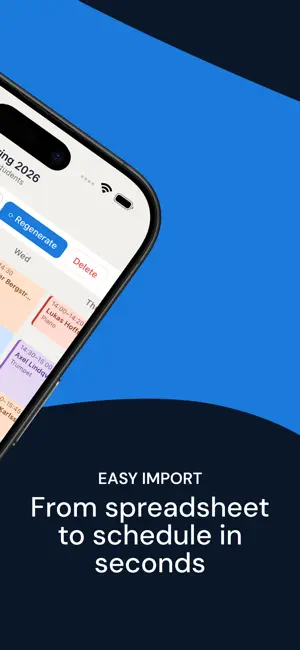
Schedule My Lessons takes the frustration out of building lesson timetables. Add your students, tell the app when they're available, and it figures out a schedule that works for everyone — no conflicts, no double bookings. Automatic scheduling Stop doing this by hand. The app checks every student's availability and builds a complete timetable in seconds. Fine-tune by hand Automatic by default, adjustable whenever you want. Drag any lesson to a new time — drop it on a busy slot and the app reshuffles the others to make room, always with a preview and one-tap undo. Pin the lessons that shouldn't move. All your students in one place Add students one by one or import them straight from Excel, Google Sheets, or CSV. Set their availability, lesson length, and preferred times. Group and individual lessons Mix one-on-one and group lessons in the same schedule. Lock recurring time slots that should never move. Export and share Send your schedule as PDF, Excel, or CSV — or just print it straight from your phone. Made for iPhone and iPad Choose how many days fill the screen — a few on your phone, the full week on iPad. Your data stays on your device No account required. Your student data never leaves your phone. Terms of Use: https://www.schedulemylessons.app/terms Privacy Policy: https://www.schedulemylessons.app/privacy
What’s new
Version 1.1.3 · Updated August 22, 2026
This update makes the scheduler noticeably smarter — it now fits more of your students automatically. Smarter scheduling - When a spot is taken, the app now rearranges your other (unpinned) lessons — and even your groups — to make room, instead of leaving a student unscheduled. If everyone can fit, they will. - Adding a student, or tapping "Make room," now seats anyone who genuinely fits — rearranging the timetable when needed, with one-tap undo. - You can now drag a student straight onto a group lesson: the group slides to another suitable time to make space. - Starring a preferred day for a student now moves their lesson onto that day when possible. - Your pinned lessons and locked time slots always stay exactly where you put them. Clearer counts - The student count now includes students who are only in a group, so your totals reflect everyone. Plus a round of smaller reliability and polish fixes.
App privacy
The developer, PER HENRIK PAHLEN, reported these privacy practices to Apple.
Data Linked to You
The following data, which may be collected and linked to your identity, may be used for the following purposes:
- Purchases: Purchase History
- Contact Info: Email Address
- Identifiers: User ID
Used for: App Functionality
Data Not Linked to You
The following data, which may be collected but is not linked to your identity, may be used for the following purposes:
- Usage Data: Product Interaction
- Diagnostics: Crash Data, Performance Data
Used for: Analytics, App Functionality