

DocuMind: AI PDF Scanner
Akash Mangukiya Productivity iPhoneiPadiPod touch
DocuMind: AI PDF Scanner is a free Productivity app for iPhone and iPad by Akash Mangukiya. Requires iOS 17.0. Updated June 30, 2026.
- Price
- Free
- on the App Store
- Size
- 8 MB
- Age 4+
- Updated
- Jun 30
- 2026 · v2.0.0
Screenshots



About DocuMind: AI PDF Scanner
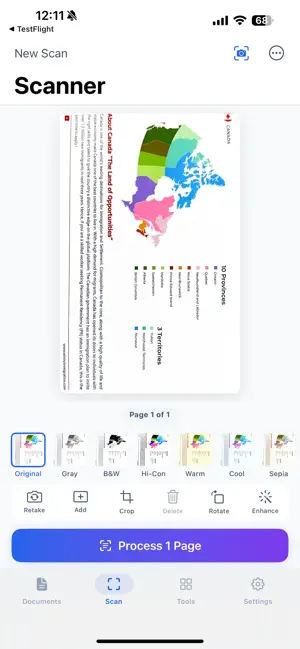
DocuMind is your all-in-one PDF document manager powered by AI. Scan documents with your camera, edit and annotate PDFs, sign documents, and use intelligent AI tools to summarize, translate, and extract data — all from your iPhone. SCAN & CAPTURE • Scan documents using your camera with auto-edge detection • OCR text recognition in 15+ languages • Auto-enhance scans for crystal-clear results • Crop, rotate, and reorder scanned pages AI-POWERED INTELLIGENCE • Summarize lengthy documents in seconds • Translate documents across multiple languages • Extract tables, data, and key information • Chat with your PDFs — ask questions and get cited answers PDF EDITING & ANNOTATION • Highlight, underline, and strikethrough text • Draw freehand annotations • Add text notes, shapes, and stamps • Insert images and manage pages SIGN DOCUMENTS • Draw your signature and place it anywhere on the page • Drag-to-position with pinch-to-resize • Save and reuse signatures POWERFUL PDF TOOLS • Convert PDF to images (JPG/PNG) • Convert images to PDF • Add text or image watermarks with drag positioning • Password protect and unlock PDFs • Rotate, organize, and repair PDFs • Add page numbers • OCR scanned PDFs for searchable text ORGANIZE YOUR LIBRARY • Import from Files, camera, or create blank PDFs • Search across all documents and content • Filter by type: All, PDFs, Scans, Favorites • Sort by date, name, or size PRIVACY FIRST • All document processing happens on your device • API keys stored securely in iOS Keychain • No tracking, no analytics, no ads • Your documents never leave your phone SUBSCRIPTION INFORMATION: DocuMind Pro is available as an auto-renewable subscription. - Monthly: $3.99/month - Yearly: $39.99/year (save over 15%) Payment will be charged to your Apple ID account. Subscription automatically renews unless cancelled at least 24 hours before the end of the current period. Manage subscriptions in Account Settings. Terms of Use: https://chiragthummar.github.io/DocuMind-pages/terms.html Privacy Policy: https://chiragthummar.github.io/DocuMind-pages/privacy.html Download DocuMind today and take control of your documents.
What’s new
Version 2.0.0 · Updated June 30, 2026
- A beautiful new look — warm, modern design with full Dark Mode. - Redesigned navigation bar for faster access. - DocuMind is now free, supported by ads. Upgrade to Pro anytime to remove them. - New privacy controls: manage ad consent and tracking right from Settings. - Performance and stability improvements.
App privacy
The developer, Akash Mangukiya, reported these privacy practices to Apple.
Data Used to Track You
The following data may be used to track you across apps and websites owned by other companies:
- Identifiers: Device ID
- Usage Data: Product Interaction, Advertising Data
Data Not Linked to You
The following data, which may be collected but is not linked to your identity, may be used for the following purposes:
- Identifiers: Device ID
- Usage Data: Product Interaction, Advertising Data
Used for: Third-Party Advertising, Analytics
Alternatives to DocuMind: AI PDF Scanner
Looking for apps like DocuMind: AI PDF Scanner? Here are 6 similar apps on the App Store.
-
 All Document Reader: Viewer
-
 DeepSecret
-
 Agile Forecasting
-
 Mind Map AI: Whiteboard Canvas
-
 Photo to JPEG
-
 AI Note Taker °
| App | Rating | Price | Last updated | Compare |
|---|---|---|---|---|
| DocuMind: AI PDF Scanner | – | Free | June 30, 2026 | |
| All Document Reader: Viewer | – | Free | Oct 13, 2026 | Compare |
| DeepSecret | – | Free | May 6, 2026 | Compare |
| Agile Forecasting | – | Free | Mar 5, 2025 | Compare |
| Mind Map AI: Whiteboard Canvas | – | Free | Apr 5, 2026 | Compare |
| Photo to JPEG | – | Free | May 20, 2026 | Compare |
| AI Note Taker ° | – | Free | May 28, 2026 | Compare |