

Image360-Fix Bad Image Offline
BIKEADDONS LLC Photo & Video iPhoneiPadiPod touch
Image360-Fix Bad Image Offline is a free Photo & Video app for iPhone and iPad by BIKEADDONS LLC. Rated 3.0/5 from 2 ratings. Requires iOS 15.0.
- Rating
- 3.0
- 2 ratings
- Price
- Free
- on the App Store
- Size
- 86 MB
- Age 4+
- Updated
- Mar 30
- 2026 · v1.0.3
Screenshots
About Image360-Fix Bad Image Offline
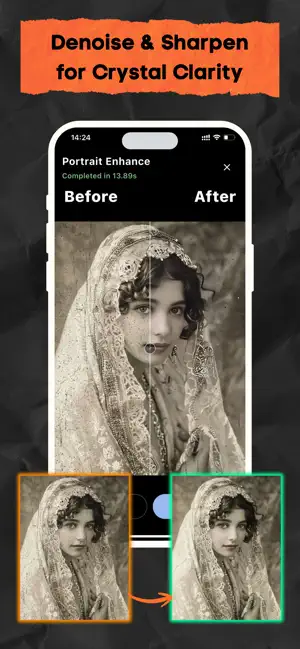
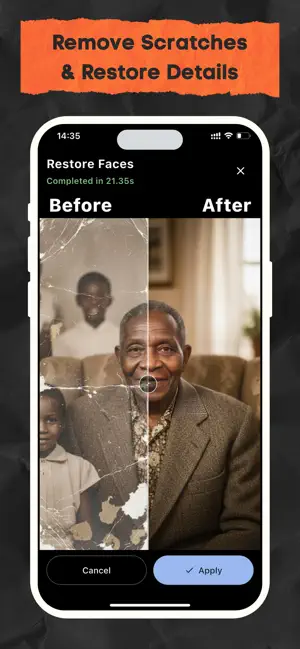
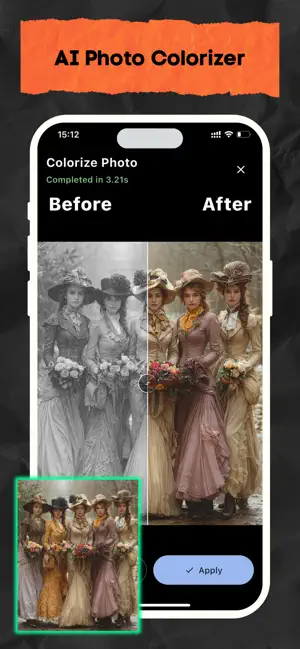
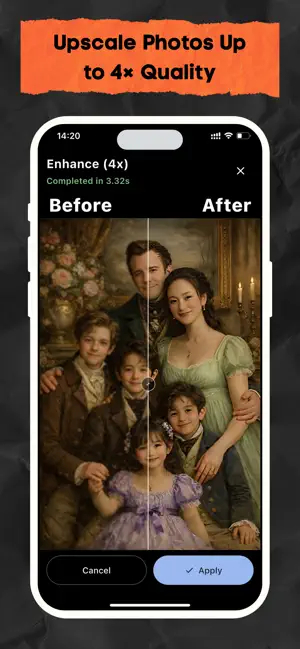
Fix, enhance, and restore your photos with powerful on-device AI — no subscription, no cloud, no compromise. Image360 uses AI models that run directly on your iPhone. On first use, you'll download the AI models to your device (one-time, over Wi-Fi). After that, every enhancement works fully offline on a plane, in the mountains, or anywhere without internet. Your photos never leave your phone. —————————————————— WHY IMAGE360? Most AI photo apps send your images to remote servers to process. Image360 is different. Once the AI models are downloaded, every enhancement — face restoration, background removal, upscaling to 4K — runs locally using CoreML and Apple Neural Engine. No waiting for a server. No data upload. No privacy risk. Fast, private, and works offline anywhere. —————————————————— AI FEATURES — ALL RUN ON YOUR DEVICE • AI Upscale to 4K — powered by Real-ESRGAN. Restore sharpness and detail to old or low-resolution photos without any quality loss. • Face Enhance & Portrait Restore — powered by GFPGAN / CodeFormer. Recover facial detail, smooth skin naturally, and bring blurry portraits back to life. • Remove Background — one tap, clean edges. Perfect for product photos, profile pictures, or creative composites. • Remove Objects & Watermarks — smart AI inpainting fills in the scene naturally. No visible traces left behind. • Colorize Black & White Photos — breathe color into old memories. AI analyzes the scene and applies realistic tones automatically. • Auto Enhance — intelligent adjustment of lighting, color balance, and sharpness in one tap. —————————————————— FULL EDITING TOOLKIT Everything you need in one offline photo editor: • Crop, rotate, flip — precise manual control • Brightness, contrast, saturation, exposure • Filters & presets for quick style changes • Text & drawing tools • Blur & sharpen • Basic portrait retouch Before / After comparison slider — see exactly what changed. Full undo / redo history so you can edit freely. —————————————————— BATCH PROCESSING & HD EXPORT Process multiple photos in one go. Export at HD, 2K, or 4K resolution. EXIF metadata preserved on every export. —————————————————— LIQUID GLASS DESIGN Built with Apple's latest Liquid Glass aesthetic. Frosted glass panels, soft blur backgrounds, smooth iOS-native animations, and real-time AI progress feedback — editing feels as polished as it performs. —————————————————— PRIVACY — YOUR PHOTOS STAY ON YOUR DEVICE • No account required • No photos uploaded to any server • No analytics on your images • AI models downloaded once, stored locally • Works fully offline after initial model setup • Zero third-party image processing —————————————————— HOW IT WORKS 1. Download Image360 and open the app 2. On first use, download AI models to your device (one-time, Wi-Fi recommended) 3. Edit, enhance, and restore photos — fully offline from this point on Image360 is built for photographers, content creators, and anyone who values both quality and privacy. Powerful AI editing — without giving away your photos.
What’s new
Version 1.0.3 · Updated March 30, 2026
New in this version: Light Boost Enhance low-light photos with better brightness, clarity, and detail using our new Light Boost feature. - Added Light Boost for improving dark and underexposed images - Faster and more stable image processing - Bug fixes and performance improvements
App privacy
The developer, BIKEADDONS LLC, reported these privacy practices to Apple.
Data Used to Track You
The following data may be used to track you across apps and websites owned by other companies:
- Diagnostics: Crash Data
Data Not Linked to You
The following data, which may be collected but is not linked to your identity, may be used for the following purposes:
- Identifiers: Device ID
- Diagnostics: Crash Data
Used for: Third-Party Advertising, Developer’s Advertising or Marketing, Analytics
Alternatives to Image360-Fix Bad Image Offline
Looking for apps like Image360-Fix Bad Image Offline? Here are 6 similar apps on the App Store. The highest rated is Restore Old Photos: AI Enhance (5.0/5), and 4 of the 6 are free to download.
-
 SafePix: AI Photo Enhancer
-
 Local Photo Upscaler: Enhancer
3.7
Local Photo Upscaler: Enhancer
3.7
-
 AI Photo Upscaler
-
 Restore Old Photos: AI Enhance
5.0
Restore Old Photos: AI Enhance
5.0
-
 Megapix: AI Photo Upscaler
1.0
Megapix: AI Photo Upscaler
1.0
-
 UltraScale
| App | Rating | Price | Last updated | Compare |
|---|---|---|---|---|
| Image360-Fix Bad Image Offline | 3.0 / 5 (2 ratings) | Free | March 30, 2026 | |
| SafePix: AI Photo Enhancer | – | Free | Apr 3, 2026 | Compare |
| Local Photo Upscaler: Enhancer | 3.7 / 5 (10) | 9.99 USD | Oct 13, 2026 | Compare |
| AI Photo Upscaler | – | Free | May 13, 2026 | Compare |
| Restore Old Photos: AI Enhance | 5.0 / 5 (1) | 3.99 USD | Sep 15, 2026 | Compare |
| Megapix: AI Photo Upscaler | 1.0 / 5 (1) | Free | Sep 25, 2026 | Compare |
| UltraScale | – | Free | Jan 8, 2026 | Compare |