

iPro Suite
iPro Suite Ltd Business iPhoneiPadiPod touch
iPro Suite is a free Business app for iPhone and iPad by iPro Suite Ltd. Requires iOS 16.4. Updated September 13, 2026.
- Price
- Free
- on the App Store
- Size
- 48 MB
- Age 4+
- Updated
- Sep 13
- 2026 · v2.1.0
Screenshots


About iPro Suite
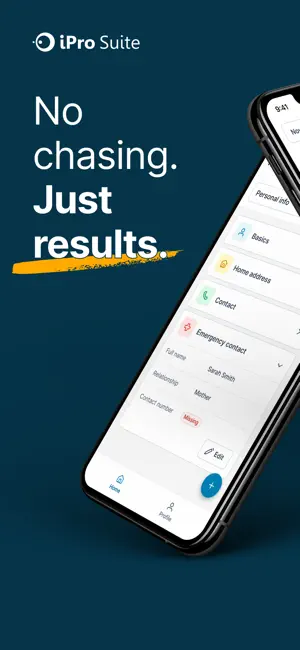
iPro Suite is project and workforce management software for the construction trades, built to give contractors control, clarity, and confidence. Each worker has a clear view of their schedule, including bookings, tasks and time off, so they always know where they need to be and what they need to do. As work is carried out, updates are captured as they happen, whether that’s completing forms, uploading photo proof, or recording progress. Everything is time-stamped, attributed, and instantly available to whoever needs it. Time is tracked as the work happens, capturing accurate hours and location, creating a clear, reliable record of what was completed and by who. For office teams, this means real-time visibility across every job and project without needing to chase updates and proof. For site teams, it means having everything they need in one place to get the work done properly.
What’s new
Version 2.1.0 · Updated September 13, 2026
iPad support • iProSuite now runs on iPad with a sidebar layout, so you can see your schedule, notifications and profile side by side. Attachments and forms • Pinch to zoom on photos in tasks, notes, documents and forms. • Tap any task attachment to open it. PDFs preview in the app and other files open in the right app on your device. • The Forms tab on a booking now shows every form completed on the job, not just the oldest ones. • Pick a form to fill from a searchable list. • Photos are resized before upload, so forms with lots of pictures save reliably on site, even on a weak signal. • Links to attached files now appear in generated form PDFs. • Forms opened from a booking or task now show the linked project address. Easier for field staff • Bookings now show scopes, compliance checklists and client contact details for everyone on the roster, not just office users. • Book time off directly from the Home screen if your account allows it. • The task form only offers task types you can actually complete. Reliability • Your Home schedule refreshes automatically when new work is assigned to you. • Fixed an issue on Android where saving or starting a timer failed after an app update until you signed out and back in. • Fixed shifted dates on the Time off screen. • Fixed a crash when downloading some form PDFs. • The app icon badge now matches your unread notifications, and accounting sync alerts no longer appear on mobile. • Many smaller fixes and performance improvements.
App privacy
The developer, iPro Suite Ltd, reported these privacy practices to Apple.
Data Linked to You
The following data, which may be collected and linked to your identity, may be used for the following purposes:
- Contact Info: Email Address, Name, Physical Address, Phone Number, Other User Contact Info
- Identifiers: User ID, Device ID
- Diagnostics: Crash Data, Performance Data, Other Diagnostic Data
- Financial Info: Other Financial Info
- Location: Precise Location
- User Content: Photos or Videos, Other User Content
Used for: Analytics, Product Personalization, App Functionality
Data Not Linked to You
The following data, which may be collected but is not linked to your identity, may be used for the following purposes:
- Usage Data: Other Usage Data
Used for: Analytics
Alternatives to iPro Suite
Looking for apps like iPro Suite? Here are 6 similar apps on the App Store.


| App | Rating | Price | Last updated | Compare |
|---|---|---|---|---|
| iPro Suite | – | Free | September 13, 2026 | |
| Stop The Rot | – | Free | Sep 18, 2026 | Compare |
| SMART Forms | – | Free | Sep 1, 2026 | Compare |
| Scafflife | – | Free | Jul 25, 2024 | Compare |
| Scaff Inspector | – | Free | May 14, 2026 | Compare |
| Location Confirm | – | Free | Aug 20, 2026 | Compare |
| OK Benefits | – | Free | Feb 7, 2025 | Compare |
Compare iPro Suite with the top alternatives: ratings, updates, ASO score and keyword gaps →