

GitGrid — GitHub Display Setup
Justin Terry Utilities iPhoneiPadiPod touch
GitGrid — GitHub Display Setup is a free Utilities app for iPhone and iPad by Justin Terry. Requires iOS 15.1. Updated March 18, 2026.
- Price
- Free
- on the App Store
- Size
- 36 MB
- Age 4+
- Updated
- Mar 18
- 2026 · v1.0
Screenshots

About GitGrid — GitHub Display Setup
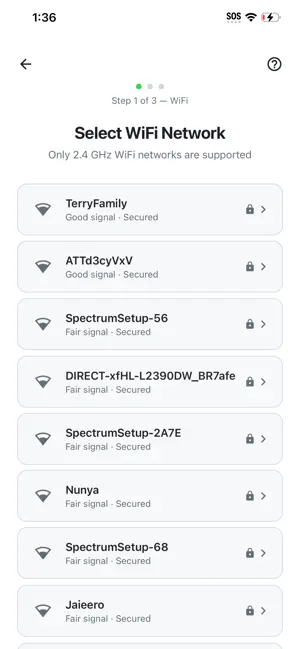
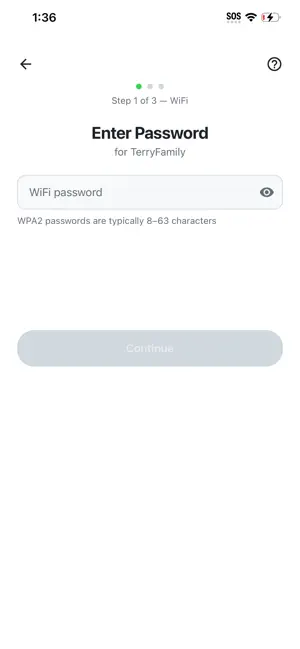
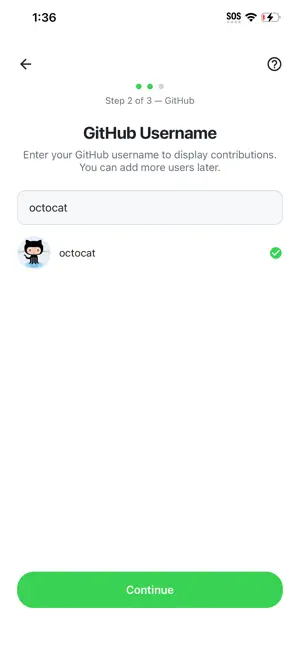
GitGrid is the companion app for the GitGrid LED display, a physical 64x32 LED matrix that shows your GitHub contribution graph in real time. No accounts. No subscriptions. No cloud services. Just plug in, pair, and go. FEATURES • Guided step-by-step setup — pair, configure WiFi, set your username, done • Bluetooth Low Energy pairing — no captive portals or serial consoles • WiFi network scanner — pick your network from a list, no typing SSIDs • GitHub username validation — confirms your profile exists before sending to the device, with avatar preview • Show/hide password toggle for easy WiFi entry • Device status & diagnostics — see WiFi signal strength, last data refresh, and error details • Human-readable error messages — "WiFi password incorrect," "Username not found," with suggested fixes • Reconfigure anytime — change your WiFi or GitHub username without starting over • Auto-reconnect — the app remembers your device and reconnects when in range • Dark mode support — matches your system theme WHAT IS GITGRID? GitGrid is a physical LED display for developers who want to show off their GitHub contribution history as a living piece of desk or wall art. The display auto-refreshes throughout the day so your latest commits always appear. No GitHub login or token required, just your public username. REQUIREMENTS • A GitGrid LED display (sold separately) • Bluetooth Low Energy (BLE) capable device • 2.4GHz WiFi network • A public GitHub profile