

MiOffice
JSVV SOLS LLC Productivity iPhoneiPadiPod touch
MiOffice is a free Productivity app for iPhone and iPad by JSVV SOLS LLC. Rated 5.0/5 from 1 ratings. Requires iOS 15.0. Updated March 18, 2026.
- Rating
- 5.0
- 1 ratings
- Price
- Free
- on the App Store
- Size
- 1 MB
- Age 17+
- Updated
- Mar 18
- 2026 · v1.0
Screenshots

About MiOffice
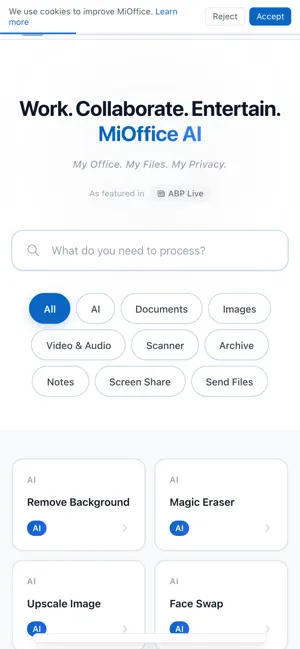
MiOffice brings 66+ AI-powered office applications directly to Safari. Compress, convert, merge, split, and edit PDFs, images, and videos — all 100% client-side. Your files never leave your browser. KEY FEATURES: PDF Tools • Compress PDF — reduce file size up to 90% • Merge PDF — combine multiple PDFs into one • Split PDF — extract pages from any PDF • PDF to Word, Excel, PowerPoint conversion • PDF Editor — annotate, highlight, fill forms, sign Image Tools • Compress images (JPEG, PNG, WebP, AVIF) • Convert between image formats • Remove background with AI • Upscale images with AI Video Tools • Compress video (MP4, WebM, MOV) • Convert video formats • Extract audio from video AI Tools • OCR — extract text from images • Document scanner with edge detection PRIVACY FIRST All file processing happens locally in your browser using WebAssembly. Files are never uploaded to any server. No account required. RIGHT-CLICK INTEGRATION Right-click any image on a webpage to instantly compress, convert, or remove its background. Free forever. No signup required.
App privacy
The developer, JSVV SOLS LLC, reported these privacy practices to Apple.
Data Not Collected
The developer does not collect any data from this app.
Alternatives to MiOffice
Looking for apps like MiOffice? Here are 6 similar apps on the App Store. The highest rated is Image Size & Video Compressor (5.0/5), and 5 of the 6 are free to download.
-
 Image Size & Video Compressor
5.0
Image Size & Video Compressor
5.0
-
 AtticFox
-
 Fogwing Copilot
5.0
Fogwing Copilot
5.0
-
 GetDrivers.AI
-
 BossBattery
-
 HeadAI - AI Headshot Generator
| App | Rating | Price | Last updated | Compare |
|---|---|---|---|---|
| MiOffice | 5.0 / 5 (1 rating) | Free | March 18, 2026 | |
| Image Size & Video Compressor | 5.0 / 5 (2) | 0.99 USD | May 5, 2026 | Compare |
| AtticFox | – | Free | May 14, 2026 | Compare |
| Fogwing Copilot | 5.0 / 5 (1) | Free | Jan 7, 2026 | Compare |
| GetDrivers.AI | – | Free | Sep 2, 2026 | Compare |
| BossBattery | – | Free | May 14, 2026 | Compare |
| HeadAI - AI Headshot Generator | – | Free | Nov 27, 2025 | Compare |
Compare MiOffice with the top alternatives: ratings, updates, ASO score and keyword gaps →