

Screen Mirroring・AnyCast TV
Soukaina Hassani Utilities iPhoneiPadiPod touch
Screen Mirroring・AnyCast TV is a free Utilities app for iPhone and iPad by Soukaina Hassani. Rated 5.0/5 from 1 ratings. Requires iOS 26.0.
- Rating
- 5.0
- 1 ratings
- Price
- Free
- on the App Store
- Size
- 79 MB
- Age 17+
- Updated
- Oct 20
- 2026 · v1.0.2
Screenshots



About Screen Mirroring・AnyCast TV
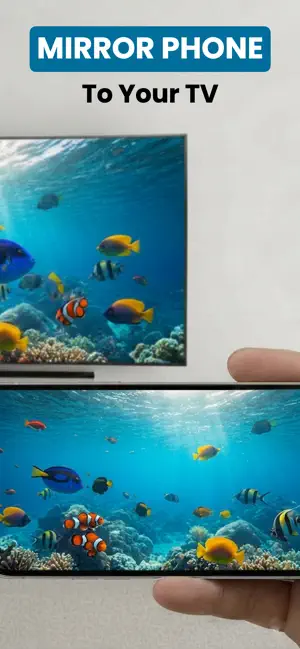
Put your iPhone or iPad on the big screen. Screen Mirroring・AnyCast TV finds the TVs and streaming devices already on your Wi-Fi and casts your screen, photos, videos and web pages straight to them — no cables, no dongle, no extra hardware. WHAT YOU CAN CAST • Live screen mirroring — your display, exactly as it appears. Presentations, apps, games, social feeds, anything on screen. • Photos — send pictures from your camera roll to the TV, full size. • Videos — cast videos from your library, converted automatically so your TV can play them. • Any web page — a built-in browser lets you open a site and push the video on it to your TV. • YouTube, Google Photos and Google Drive — cast straight from your accounts (Pro). • Whiteboard — draw on your device and watch it appear live on the TV, with colours, brush sizes and an eraser (Pro). WORKS WITH YOUR TV Five casting protocols are built in, and the app picks the right one for each device automatically: • Samsung Smart TV — native Smart View connection (2016 models and newer) • Chromecast and Google TV • Roku players and Roku TV • Amazon Fire TV Stick and Fire TV Cube • LG, Sony, Panasonic, Philips and any DLNA/UPnP television • Apple TV — photo and media streaming If a device answers on more than one protocol, the app merges it into a single entry and falls back automatically when one route fails. BUILT-IN TV REMOTE Control the television from your phone while you cast: power, volume up and down, mute, play and pause, and skip forward or back. No hunting for the remote down the side of the sofa. HOW IT WORKS 1. Connect your iPhone or iPad and your TV to the same Wi-Fi network. 2. Open the app — nearby devices appear on their own, no pairing codes. 3. Pick your TV, then choose what to send: your screen, a photo, a video or a web page. BUILT FOR REAL LIVING ROOMS • Automatic discovery — no IP addresses to type in • Protocol filters, so you can narrow the device list to the kit you actually own • Hardware-accelerated H.264 encoding for smooth playback • Everything stays on your local network — your media is sent from your device to your television and nowhere else PRO A Pro upgrade unlocks YouTube, Google Photos and Google Drive casting and the live whiteboard. Purchases restore across your devices. GOOD TO KNOW Your iPhone or iPad and your TV must be on the same Wi-Fi network. Screen mirroring is streamed to your TV, so a short buffering delay is normal — this is ideal for photos, video and presentations rather than fast-action gaming. Feature availability varies by television: older DLNA sets support media playback but not every remote-control function. Questions or a TV that will not connect? Get in touch — we reply, and we use real reports to add support for more devices. SUBSCRIPTION PRICING & TERMS: Unlock all premium features and remove ads with our subscription plans: Weekly: $6.99/week Lifetime Access: $19.99 (One-time payment) Payment will be charged to your iTunes Account at confirmation of purchase. Subscriptions automatically renew unless auto-renew is turned off at least 24-hours before the end of the current period. Your account will be charged for renewal within 24-hours prior to the end of the current period. You can manage or cancel your subscriptions by going to your App Store Account Settings after purchase. Any unused portion of a free trial period will be forfeited when the user purchases a subscription. DISCLAIMER: Please note that this app is an independent product and is not affiliated with, endorsed by, or sponsored by any TV brands such as Samsung, LG, Sony, Roku, Vizio, TCL, Google, or others. All trademarks belong to their respective owners. For support, contact: [email protected] Privacy Policy: https://sites.google.com/view/tvcastscreenmirroring/privacy-policy Terms of Use: https://www.apple.com/legal/internet-services/itunes/dev/stdeula
What’s new
Version 1.0.2 · Updated October 20, 2026
• Faster, more reliable TV discovery — devices show up sooner and stay on the list • Improved Samsung Smart View connection stability • Live whiteboard casting: draw on your device, watch it on the TV • Fixes for DLNA playback on Sony and Philips sets
App privacy
The developer, Soukaina Hassani, reported these privacy practices to Apple.
Data Not Collected
The developer does not collect any data from this app.
Alternatives to Screen Mirroring・AnyCast TV
Looking for apps like Screen Mirroring・AnyCast TV? Here are 6 similar apps on the App Store. The highest rated is Screen Mirroring TV・Smart Cast (5.0/5), and all 6 are free to download.
-
 Screen Mirroring+ ™
4.0
-
 Screen Mirroring: iPhone to TV
-
 Screen Mirroring TV・Smart Cast
5.0
-
 Screen Mirroring: Fast TV Cast
-
 Screen Mirroring. Cast to TV.
5.0
-
 Screen Mirroring・Miracast TV
5.0
| App | Rating | Price | Last updated | Compare |
|---|---|---|---|---|
| Screen Mirroring・AnyCast TV | 5.0 / 5 (1 rating) | Free | October 20, 2026 | |
| Screen Mirroring+ ™ | 4.0 / 5 (3) | Free | Jun 25, 2026 | Compare |
| Screen Mirroring: iPhone to TV | – | Free | Oct 13, 2026 | Compare |
| Screen Mirroring TV・Smart Cast | 5.0 / 5 (4) | Free | Apr 19, 2026 | Compare |
| Screen Mirroring: Fast TV Cast | – | Free | Apr 6, 2026 | Compare |
| Screen Mirroring. Cast to TV. | 5.0 / 5 (3) | Free | Nov 3, 2025 | Compare |
| Screen Mirroring・Miracast TV | 5.0 / 5 (3) | Free | Aug 14, 2026 | Compare |