

Offline AI - Private Chat
Twin Suns LLC Utilities iPhoneiPadiPod touch
Offline AI - Private Chat is a free Utilities app for iPhone and iPad by Twin Suns LLC. Rated 4.1/5 from 12 ratings. Requires iOS 18.0.
- Rating
- 4.1
- 12 ratings
- Price
- Free
- on the App Store
- Size
- 52 MB
- Age 17+
- Updated
- Sep 8
- 2026 · v1.20
Screenshots


About Offline AI - Private Chat
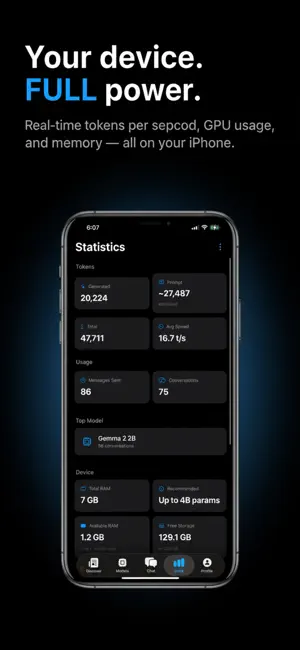
Run powerful AI models directly on your iPhone — no internet required, no data ever leaves your device. PRIVATE BY DESIGN Every response is generated on your device using Apple's Metal GPU. No API keys. No cloud. No tracking. No account. ASK ACROSS YOUR DOCUMENTS Save contracts, manuals or notes to your library, then ask about them from any chat. The passages that answer your question are found for you, so a long PDF no longer has to be cut short. Every answer shows which file it came from. CREATE IMAGES Describe a picture and it's generated on your device. Nothing you type or make is uploaded. SEE AND SPEAK Vision models read text in photos and describe what they see. Voice mode reads replies aloud, hands-free. BROWSE & DOWNLOAD MODELS Explore curated categories — Reasoning, Coding, General and Creative — filtered to fit your device's RAM. Search HuggingFace live to find any model. CHAT MODES & PERSONAS Seven response modes — LaTeX, Code, Concise, Step-by-step, ELI5, Formal and Email Reply. Give your AI a custom Persona with a name, icon and system prompt. WEB SEARCH Research Mode searches the web before responding, so any model can answer about current events. Off by default. STAY INFORMED The Discover tab surfaces the latest AI news, updated through the day. OPTIMIZED FOR IPHONE Best results on iPhone 15 Pro and later with 8GB RAM. Pro unlocks voice mode, model arena, vision models and image generation. Subscriptions renew automatically unless cancelled at least 24 hours before the end of the period. Terms of Use (EULA): https://www.apple.com/legal/internet-services/itunes/dev/stdeula/ Privacy Policy: https://myai.twinsuns.dev/privacy
Ratings & reviews
4.1
12 ratings
What’s new
Version 1.20 · Updated September 8, 2026
Use your own model files If you already have a .gguf model — on a drive, in iCloud, or sent to you by someone else — you can now import it straight from the Files app. No download and no network, which matters if you're setting up a phone that has no connection at all. Imported models work exactly like downloaded ones: they show up in My Models, run entirely on-device, and can be deleted to free the space back up. Smaller iCloud backups Downloaded models are no longer copied into your iCloud backup. If your backups had quietly grown by several gigabytes, this was why — and this update fixes it for models you've already downloaded, not just new ones.
App privacy
The developer, Twin Suns LLC, reported these privacy practices to Apple.
Data Not Collected
The developer does not collect any data from this app.
Alternatives to Offline AI - Private Chat
Looking for apps like Offline AI - Private Chat? Here are 6 similar apps on the App Store. The highest rated is Tina - Private Local AI (5.0/5), and all 6 are free to download.
-
 Frankly AI: Direct AI Chat
2.7
-
 Silo - Private AI Assistant
1.0
-
 Tina - Private Local AI
5.0
-
 Spike Studio
3.1
-
 PaperNest - Document Organizer
5.0
-
 Ten AI - Unlimited, Private AI
5.0
| App | Rating | Price | Last updated | Compare |
|---|---|---|---|---|
| Offline AI - Private Chat | 4.1 / 5 (12 ratings) | Free | September 8, 2026 | |
| Frankly AI: Direct AI Chat | 2.7 / 5 (7) | Free | Sep 17, 2026 | Compare |
| Silo - Private AI Assistant | 1.0 / 5 (1) | Free | Apr 15, 2026 | Compare |
| Tina - Private Local AI | 5.0 / 5 (3) | Free | Oct 16, 2026 | Compare |
| Spike Studio | 3.1 / 5 (11) | Free | Sep 30, 2026 | Compare |
| PaperNest - Document Organizer | 5.0 / 5 (2) | Free | Oct 15, 2026 | Compare |
| Ten AI - Unlimited, Private AI | 5.0 / 5 (5) | Free | Apr 2, 2026 | Compare |