

SmartStatement: Bank to Sheets
MG CYBER SOLUTIONS LIMITED Finance iPhoneiPadiPod touch
SmartStatement: Bank to Sheets is a free Finance app for iPhone and iPad by MG CYBER SOLUTIONS LIMITED. Requires iOS 17.0. Updated September 15, 2026.
- Price
- Free
- on the App Store
- Size
- 14 MB
- Age 4+
- Updated
- Sep 15
- 2026 · v1.02
Screenshots


About SmartStatement: Bank to Sheets
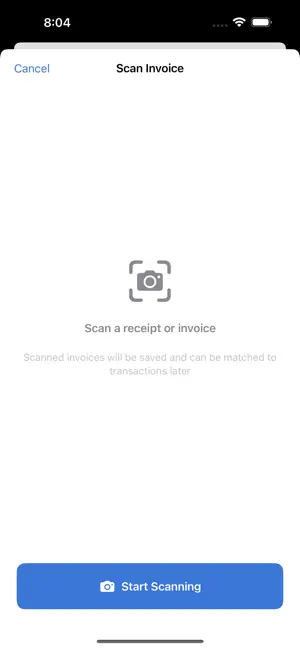
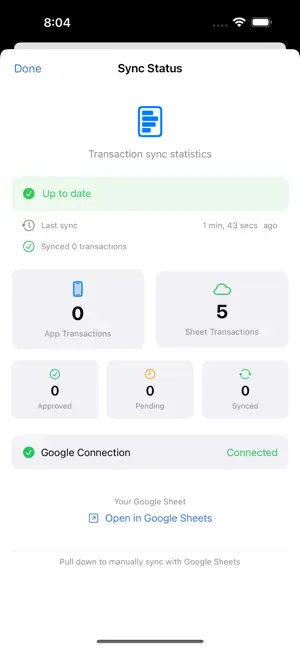
SmartStatement helps you manage bank statements and invoices in one place. Import your bank CSV/PDF files, scan paper invoices with your camera, and sync everything to Google Sheets, all under your control. Key Features: • Import bank statements from CSV and PDF files • Scan invoices and receipts using your device camera with OCR • Automatic transaction categorization and matching • Smart deduplication across multiple statements • Sync to your own Google Sheets, no third-party servers • GST/tax calculation support for New Zealand businesses • Bilingual interface (English / 中文) • Sign in with Apple for secure authentication • Data stays on your device and your Google Drive SmartStatement is built for small business owners, freelancers, and anyone who wants to take control of their financial records. Your financial data never touches our servers. Feedback you choose to send is the only exception. Everything else is stored locally on your device or in your own Google Drive. Free and paid plans: The free plan includes 20 synced transactions per month, 20 invoice scans per month and 1 bank account, and it shows ads. Pro (200 transactions per month, 200 invoice scans per month, 5 bank accounts, no ads) and Business (unlimited transactions, invoice scans and bank accounts, plus GST report export and priority support) are auto-renewable subscriptions offered monthly or yearly. Payment is charged to your Apple ID at confirmation of purchase and renews automatically unless cancelled at least 24 hours before the end of the current period; manage or cancel anytime in your App Store account settings. Current prices are shown in the app before you subscribe. Terms of Use (EULA): https://www.apple.com/legal/internet-services/itunes/dev/stdeula/
What’s new
Version 1.02 · Updated September 15, 2026
Version 1.02 makes your first import easier. • Pick your bank before you import. Each bank shows the exact export steps for CSV and PDF, and the file picker offers only the formats that bank supports. • Clearer import errors. When a file cannot be read, the app explains why, shows the export steps again and links to that bank's guide. • Send feedback from inside the app. Report a bug or share an idea, attach a screenshot, and preview the redacted diagnostic log before anything is sent. • A "Get set up in 3 steps" checklist on Home replaces the old empty state, so you always know what to do next. Thank you for using SmartStatement. Tell us what to build next from Settings, Send feedback.
App privacy
The developer, MG CYBER SOLUTIONS LIMITED, reported these privacy practices to Apple.
Data Linked to You
The following data, which may be collected and linked to your identity, may be used for the following purposes:
- Purchases: Purchase History
- Contact Info: Email Address
- User Content: Emails or Text Messages, Photos or Videos, Other User Content
- Identifiers: User ID, Device ID
- Diagnostics: Other Diagnostic Data
Used for: App Functionality