

Apex Verify
Urban Herak Photo & Video iPhoneiPadiPod touch
Apex Verify is a free Photo & Video app for iPhone and iPad by Urban Herak. Requires iOS 17.0. Updated September 11, 2026.
- Price
- Free
- on the App Store
- Size
- 22 MB
- Age 12+
- Updated
- Sep 11
- 2026 · v2.7
Screenshots


About Apex Verify
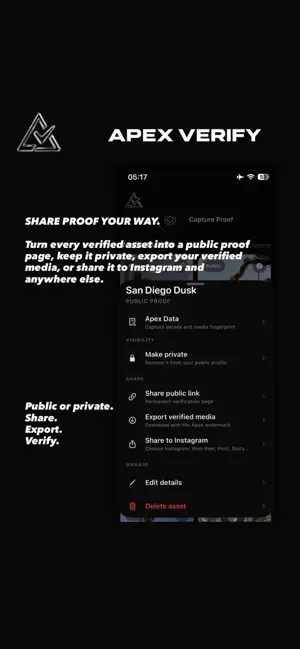
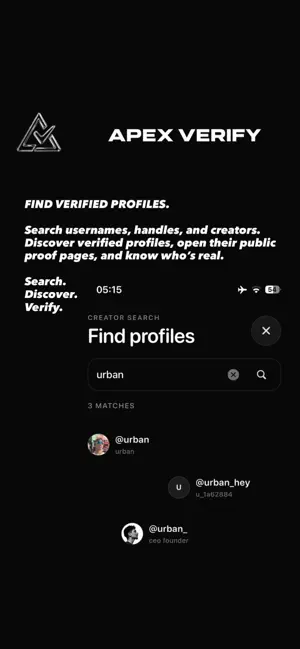
Apex Verify is built for creators and organizations that want to prove their photos and videos are real. Every photo and video is captured and signed at the moment of creation, embedding verifiable authenticity data directly into the media. No AI-generated content. No hidden edits. No manipulation. This isn’t just content. It’s proof. Apex Verify creates a trusted connection between the original capture and the media people see online. Verified files can be stored securely, exported, published through verification links, or displayed on a clean public identity profile. Inside the app: • Capture verified photos and videos directly at the source • Sign media with built-in C2PA authenticity data • Store verified media securely inside Apex Gallery • Create public verification links for individual photos and videos • Create private 24-hour verification links • Keep private media hidden from your public profile • Add the Apex Camera to your Lock Screen for faster capture • Open live web verification pages for every shared capture • Create a clean public profile for your verified identity • Manage captures, drafts, private links, and published media • Export media with a visible Apex verification watermark • Give viewers a direct way to inspect the origin and authenticity of your content Apex Verify is not another social network. It is a trust layer for digital media—built to prove where content came from and whether it has remained authentic. Authenticity is not claimed. It is verified at capture. Real content. Verified at capture. Terms of Use: https://api.apexverify.tech/legal/terms
What’s new
Version 2.7 · Updated September 11, 2026
Apex Verify is now sharper, faster, and more focused on proof. This update introduces a refined onboarding experience, improved Creator Vault workflows, clearer Apex Data, and smoother capture, export, profile, and verification-link experiences.
App privacy
The developer, Urban Herak, reported these privacy practices to Apple.
Data Linked to You
The following data, which may be collected and linked to your identity, may be used for the following purposes:
- Contact Info: Name, Email Address
- Purchases: Purchase History
- User Content: Photos or Videos, Audio Data, Other User Content
- Identifiers: User ID
- Usage Data: Product Interaction
Used for: Analytics, App Functionality