

Cockadoo: Task Manager & To Do
Iryna Vaskova Productivity iPhoneiPadiPod touch
Cockadoo: Task Manager & To Do is a free Productivity app for iPhone and iPad by Iryna Vaskova. Requires iOS 18.1. Updated April 1, 2026.
- Price
- Free
- on the App Store
- Size
- 19 MB
- Age 4+
- Updated
- Apr 1
- 2026 · v1.0.2
Screenshots


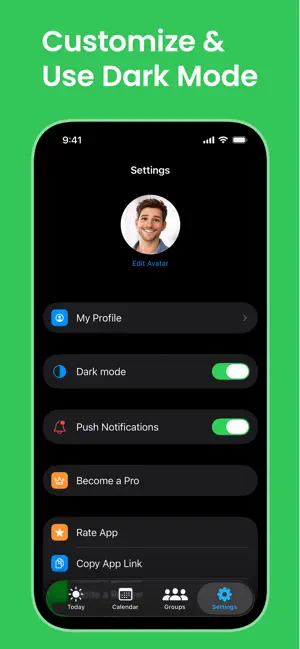
About Cockadoo: Task Manager & To Do
Cockadoo - Shared Task Manager & Family Planner Stop forgetting. Start getting things done - together. Cockadoo is a simple and powerful way to organize your life, plan your day, and stay in sync with the people who matter. Whether it’s your family, partner, or team - everyone knows what needs to be done. No chaos. No missed tasks. Just clarity. How it works: Create a group, add tasks, assign them to anyone, and stay on track with smart reminders. Everything is shared, visible, and easy to manage — so nothing slips through the cracks. Key Features: - Shared Groups: Create groups for family, work, or daily life - Assign Tasks: Delegate tasks and know who is responsible - Smart Reminders: Get notified at the right time — never miss important things - Daily Planning: Focus on what matters today and stay productive - Clear Task Tracking: See what’s done, what’s pending, and what’s next - Flexible Use Cases: From groceries to team tasks — everything in one place Clean & Simple UI: No overload. No distractions. Just what you need Why Cockadoo? Because life is busy — and memory is unreliable. Cockadoo helps you: - Stop relying on memory - Reduce mental overload - Stay aligned with others - Actually get things done Perfect for: - Families — organize daily life, chores, and plans - Couples — stay in sync and share responsibilities - Small teams — manage tasks without complexity - Personal productivity — keep your life structured Real-life examples: - Plan your day and never forget important tasks - Share a grocery list with your partner - Assign responsibilities to family members - Coordinate tasks in a small team - Keep track of recurring routines Built for real life: - Cockadoo is designed to be fast, simple, and actually useful — not overloaded with features you don’t need. - Start using Cockadoo today and turn plans into action. Terms of Use — https://vnorme.app/cockadoo/terms.html Privacy Policy — https://vnorme.app/cockadoo/privacy.html End User License Agreement (EULA) — https://vnorme.app/cockadoo/eula.html Support Page — https://vnorme.app/cockadoo/support.html
What’s new
Version 1.0.2 · Updated April 1, 2026
Never miss what matters. - New: task reminders - get notified right when you need it - Faster data loading - your tasks appear instantly - Reminder icon on tasks - easily see what’s scheduled Stay on top of your day and keep everything under control. Bug fixes and performance improvements.
App privacy
The developer, Iryna Vaskova, reported these privacy practices to Apple.
Data Not Linked to You
The following data, which may be collected but is not linked to your identity, may be used for the following purposes:
- Contact Info: Email Address, Name
- Usage Data: Product Interaction
- Diagnostics: Crash Data, Performance Data
- Identifiers: User ID, Device ID
- User Content: Photos or Videos
Used for: Analytics, Product Personalization, App Functionality, Other Purposes
Alternatives to Cockadoo: Task Manager & To Do
Looking for apps like Cockadoo: Task Manager & To Do? Here are 6 similar apps on the App Store. The highest rated is Docu Boss for OneDrive (4.9/5), and all 6 are free to download.
-
 Link Drawer: Save Links
2.0
-
 Thiki
-
 Minbi – Your Memory Inbox
-
 Docu Boss for OneDrive
4.9
-
 CleanBot: Phone Swift
-
 MaidCircle: Attendance Tracker
| App | Rating | Price | Last updated | Compare |
|---|---|---|---|---|
| Cockadoo: Task Manager & To Do | – | Free | April 1, 2026 | |
| Link Drawer: Save Links | 2.0 / 5 (1) | Free | Apr 13, 2026 | Compare |
| Thiki | – | Free | May 13, 2026 | Compare |
| Minbi – Your Memory Inbox | – | Free | Sep 11, 2026 | Compare |
| Docu Boss for OneDrive | 4.9 / 5 (9) | Free | Feb 27, 2024 | Compare |
| CleanBot: Phone Swift | – | Free | Sep 17, 2026 | Compare |
| MaidCircle: Attendance Tracker | – | Free | Aug 15, 2026 | Compare |