

Tempo Lab Pro
Lior Zukman Music iPhoneiPadiPod touch
Tempo Lab Pro is a free Music app for iPhone and iPad by Lior Zukman. Requires iOS 15.0. Updated August 26, 2026.
- Price
- Free
- on the App Store
- Size
- 59 MB
- Age 4+
- Updated
- Aug 26
- 2026 · v1.0.6
Screenshots


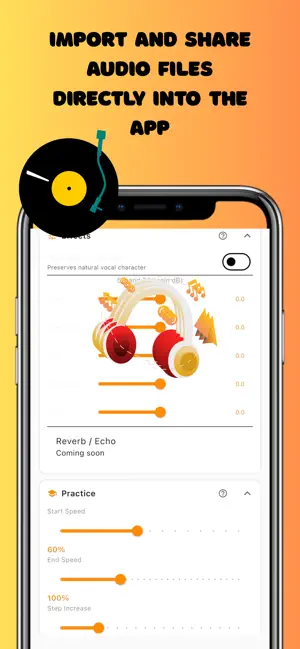
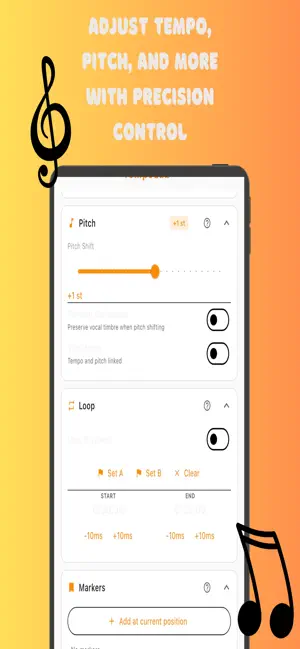
About Tempo Lab Pro
TempoLab Pro helps you practice and study audio your way. WHAT YOU CAN DO • Tempo — Slow down or speed up playback while keeping pitch stable (within the app's supported range). • Pitch — Shift by semitones to match your instrument or vocal range. • Loop — Repeat a section for focused practice. • Markers — Save positions and jump back to important moments. • Effects and practice — Five-band EQ and practice mode to shape your session. WORKFLOW Import audio from the Files app or share a file into TempoLab Pro. View waveform context, control playback, and export your adjusted audio when you need a file to keep or share. DESIGNED FOR Musicians, singers, dancers, language learners, and anyone who works with tempo and pitch. OPTIONAL UPGRADE Remove ads and unlock home screen customization (panel order and visibility). Purchase is optional; core playback features remain available without it. Terms of Use: https://zukiapps.com/tempoLabPro/terms Feedback We welcome your suggestions. Use Feedback in Settings, or email [email protected].
What’s new
Version 1.0.6 · Updated August 26, 2026
• More reliable audio import from Files and other apps, with tips on supported formats and clearer messages when something goes wrong. • Re-open import tips anytime from Settings → Support. • Light appearance and layout polish for iPhone and iPad, including improved spacing with system bars. • Bug fixes and stability improvements.
App privacy
The developer, Lior Zukman, reported these privacy practices to Apple.
Data Used to Track You
The following data may be used to track you across apps and websites owned by other companies:
- Location: Coarse Location
- Identifiers: Device ID
- Usage Data: Product Interaction, Advertising Data
Data Linked to You
The following data, which may be collected and linked to your identity, may be used for the following purposes:
- Location: Coarse Location
- Identifiers: Device ID
- Usage Data: Advertising Data, Product Interaction
- Diagnostics: Performance Data, Crash Data
Used for: Third-Party Advertising, Analytics, App Functionality