

CheckDot: Tasks
Jensley Phelipa Productivity iPhoneiPadiPod touch
CheckDot: Tasks is a free Productivity app for iPhone and iPad by Jensley Phelipa. Requires iOS 26.1. Updated March 14, 2026.
- Price
- Free
- on the App Store
- Size
- 26 MB
- Age 4+
- Updated
- Mar 14
- 2026 · vV1.2
Screenshots
About CheckDot: Tasks
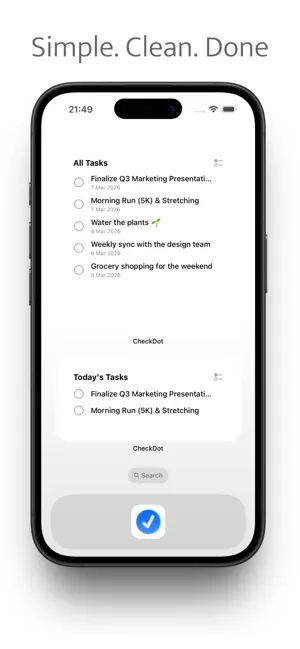
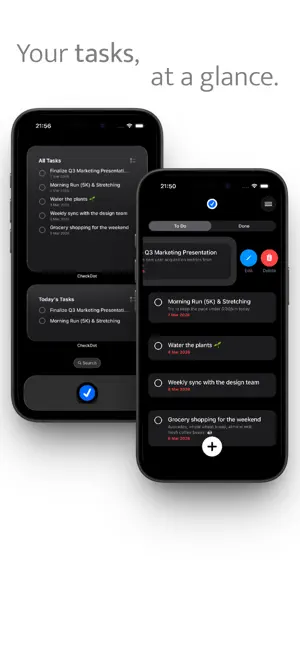
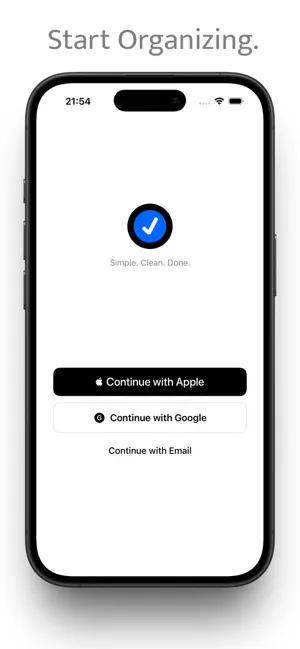
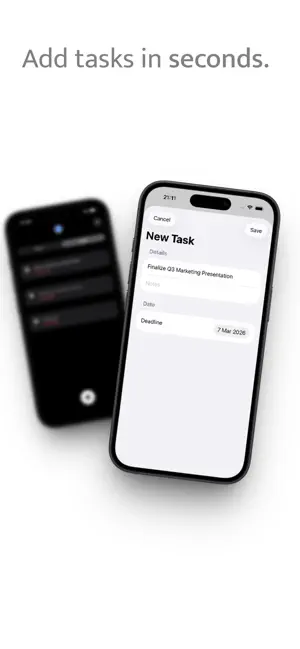
Meet CheckDot, your new favorite minimalist to-do list. In a world full of complex planners and overwhelming productivity apps, CheckDot brings it back to basics. We believe that organizing your day shouldn't feel like a chore. That's why we designed an app that is fast, beautiful, and incredibly simple to use. Whether you're managing your daily chores, planning a work project, or just writing down your groceries, CheckDot keeps your mind clear and your tasks organized. WHY YOU'LL LOVE CHECKDOT: • Minimalist Design: Zero clutter. A clean interface that helps you focus on what actually matters. • Lightning Fast: Add new tasks in seconds. No endless menus or complicated settings. • Satisfying Swipes: Experience the simple joy of swiping a task to mark it as done. • Secure Sync: Create an account and safely sync your tasks. Your data is securely backed up and linked to your profile. • Privacy First: No intrusive tracking, no annoying ads. Just a clean productivity tool. Stop overcomplicating your routine. Download CheckDot today and experience how simple getting things done can be. Simple. Clean. Done.
What’s new
Version V1.2 · Updated March 14, 2026
Welcome to CheckDot v1.2! We are incredibly excited to introduce our biggest feature yet: The Goalizer. Here is what’s new in this update: • Meet the Goalizer: Got a massive goal like saving up for a trip or running a marathon? You can now break it down into smaller, actionable milestones in a dedicated new tab. • Satisfying Unlocks: Your main goal stays locked until you check off every single sub-task. Experience the ultimate satisfaction when your big goal finally unlocks and you can mark it as DONE! • Easy Editing: Plans change, and that's okay. Simply swipe left on any goal to edit your milestones or delete the goal entirely. • UI Polish: We've fine-tuned the interface, including a sleek new fade effect when scrolling your lists behind the add button. Stop dreaming, start tracking. Update now and crush your biggest goals. Simple. Clean. Done.
App privacy
The developer, Jensley Phelipa, reported these privacy practices to Apple.
Data Linked to You
The following data, which may be collected and linked to your identity, may be used for the following purposes:
- Contact Info: Email Address
- Identifiers: User ID
Used for: App Functionality
Alternatives to CheckDot: Tasks
Looking for apps like CheckDot: Tasks? Here are 6 similar apps on the App Store.
-
 Planfect
-
 CountCal: Day Tracker
-
 5min: Focus & Tasks
-
 ScreenCue
-
 Thalam - Plan & Track
-
 Planoa: AI Goal & Task Planner
| App | Rating | Price | Last updated | Compare |
|---|---|---|---|---|
| CheckDot: Tasks | – | Free | March 14, 2026 | |
| Planfect | – | Free | Aug 14, 2026 | Compare |
| CountCal: Day Tracker | – | Free | Sep 20, 2026 | Compare |
| 5min: Focus & Tasks | – | Free | Aug 24, 2026 | Compare |
| ScreenCue | – | Free | May 5, 2026 | Compare |
| Thalam - Plan & Track | – | Free | Jul 1, 2026 | Compare |
| Planoa: AI Goal & Task Planner | – | Free | Apr 2, 2026 | Compare |
Compare CheckDot: Tasks with the top alternatives: ratings, updates, ASO score and keyword gaps →