

Stackwall: App Blocker
YeahWow LLC Productivity iPhoneiPadiPod touch
Stackwall: App Blocker is a free Productivity app for iPhone and iPad by YeahWow LLC. Requires iOS 15.1. Updated August 28, 2026.
- Price
- Free
- on the App Store
- Size
- 56 MB
- Age 4+
- Updated
- Aug 28
- 2026 · v1.0.44
Screenshots


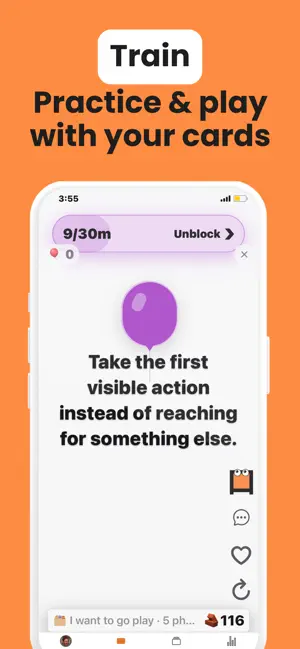
About Stackwall: App Blocker
You scroll. You don't think. Now: Your phone is the easy escape. When work gets hard. When you're bored. When you're avoiding something. You reach for your phone out of instinct. After Stackwall: You tap a distracting app, Stacky opens instead. You tell him what's happening. He helps you pause, rethink the moment, and choose what to do next. [HOW IT WORKS] Block distracting apps. When you open one, Stackwall opens instead. Chat with Stacky AI about the moment. He responds to what you tell him and offers swipeable cards based on your needs. Cards can be better self-talk, affirmations, steps to focus on your goal/task, or ideas for something better to do. When a card fits, keep it, edit it, save it for later, or record it in your own voice. Then tap through cards, play a game, or use the timer for a focus session. Each tap, game, and session earns time. Spend your earned time to unlock your apps. They lock again when the time runs out. Stacky sets daily spend limits, so even if you earn a lot, you can only spend so much time every day. [THE 24-HOUR RULE] Set your blocking rules while you're calm. Changes to blocked apps, categories, earn rates, and unlock limits take 24 hours to apply. An urge cannot change them in the moment. [FEATURES] - Block selected apps and categories with Screen Time - Chat with Stacky, an interactive AI guide - Swipe through cards for self-talk, focus, and next steps - Edit, save, favorite, and organize phrases - Record phrases in your own voice - Play voice recordings while you tap or use the timer - Earn time with taps, games, and timer sessions - Spend earned time in temporary unlock passes - Set an optional hard daily unlock limit - Track streaks, daily goals, activity, and brick wall progress - Add Home Screen and Lock Screen widgets - Start without an email or account [WHO IT'S FOR] • You reach for your phone when work gets hard, boring, or uncomfortable • You bypass the limits you set the same day • You want app blocking that requires effort, not just another timer • You want a hard daily ceiling, not only friction • You want something to do instead of doomscrolling • You want to get back to what you meant to do • You want access to be a choice, not a reflex Terms of Use (EULA): [https://www.apple.com/legal/internet-services/itunes/dev/stdeula/](https://www.apple.com/legal/internet-services/itunes/dev/stdeula/) Privacy Policy: [https://www.stackwall.app/privacy](https://www.stackwall.app/privacy)
What’s new
Version 1.0.44 · Updated August 28, 2026
Better UX. Coach now guides users through a personalized flow to re-think using their distracting apps.
App privacy
The developer, YeahWow LLC, reported these privacy practices to Apple.
Data Linked to You
The following data, which may be collected and linked to your identity, may be used for the following purposes:
- Purchases: Purchase History
- User Content: Other User Content
- Identifiers: User ID, Device ID
- Usage Data: Product Interaction
Used for: Analytics, Product Personalization, App Functionality
Alternatives to Stackwall: App Blocker
Looking for apps like Stackwall: App Blocker? Here are 6 similar apps on the App Store. The highest rated is Unhook: Earn Screen Time (5.0/5), and all 6 are free to download.
-
 HandsOff: Block Apps
-
 LimitSet: App Blocker & Focus
-
 Peep: Earn Screen Time
3.8
-
 Unhook: Earn Screen Time
5.0
-
 BreakOff: Block Apps Together
4.8
-
 Focus Cat: Earn Screen Time
4.0
| App | Rating | Price | Last updated | Compare |
|---|---|---|---|---|
| Stackwall: App Blocker | – | Free | August 28, 2026 | |
| HandsOff: Block Apps | – | Free | Jun 29, 2026 | Compare |
| LimitSet: App Blocker & Focus | – | Free | Aug 30, 2026 | Compare |
| Peep: Earn Screen Time | 3.8 / 5 (6) | Free | Oct 12, 2026 | Compare |
| Unhook: Earn Screen Time | 5.0 / 5 (1) | Free | Jun 25, 2026 | Compare |
| BreakOff: Block Apps Together | 4.8 / 5 (14) | Free | Oct 13, 2026 | Compare |
| Focus Cat: Earn Screen Time | 4.0 / 5 (3) | Free | Aug 12, 2026 | Compare |