

Demodesk Recorder
Demodesk Business iPhoneiPadiPod touch
Demodesk Recorder is a free Business app for iPhone and iPad by Demodesk. Rated 5.0/5 from 1 ratings. Requires iOS 15.1. Updated October 28, 2026.
- Rating
- 5.0
- 1 ratings
- Price
- Free
- on the App Store
- Size
- 42 MB
- Age 4+
- Updated
- Oct 28
- 2026 · v1.6.1
Screenshots


About Demodesk Recorder
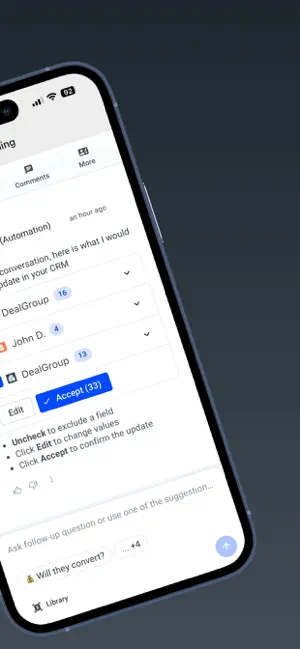
Your AI Sales Assistant — now for in-person meetings. Record face-to-face conversations with one tap. AI handles the follow-ups, CRM updates, and coaching — just like your virtual calls. No more lost details from the meetings that matter most. Whether you're at a customer site, in a conference room, or grabbing coffee with a prospect — just tap, record, and let AI handle the rest. Requires an active Demodesk account. WHAT HAPPENS AFTER YOU RECORD - AI Follow-Ups in Seconds Your recording is transcribed and AI writes personalized follow-ups that reflect your style. Just review, tweak if needed, and send. - Automatic CRM Sync AI identifies the right deal, logs the conversation, and updates all relevant fields in your CRM. Zero setup. No manual data entry. - AI Coaching on Every Conversation Receive structured feedback after every meeting — talk/listen ratios, objection handling, discovery quality. Like having a personal coach in every meeting. - Meaningful Summaries AI condenses conversations into actionable summaries. No more listening to hours of recordings — key moments are highlighted automatically. - Searchable Call Library Every recording joins your global, searchable library in Demodesk. Find any conversation, any moment, any insight. HOW IT WORKS 1. Tap record or select an upcoming meeting from your calendar 2. Record the conversation — a real-time waveform confirms audio capture 3. Link the recording to a meeting and add participants 4. The recording uploads automatically, even in the background 5. AI transcribes, summarizes, updates your CRM, and drafts follow-ups BUILT FOR IN-PERSON SELLING Your virtual calls already get AI summaries, follow-ups, and CRM updates. Now your in-person meetings do too. - Field sales reps recording on-site demos and customer visits - Account executives capturing discovery calls and lunches - Customer success managers documenting QBRs and check-ins - Sales leaders reviewing conversations for coaching at scale THE APP - One-tap recording with real-time waveform visualization - Calendar integration — see upcoming meetings, tap to record - Background upload — keeps working after you leave the app - Audio playback — scrub through recordings on your device - Secure by design — encrypted upload, no third-party data sharing Requires an active Demodesk account. Sign in with your existing credentials to get started. Your AI Sales Assistant. Wherever you sell.
What’s new
Version 1.6.1 · Updated October 28, 2026
- External recorder stability - Fixed that in some cases the recordings showed a wrong time when imported
App privacy
The developer, Demodesk, reported these privacy practices to Apple.
Data Linked to You
The following data, which may be collected and linked to your identity, may be used for the following purposes:
- Contact Info: Email Address
- User Content: Audio Data
Used for: App Functionality
Alternatives to Demodesk Recorder
Looking for apps like Demodesk Recorder? Here are 6 similar apps on the App Store. The highest rated is SignID Signature Keyboard (5.0/5), and all 6 are free to download.


| App | Rating | Price | Last updated | Compare |
|---|---|---|---|---|
| Demodesk Recorder | 5.0 / 5 (1 rating) | Free | October 28, 2026 | |
| Maschinenraum Space | – | Free | Aug 5, 2026 | Compare |
| Auron AI | – | Free | Oct 15, 2026 | Compare |
| Voiq AI | – | Free | May 24, 2026 | Compare |
| SignID Signature Keyboard | 5.0 / 5 (7) | Free | Sep 25, 2026 | Compare |
| EC Power | – | Free | Aug 31, 2026 | Compare |
| Montago | – | Free | Jan 28, 2026 | Compare |
Compare Demodesk Recorder with the top alternatives: ratings, updates, ASO score and keyword gaps →