

Pixzool: Video & Photo Editor
Arshiya Rahgozar Photo & Video iPhoneiPadiPod touch
Pixzool: Video & Photo Editor is a free Photo & Video app for iPhone and iPad by Arshiya Rahgozar. Rated 5.0/5 from 5 ratings. Requires iOS 18.0.
- Rating
- 5.0
- 5 ratings
- Price
- Free
- on the App Store
- Size
- 230 MB
- Age 4+
- Updated
- Aug 26
- 2026 · v3.2.0
Screenshots

About Pixzool: Video & Photo Editor
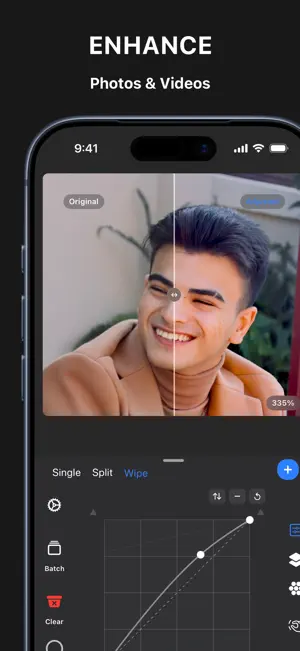
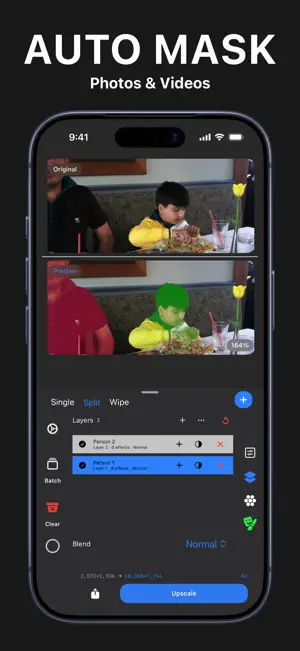
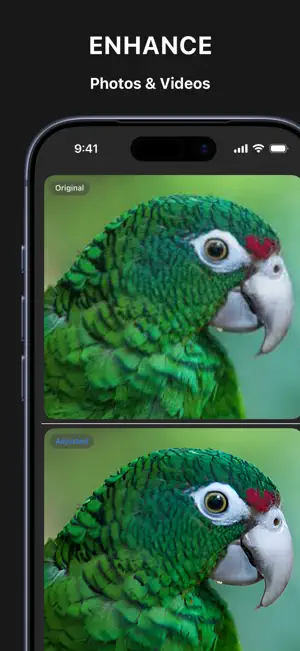
Professional photo and video restoration, enhancement, and editing tools, all in one place. ENHANCE YOUR MEDIA PHOTO AI ENHANCER Whether you want to enlarge a small image, sharpen a blurry photo, reduce compression noise, clean up artifacts, or make anime and illustrations High Quality, Pixzool gives you dedicated tools and control over the result. VIDEO AI ENHANCER Enhance video with dedicated Double and Quadruple models, including x2 Math, x2 and x4 Helex, x4 Oryn (GPU Optimized) , x2 and x4 Nitro, and x2 and x4 Anima. Keep the source frame rate or render at 30 fps or 60 fps. Preview the video, compare the result, and preserve audio. Fantastic for turning blurry, low-quality videos into crisp 4K Ultra HD BATCH PROCESSING FOR PHOTOS Queue and process up to 100 photos in one batch. Apply the selected enhancement setup across the queue and follow each item's progress. AI STRENGTH FOR PHOTOS AND VIDEOS Fine-tune how strongly AI enhancement affects the result. Use the AI Strength control to choose the balance between the resized source and the AI-enhanced output. TOOLS IN THE WORKSTATION GLOBAL CONTROLS FOR PHOTOS AND VIDEOS Brightness, contrast, saturation, and sharpness Curves for Master RGB, luminance, red, green, and blue LAYERS FOR PHOTOS AND VIDEOS 27 layer blend modes Layer opacity and fill Add, duplicate, enable, disable, remove, reorder, nest, and merge layers Add multiple effects within a layer EFFECTS FOR PHOTOS AND VIDEOS 60+ Effects across Color, Blur, Style, Detail, and Distort categories Color correction, blur, grain, halftone, pixel, toon, noise reduction, sharpening, sketch, edge, and distortion tools Provided Effects Controls — Intensity, Rotation, X-Y Positioning, Sizing and Effect-specific controls When supported Pixzool also Supports Editing values of your Effects with Hand Gesture Controlles on your Photos or Videos Canvas For better experience MASKING FOR PHOTOS AND VIDEOS Provided Controls — Mask density, feathering, inversion, and overlay preview controls Masks Available — Luminance, Linear gradient, and Radial Gradient masking options Intelligent Masks — Automatic Subject Detection, Automatic groups of people Detection. Pixzool can detect each person in a photo and create an independent color-coded masks per person layer for every detected person. BEFORE AND AFTER Compare photo and video results with Single, Split, and draggable Wipe views before saving. AI ENHANCEMENT OPTIONS Photo AI Models — 2x Standard, 2x Secondary, 4x Standard, 4x Secondary, 4x UltraSharp, 4x Aggressive, 4x Anime + Artifact cleaner Video AI Models — x2 Math, x2 Helex, x4 Helex, x4 Oryn, x2 Nitro, x4 Nitro, x2 Anima, and x4 Anima. EXPORT AND RECOVERY Export processed photos and videos through Files or save them to Photos. Restore supported media references, settings, layers, effects, masks, and batch queues after relaunch. What can you Use Pixzool for? Enhance and enlarge low-resolution photos and videos Restore blurry, noisy, pixelated, or compressed media Increase resolution for prints and high-resolution displays Increase or decrease video frame rates Improve icons, digital artwork, anime, and illustrations Enhance portraits, textures, animals, and nature photography Reduce noise and JPEG compression artifacts Build detailed edits with layers, effects, and masks Process multiple photos in one batch Edit private photos and videos without uploading them to a cloud AI service YOUR PRIVACY MATTERS Your photo and video enhancement work is processed on device. Pixzool does not upload your media to a cloud AI service for editing or enhancement. Terms of Use: https://www.apple.com/legal/internet-services/itunes/dev/stdeula/ Privacy Policy: https://www.pixzool.app/privacy
Ratings & reviews
5.0
5 ratings
What’s new
Version 3.2.0 · Updated August 26, 2026
Pixzool 3.2.0 brings more precise selections, richer color tools, and more flexible layer editing. Paint a Quick Selection and use it as a layer mask. Refine color with Color Grading, Levels, Selective Color, and photographic grain. Merge or flatten layers with clearer editing feedback. Smoother photo and video workflows, plus reliability and performance improvements.
App privacy
The developer, Arshiya Rahgozar, reported these privacy practices to Apple.
Data Not Collected
The developer does not collect any data from this app.
Alternatives to Pixzool: Video & Photo Editor
Looking for apps like Pixzool: Video & Photo Editor? Here are 6 similar apps on the App Store. The highest rated is Imagine: AI Image Tools (5.0/5), and all 6 are free to download.
-
 Imagine: AI Image Tools
5.0
Imagine: AI Image Tools
5.0
-
 Remaster AI - Video Enhancer
-
 Flashback: Sports Replay Cam
5.0
Flashback: Sports Replay Cam
5.0
-
 Pixelo : AI Image Upscaler
4.6
Pixelo : AI Image Upscaler
4.6
-
 Redact — Censor & Blur Photos
3.0
Redact — Censor & Blur Photos
3.0
-
 AI Image Upscaler and Enhancer
5.0
AI Image Upscaler and Enhancer
5.0
| App | Rating | Price | Last updated | Compare |
|---|---|---|---|---|
| Pixzool: Video & Photo Editor | 5.0 / 5 (5 ratings) | Free | August 26, 2026 | |
| Imagine: AI Image Tools | 5.0 / 5 (1) | Free | May 2, 2026 | Compare |
| Remaster AI - Video Enhancer | – | Free | Oct 22, 2026 | Compare |
| Flashback: Sports Replay Cam | 5.0 / 5 (3) | Free | Mar 16, 2026 | Compare |
| Pixelo : AI Image Upscaler | 4.6 / 5 (19) | Free | Oct 15, 2026 | Compare |
| Redact — Censor & Blur Photos | 3.0 / 5 (2) | Free | Sep 29, 2026 | Compare |
| AI Image Upscaler and Enhancer | 5.0 / 5 (2) | Free | Jul 28, 2026 | Compare |