

PDF Scanner: Docs to PDF, OCR
LEAN ASIA CO., LTD Business iPhoneiPadiPod touch
PDF Scanner: Docs to PDF, OCR is a free Business app for iPhone and iPad by LEAN ASIA CO., LTD. Requires iOS 16.0. Updated June 4, 2026.
- Price
- Free
- on the App Store
- Size
- 25 MB
- Age 4+
- Updated
- Jun 4
- 2026 · v1.0.1
Screenshots
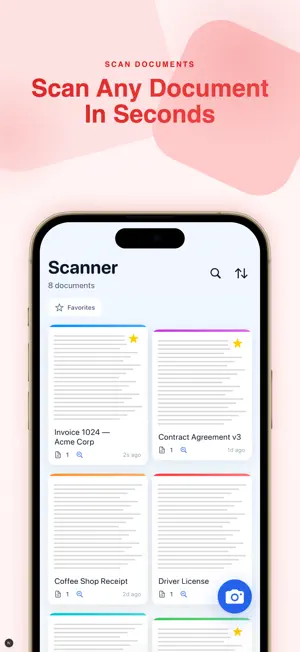
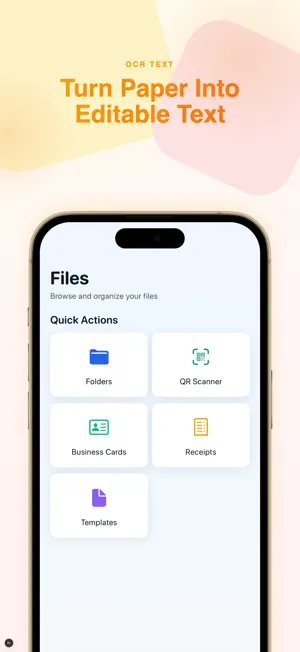


About PDF Scanner: Docs to PDF, OCR
Turn your iPhone into a pocket scanner. Capture receipts, contracts, IDs, and whiteboards in crisp PDF — then edit, sign, and share in seconds. No laptop needed. PDF Scanner is free to download and use for everyday scanning. Advanced tools are available through an optional Premium subscription or one-time Lifetime purchase (see PREMIUM below). — FREE FEATURES — • Instant document scanner: auto-detects edges, fixes perspective, and enhances every page for studio-quality PDF. • Batch multi-page scan: capture dozens of pages into one PDF with a single tap. • Merge PDFs, Image to PDF, and Text to PDF. • Share and save your scans. — PREMIUM FEATURES (require subscription or Lifetime purchase) — • AI-powered OCR: turn any photo or scan into editable, searchable text across 100+ languages. • Full PDF editor: add text, highlight, annotate, draw, stamp, and redact. • E-signatures: sign with your finger or Apple Pencil — save your signature, add dates and initials. • Export to Word, Excel, TXT, and JPG. • PDF tools: split, compress (up to 80%), PDF to images, password protect, and watermark. • Specialized scanners and templates: ID cards, passports, driver's licenses, business cards, receipts, and forms. • Cloud sync across iPhone, iPad, and Mac. • Ad-free experience. — WHY USERS LOVE IT — • No watermarks on your exported documents • Core scanning works offline — scan anywhere • Optimized for the latest iPhone and iPad — PREMIUM — PDF Scanner offers auto-renewable subscriptions (weekly and yearly) and a one-time Lifetime purchase to unlock all Premium features. • Payment is charged to your Apple ID account at confirmation of purchase. • Subscriptions automatically renew unless auto-renew is turned off at least 24 hours before the end of the current period. • Your account is charged for renewal within 24 hours prior to the end of the current period. • You can manage or cancel subscriptions in your App Store account settings after purchase. • Prices are shown in the app and may vary by region. — LEGAL — Terms of Use: https://leanstudio.asia/terms-of-use Privacy Policy: https://leanstudio.asia/privacy-policy — SUPPORT — Questions, feedback, or feature requests? Email [email protected] — we read every message.
App privacy
The developer, LEAN ASIA CO., LTD, reported these privacy practices to Apple.
Data Not Collected
The developer does not collect any data from this app.
Alternatives to PDF Scanner: Docs to PDF, OCR
Looking for apps like PDF Scanner: Docs to PDF, OCR? Here are 6 similar apps on the App Store. The highest rated is PDF Scanner & Converter App (5.0/5), and 5 of the 6 are free to download.
-
 ScanKit - PDF Document Scanner
-
 PDF Scanner & Converter App
5.0
-
 流光提词器
-
 InstaScan AI: OCR Scanner
-
 PDF Scanner Fserving
-
 Voxiyo
| App | Rating | Price | Last updated | Compare |
|---|---|---|---|---|
| PDF Scanner: Docs to PDF, OCR | – | Free | June 4, 2026 | |
| ScanKit - PDF Document Scanner | – | 1.99 USD | Aug 19, 2026 | Compare |
| PDF Scanner & Converter App | 5.0 / 5 (1) | Free | Oct 27, 2026 | Compare |
| 流光提词器 | – | Free | Oct 17, 2026 | Compare |
| InstaScan AI: OCR Scanner | – | Free | Sep 24, 2026 | Compare |
| PDF Scanner Fserving | – | Free | Jan 27, 2025 | Compare |
| Voxiyo | – | Free | Jul 15, 2025 | Compare |