

SignSeal - Sign & Fill PDF
ververv Productivity iPhoneiPadiPod touch
SignSeal - Sign & Fill PDF is a free Productivity app for iPhone and iPad by ververv. Requires iOS 17.6. Updated March 13, 2026.
- Price
- Free
- on the App Store
- Size
- 12 MB
- Age 4+
- Updated
- Mar 13
- 2026 · v1.0.0
Screenshots


About SignSeal - Sign & Fill PDF
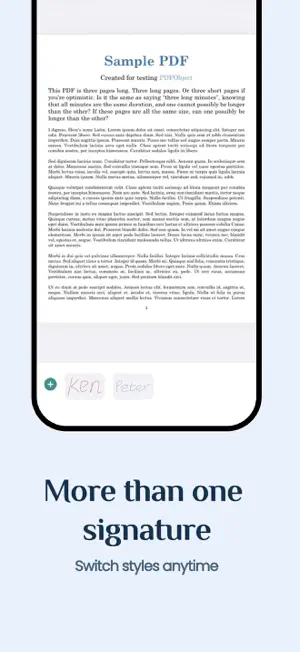
SignSeal turns your iPhone into a fast, reliable PDF signer. Import or scan any document, create your handwritten e-signature, place it exactly where you need, and send the signed PDF in seconds. No account required. No internet needed. Your documents stay on your device. KEY BENEFITS - Sign PDF documents anytime, anywhere — no printer or scanner needed - Create multiple personalized handwritten signatures - Get documents signed and sent in under a minute FEATURES Import & Scan - Import PDF files directly from the Files app - Scan paper documents with your camera and convert to PDF - Manage all your documents in one place Create Your Signature - Draw your signature with a natural handwriting experience - Adjust pen thickness from fine to bold - Choose signature color: black, blue, or red - Save multiple signatures for different uses Sign Documents - Tap to place your signature anywhere on the page - Drag to reposition, pinch to resize - Sign across multiple pages in one session - Change signature color even after placing Export & Share - Send signed PDFs via email, AirDrop, or any app - Save to Files, iCloud, or other cloud services - Share as a standard PDF — compatible with everyone PERFECT FOR - Contracts and agreements that need a quick signature - Forms and applications you receive as PDF - Documents you need to sign and return on the go - Freelancers, realtors, and anyone who signs paperwork regularly GET STARTED IN 3 STEPS 1) Import a PDF or scan a paper document 2) Create your signature and tap to place it 3) Save and send — done! SUBSCRIPTION TERMS SignSeal is free to download and use. Creating signatures, signing documents, and managing files are free. Exporting signed documents requires a Pro subscription. All other features can be used for free. Available subscriptions: • Pro Weekly – 3-day free trial, then $3.99 per week • Pro Monthly – $9.99 per month • Pro Yearly – $39.99 per year Payment will be charged to your Apple ID account at confirmation of purchase. Subscriptions automatically renew unless auto-renew is turned off at least 24 hours before the end of the current period. Your account will be charged for renewal within 24 hours prior to the end of the current period. You can manage and cancel your subscriptions by going to your App Store account settings after purchase. Privacy Policy: https://signseal.ververv.com/en/legal/privacy-policy Terms of Use (EULA): https://www.apple.com/legal/internet-services/itunes/dev/stdeula/ Questions? Contact us at [email protected]
App privacy
The developer, ververv, reported these privacy practices to Apple.
Data Not Linked to You
The following data, which may be collected but is not linked to your identity, may be used for the following purposes:
- Purchases: Purchase History
- Identifiers: Device ID
- Usage Data: Product Interaction
- Diagnostics: Crash Data
Used for: Analytics, App Functionality
Alternatives to SignSeal - Sign & Fill PDF
Looking for apps like SignSeal - Sign & Fill PDF? Here are 6 similar apps on the App Store. The highest rated is QuickPDF Signer (5.0/5), and all 6 are free to download.
-
 Wonder Fleet Advance
-
 QuickPDF Signer
5.0
QuickPDF Signer
5.0
-
 Boreal Markdown Editor
-
 Document Signer App - TinySign
-
 MSAI
MSAI
-
 Upload & Sign Docs
| App | Rating | Price | Last updated | Compare |
|---|---|---|---|---|
| SignSeal - Sign & Fill PDF | – | Free | March 13, 2026 | |
| Wonder Fleet Advance | – | Free | Jul 9, 2025 | Compare |
| QuickPDF Signer | 5.0 / 5 (2) | Free | Sep 8, 2026 | Compare |
| Boreal Markdown Editor | – | Free | Jul 21, 2026 | Compare |
| Document Signer App - TinySign | – | Free | Jul 30, 2026 | Compare |
| MSAI | – | Free | Dec 12, 2024 | Compare |
| Upload & Sign Docs | – | Free | Jan 9, 2025 | Compare |