

Sikt: Keep favorite photos
IVAN VEREVKIN Productivity iPhoneiPadiPod touch
Sikt: Keep favorite photos is a free Productivity app for iPhone and iPad by IVAN VEREVKIN. Requires iOS 18.6. Updated October 24, 2026.
- Price
- Free
- on the App Store
- Size
- 8 MB
- Age 4+
- Updated
- Oct 24
- 2026 · v1.18.1
Screenshots

About Sikt: Keep favorite photos
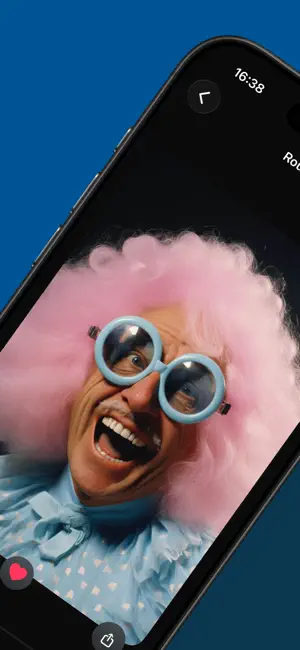
Your camera roll is full. Not because you take too many photos -- but because you never go back to clean up. Sift makes it easy. Open the app, swipe through your photos, and decide in a second: keep or let go. That's it. No complicated menus, no bulk-select frustration, no cloud uploads. Just you and your photos, one at a time. HOW IT WORKS Swipe right to keep a photo. Swipe left to mark it for deletion. Every photo you swipe left goes to a review bin -- nothing is deleted immediately. When you're ready, review your choices and confirm. Sift triggers the standard iOS deletion prompt, so you're always in control. THREE WAYS TO BROWSE On This Day See every photo taken on today's date across all years. A 2019 lunch, a 2021 sunset, a 2024 selfie -- all side by side. Decide what's worth keeping. Random Roulette Sift pulls photos from your entire library at random. Not just your recent shots -- truly random, from any year, any album. You'll rediscover photos you forgot you had. Smart Albums Browse by screenshots, selfies, Live Photos, and more. Target the clutter where it builds up fastest. SMART DEDUPLICATION Sift remembers what you've already reviewed. Photos you keep won't reappear for weeks or months, depending on your library size. Small library? They'll cycle back in 2 weeks. Large library? Up to 6 months. You'll always see fresh content. BUILT FOR TRUST Nothing leaves your device. Ever. Sift works entirely on-device using Apple's PhotoKit framework. No accounts, no cloud sync, no analytics, no tracking. Your photos stay yours. Photos marked for deletion go to a review bin first. You can restore any photo before confirming. When you do confirm, iOS shows its own native deletion dialog -- the same one you see in the Photos app. Sift never deletes anything behind your back. DAILY RITUAL, NOT A CHORE
What’s new
Version 1.18.1 · Updated October 24, 2026
• Bin thumbnails appear at once, even for photos stored in iCloud • Keep a photo from the Bin by mistake? Tap Undo to put it back • Binning a whole group of duplicates can be undone too • Undo now sits by your thumb and stays up long enough to reach • The Bin explains when Limited Access stops a photo from being deleted • The count of cards to review no longer jumps while you swipe • Clean up counts keep their last number while a new scan runs • Smoother scrolling, clearer outlines in dark mode, fewer double taps
App privacy
The developer, IVAN VEREVKIN, reported these privacy practices to Apple.
Data Not Collected
The developer does not collect any data from this app.
Alternatives to Sikt: Keep favorite photos
Looking for apps like Sikt: Keep favorite photos? Here are 3 similar apps on the App Store. The highest rated is WorkTime: Hours Tracker Log (4.8/5), and 2 of the 3 are free to download.


| App | Rating | Price | Last updated | Compare |
|---|---|---|---|---|
| Sikt: Keep favorite photos | – | Free | October 24, 2026 | |
| Build Systems | – | 7.99 USD | Oct 27, 2025 | Compare |
| Focus Bear. Built for AuDHDers | 4.5 / 5 (13) | Free | Oct 19, 2026 | Compare |
| WorkTime: Hours Tracker Log | 4.8 / 5 (639) | Free | Oct 23, 2026 | Compare |