

xTool Studio
Makeblock Co., Ltd. Utilities iPhoneiPadiPod touch
xTool Studio is a free Utilities app for iPhone and iPad by Makeblock Co., Ltd. Rated 4.4/5 from 59 ratings. Requires iOS 16.0. Updated October 19, 2026.
- Rating
- 4.4
- 59 ratings
- Price
- Free
- on the App Store
- Size
- 445 MB
- Age 4+
- Updated
- Oct 19
- 2026 · v1.5.0
Screenshots


About xTool Studio
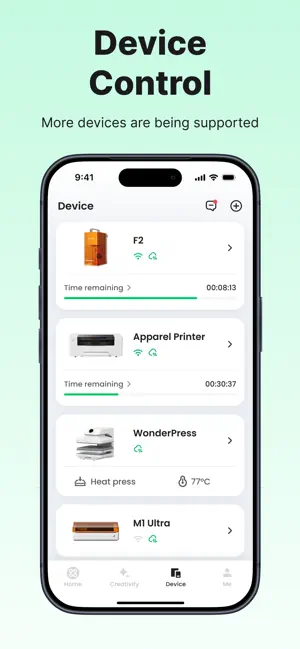
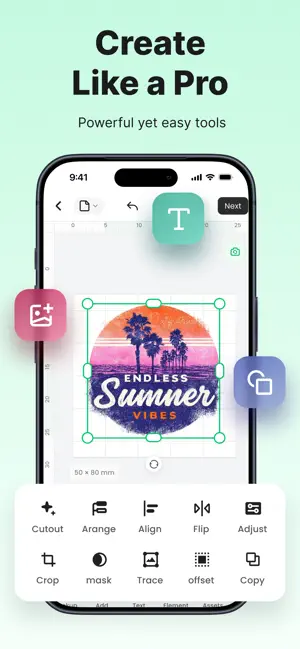
Design, monitor, and control your xTool machine — right from your phone. WORKS WITH F2 · WonderPress · M1 Ultra · Apparel Printer · Apparel Printer Plus · M2 · O1 Omni Printer · F1 · F1 Lite · F1 Ultra. More models are added with each release. WHAT YOU CAN DO - Create and adjust designs on the go — no computer needed. - Watch jobs in real time and get alerted the moment one finishes or needs you. - Connect, set up, start, pause, and monitor every project from one screen. EARLIER XTOOL MACHINE? F1, F1 Lite, F1 Ultra, S1, P2, P2S, D1 Pro 2.0, D1 Pro, D1 and M1 work with our xTool Creative Space Mobile app — search for it in the App Store. Questions or trouble connecting? Email [email protected].
Ratings & reviews
4.4
59 ratings
What’s new
Version 1.5.0 · Updated October 19, 2026
• Added support for F1, F1 Lite, and F1 Ultra • Added precise size settings to the canvas
App privacy
The developer, Makeblock Co., Ltd., reported these privacy practices to Apple.
Data Linked to You
The following data, which may be collected and linked to your identity, may be used for the following purposes:
- Contact Info: Email Address
- Usage Data: Product Interaction, Other Usage Data
- Diagnostics: Crash Data, Performance Data, Other Diagnostic Data
- Other Data: Other Data Types
- User Content: Other User Content, Photos or Videos
- Identifiers: User ID, Device ID
- Location: Precise Location
Used for: Analytics, Product Personalization, App Functionality, Other Purposes