

Transforma - File Converter
Pawel Zalewski Utilities iPhoneiPadiPod touch
Transforma - File Converter is a free Utilities app for iPhone and iPad by Pawel Zalewski. Rated 1.0/5 from 1 ratings. Requires iOS 17.0.
- Rating
- 1.0
- 1 ratings
- Price
- Free
- on the App Store
- Size
- 15 MB
- Age 4+
- Updated
- Apr 24
- 2026 · v1.5.1
Screenshots

About Transforma - File Converter
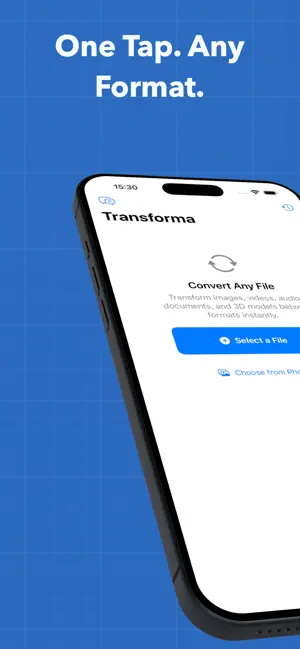
Convert files instantly on your iPhone — images, videos, audio, documents, and more. Transforma processes everything on-device. No uploads, no servers, no cloud. Your files never leave your phone. WHAT MAKES TRANSFORMA DIFFERENT Unlike online converters, Transforma works 100% on your device using Apple's native frameworks. This means: - Complete privacy — files never leave your iPhone - Works offline — convert anywhere, no internet needed - No file size limits — convert what your device can handle - Instant results — no upload/download wait times - Try free — 5 conversions at no cost, then unlock unlimited with a one-time purchase SUPPORTED FORMATS (40+) Images: HEIC, JPEG, PNG, GIF, TIFF, BMP, WebP, JPEG 2000, ICO, EXR, TGA Video: MOV, MP4, M4V with H.264, HEVC, and ProRes codecs (up to 4K) Audio: MP3, AAC, M4A, WAV, AIFF, FLAC, ALAC, OGG, OPUS, CAF Documents: PDF, DOCX, RTF, HTML, TXT, Markdown, ePub Data: CSV, JSON, YAML, XLSX, PLIST, TOML, XML Archives: ZIP, TAR, GZIP, BZ2, 7z 3D Models: USDZ, OBJ, STL, PLY, USD, SCN HOW IT WORKS 1. Open Transforma and select your file (from Files, Photos, or Share Sheet) 2. Tap the output format you want 3. Done — share or save your converted file FEATURES - Batch Conversion: Convert multiple files at once - Background Removal: AI-powered subject isolation using Apple Vision - Quality Controls: Adjust resolution, bitrate, quality, and codec settings - Metadata Preserved: EXIF, GPS, and camera info carried forward - Share Sheet Integration: Convert files from any app without leaving it - Conversion History: Easily find and reshare previous conversions - Drag and Drop: Works with iPad multitasking BUILT WITH APPLE FRAMEWORKS Transforma uses AVFoundation, CoreImage, PDFKit, Vision, and ModelIO — the same frameworks Apple uses in its own apps. No third-party libraries, no web views, no hidden servers. Try 5 conversions free, then unlock unlimited with a one-time purchase. No subscriptions. No ads.
What’s new
Version 1.5.1 · Updated April 24, 2026
Bug fixes and performance improvements.
App privacy
The developer, Pawel Zalewski, reported these privacy practices to Apple.
Data Not Linked to You
The following data, which may be collected but is not linked to your identity, may be used for the following purposes:
- Diagnostics: Crash Data, Performance Data, Other Diagnostic Data
Used for: App Functionality
Alternatives to Transforma - File Converter
Looking for apps like Transforma - File Converter? Here are 6 similar apps on the App Store. The highest rated is Snooze It - Quick Reminders (5.0/5), and 5 of the 6 are free to download.
-
 Knakke
-
 PickColor Studio
-
 Screenshot Cleaner AI
-
 Snooze It - Quick Reminders
5.0
Snooze It - Quick Reminders
5.0
-
 Voice Counter - List & Count
5.0
Voice Counter - List & Count
5.0
-
 ShotSort: Screenshot Actions
| App | Rating | Price | Last updated | Compare |
|---|---|---|---|---|
| Transforma - File Converter | 1.0 / 5 (1 rating) | Free | April 24, 2026 | |
| Knakke | – | Free | Apr 8, 2026 | Compare |
| PickColor Studio | – | Free | Oct 11, 2026 | Compare |
| Screenshot Cleaner AI | – | Free | Oct 21, 2026 | Compare |
| Snooze It - Quick Reminders | 5.0 / 5 (1) | Free | Mar 13, 2026 | Compare |
| Voice Counter - List & Count | 5.0 / 5 (6) | 8.99 USD | Sep 27, 2026 | Compare |
| ShotSort: Screenshot Actions | – | Free | May 5, 2026 | Compare |