

BeaverPlot: Floor Plan Scanner
BOBBY JOSE Productivity iPhoneiPadiPod touch
BeaverPlot: Floor Plan Scanner is a free Productivity app for iPhone and iPad by BOBBY JOSE. Requires iOS 26.0. Updated October 18, 2026.
- Price
- Free
- on the App Store
- Size
- 24 MB
- Age 17+
- Updated
- Oct 18
- 2026 · v1.7.2
Screenshots
About BeaverPlot: Floor Plan Scanner
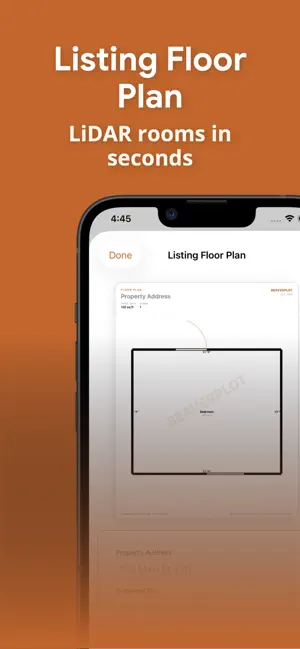
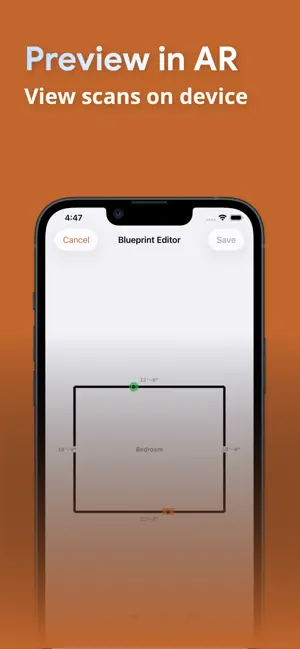
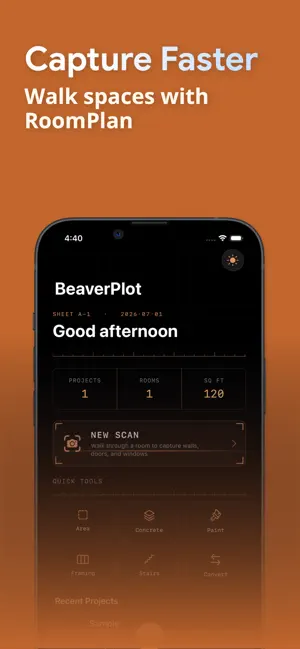
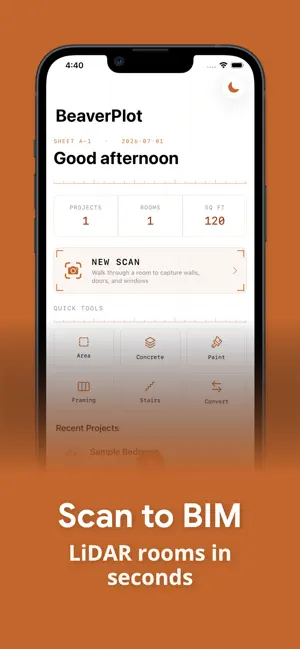
BeaverPlot turns your iPhone or iPad into a professional scan-to-BIM tool — and a field companion that makes sure extra work gets paid. Walk through any residential space, capture it with LiDAR, and generate industry-standard floor plans, 3D models, AI-drafted reports, and a home inventory in seconds. And when a job grows beyond the quote, write a signed work ticket before the crew leaves the site. ROOM SCANNING REQUIRES LiDAR — iPhone 12 Pro or later, or iPad Pro (2020 or later). Work Tickets, outdoor measuring, and every calculator work on any iPhone. HOW IT WORKS 1. Scan — Walk through a room using RoomPlan + LiDAR to capture walls, doors and windows 2. Edit — Fine-tune dimensions, adjust wall positions, and calibrate with a single tape measurement so every export is to scale 3. Export & Share — Generate professional deliverables, draft an AI report, build a home inventory, or share a walkable 3D tour link that opens in any browser WORK TICKETS — GET PAID FOR EXTRA WORK When the GC, super, or homeowner asks for work that isn't in the contract, write it up in 60 seconds: snap photos, dictate what was asked for, add time & materials — then hand them your phone to sign. The ticket locks, and a signed change-order PDF is generated on your device, ready to share on the spot. Track every ticket from signed to invoiced to paid, with a running outstanding total and reminders so nothing goes unbilled. Your tickets live in your own files (Files > Beaverplot > Tickets) and never touch a server. SHARE 3D TOURS Turn any room scan into an interactive 3D tour you can text or email. Recipients open it in any web browser — no app required — and can explore the space with per-room measurements. (Pro) AI REPORTS Turn a scan plus your photos and notes into a professional report — property condition, real-estate listing, punch/snag list, or damage & restoration scope. Choose the tone and what to focus on, then review and finalize your editable draft. (Pro AI) HOME INVENTORY Photograph your rooms and let AI list your belongings — item, brand, and room — for insurance, moving, warranties, or your own records. Edit the list, add your own details, save it on your device, export a PDF, or attach it to a project. (Pro AI) EXPORT FORMATS • USDZ — Free on-device 3D model you can view in AR • Listing Floor Plan — Clean, dimensioned floor plans for real-estate listings • DXF — 2D floor plans for AutoCAD (Pro) • IFC — Parametric BIM models with wall families for Revit (Pro) • PDF — Dimensioned floor plans ready to share (Pro) FREE FEATURES • Unlimited room scanning with LiDAR • Work tickets — photos, dictation, time & materials, on-screen signature, and PDF (with watermark) • Measure outdoors without a scan — trace a lawn on satellite imagery, or walk a deck and tap its corners • Blueprint editor with dimension and calibration tools • Listing floor plans (with watermark) • Built-in calculators — area, concrete, paint, framing, stairs, unit converters BUILT FOR PROFESSIONALS • Contractors, subcontractors, and the trades — electricians, plumbers, drywallers, remodelers • Architects and designers • Home inspectors and restoration pros • Real estate documentation and listings • Homeowners documenting belongings for insurance • As-built surveys REQUIREMENTS • Any iPhone for work tickets, outdoor measuring, and calculators (iOS 18 or later) • iPhone 12 Pro or later, or iPad Pro (2020 or later) — required for room capture SUBSCRIPTION TERMS BeaverPlot Pro is available as a monthly ($4.99) or yearly ($49.99) auto-renewing subscription. BeaverPlot Pro AI is available as a monthly ($19.99) or yearly ($149.99) auto-renewing subscription. Both renew automatically unless cancelled 24 hours before the period ends. - EULA: https://www.apple.com/legal/internet-services/itunes/dev/stddla/ - Privacy Policy: https://www.beaverplot.com/privacy - Terms of Service: https://www.beaverplot.com/terms
What’s new
Version 1.7.2 · Updated October 18, 2026
• A one-time screen to review and agree to our updated Terms of Service and Privacy Policy • Clearer answers in the in-app FAQ • Bug fixes and stability improvements
App privacy
The developer, BOBBY JOSE, reported these privacy practices to Apple.
Data Not Linked to You
The following data, which may be collected but is not linked to your identity, may be used for the following purposes:
- Purchases: Purchase History
- Usage Data: Product Interaction
- Diagnostics: Crash Data, Other Diagnostic Data
- Surroundings: Environment Scanning
- User Content: Photos or Videos
- Identifiers: Device ID
Used for: Analytics, App Functionality
Alternatives to BeaverPlot: Floor Plan Scanner
Looking for apps like BeaverPlot: Floor Plan Scanner? Here are 6 similar apps on the App Store. The highest rated is Aether - Knowledge Engine (5.0/5), and all 6 are free to download.
-
 Auto-Immo PRO
-
 Scannr - 3D & Room Scanner
4.2
Scannr - 3D & Room Scanner
4.2
-
 Scan2IFC
-
 Gamisya Room Scan
-
 Aether - Knowledge Engine
5.0
Aether - Knowledge Engine
5.0
-
 Apptricity Mobile
| App | Rating | Price | Last updated | Compare |
|---|---|---|---|---|
| BeaverPlot: Floor Plan Scanner | – | Free | October 18, 2026 | |
| Auto-Immo PRO | – | Free | Jul 10, 2026 | Compare |
| Scannr - 3D & Room Scanner | 4.2 / 5 (5) | Free | Aug 6, 2026 | Compare |
| Scan2IFC | – | Free | Jun 15, 2026 | Compare |
| Gamisya Room Scan | – | Free | Dec 16, 2025 | Compare |
| Aether - Knowledge Engine | 5.0 / 5 (1) | Free | Apr 9, 2026 | Compare |
| Apptricity Mobile | – | Free | May 2, 2024 | Compare |