

Lockboard: Lock Screen Habits
ROBIN ANDREAS KARLSSON Productivity iPhoneiPadiPod touch
Lockboard: Lock Screen Habits is a free Productivity app for iPhone and iPad by ROBIN ANDREAS KARLSSON. Requires iOS 18.0. Updated July 30, 2026.
- Price
- Free
- on the App Store
- Size
- 29 MB
- Age 4+
- Updated
- Jul 30
- 2026 · v1.12
Screenshots



About Lockboard: Lock Screen Habits
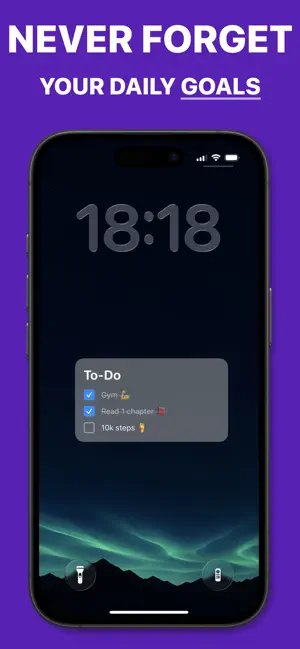
You check your phone 100+ times a day. Your habits should be there every time. Lockboard turns any photo into a habit-tracking wallpaper. Your progress rings, to-do list, and goal reminders are built directly into your lock screen — impossible to miss, impossible to forget. NOT A WIDGET iOS widgets are locked into fixed zones. Lockboard generates a wallpaper image, so you can place your habits anywhere on your screen — center, bottom, corners. No restrictions. WHAT YOU GET • Daily habit rings with weekly progress • To-do list and reminders on your wallpaper • Weekly bar chart to track consistency • Monthly calendar habit grid • Year progress tracker • Works with any of your own photos HOW IT WORKS Open Lockboard → customize your layout → save as wallpaper. Every time you pick up your phone, your habits are already there. BUILT FOR PEOPLE WHO FORGET TO OPEN HABIT APPS Every other tracker requires you to remember to open it. Lockboard doesn't. It's the first thing you see, every single time. Privacy: https://lockboard.notion.site/Lockboard-privacy-31531d52aec8807bb81fea52ab814e57 EULA: https://www.apple.com/legal/internet-services/itunes/dev/stdeula/
What’s new
Version 1.12 · Updated July 30, 2026
• Added a selection of built-in wallpapers • Your first export now saves directly to Photos for a faster, smoother experience